// TOM'S HARDWARE US — HARDWARE & GADGET
ASRock X870E Challenger Wifi Motherboard Review: A value X870E board packed with features
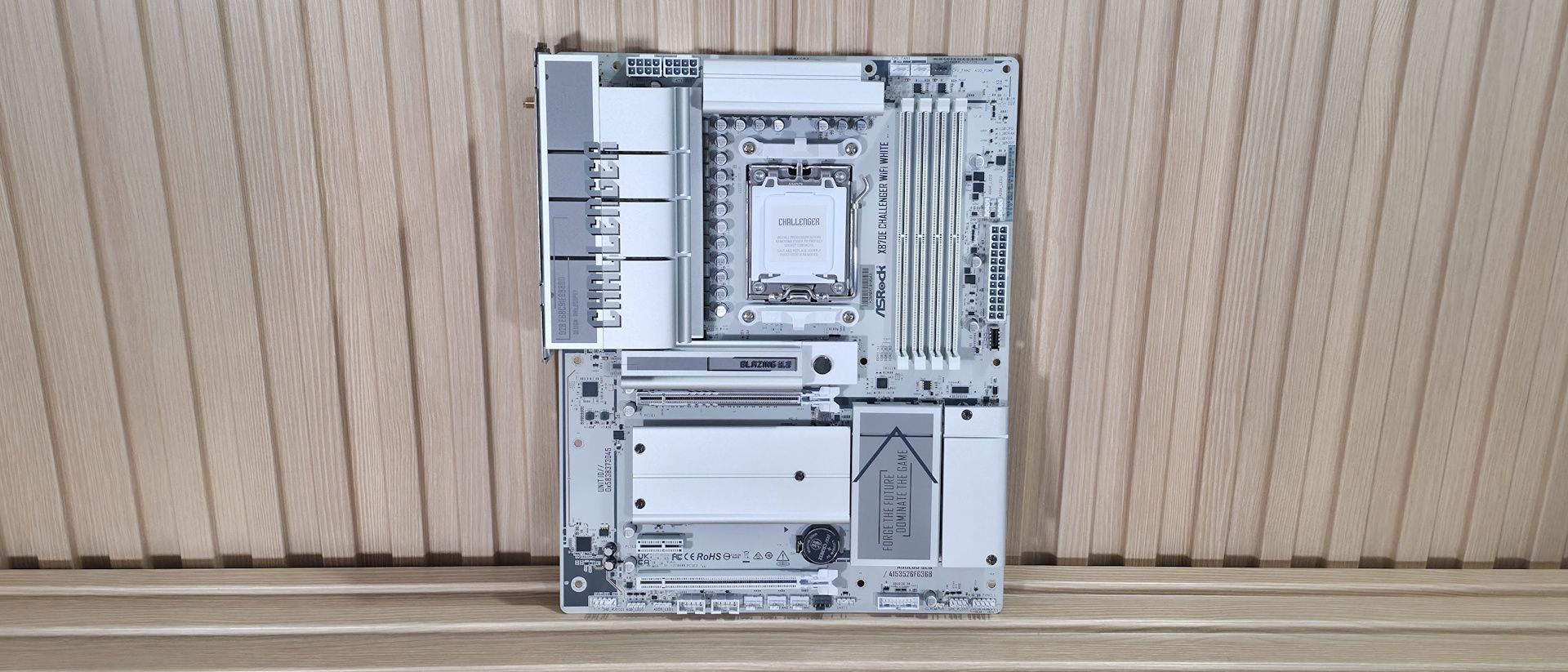
The X870E Challenger sports overbuilt VRMs, flagship audio, and a slew of fast USB ports, making this inexpensive AM5 board one of the best-equipped options under $230.
Why you can trust Tom's Hardware
Our expert reviewers spend hours testing and comparing products and services so you can choose the best for you. Find out more about how we test.
The latest all-white board to land on our test bench is from ASRock. But this time, it’s more affordable than the updated X870E Taichi White we recently covered. The $230 X870E Challenger Wifi White offers a surprising number of features for the price.
Specs-wise, the Challenger comes handsomely equipped for almost any price point. Features include a flagship audio codec, robust VRMs, and ample (and fast!) USB connectivity (including USB4 ports). You also get plenty of internal storage options, with four M.2 sockets (one PCIe 5.0) and two SATA ports, and fast networking with 5 GbE and Wi-Fi 7 (160MHz). Looking at other boards at this price, some don’t include USB4, offer slower 2.5 GbE, or provide weaker audio solutions. For $230, the Challenger is a great deal for an X870E-based board, though, like everything, it has drawbacks that we’ll cover below.
On the performance front, the X870E Challenger delivered average-to-below-average results across most tests, as we again had to use our secondary DDR5-6000 kit (the Kingston kit isn’t officially supported and didn’t work after enabling the XMP/DOCP profile). Still, we’re confident it would perform a bit better if you snag some RAM on the board’s QVL list that has tighter secondary and tertiary timings.Below, we’ll examine the X870E Challenger White’s performance and other features, and see if it earns a spot on our list of the best motherboards. But before we share test results and discuss details, here are the specifications from the ASRock website:
(2) USB 4 (40 Gbps) Type-C(5) USB 3.2 Gen 2 (10 Gbps)(3) USB 3.2 Gen 1 (5 Gbps)
(1) PCIe 5.0 x4 (128 Gbps) / PCIe (up to 80mm)(3) PCIe 4.0 x4 (64 Gbps) / PCIe (up to 80mm)
(1) USB v3.2 Gen 2x2 (20 Gbps) Type-C(2) USB v3.2 Gen 1 (5 Gbps)(2) USB v2.0 (480 Mbps)
The retail packaging includes a few accessories to help you get up and running. You get the standard Wi-Fi antennas, two white SATA cables (one with a 90-degree connector), an installation guide, and some stickers. It’s not a lot, but par for the course in this price bracket.
The X870E Challenger Wifi White is, as the name describes, all white. In fact, everything save for two light-gray fan headers is white, along with the onboard chips and screws that secure the M.2 heatsinks to the 8-layer, server-grade PCB. Oversized VRM heatsinks cover the top-left part of the board, with Challenger written across them.