// TOM'S HARDWARE US — HARDWARE & GADGET
Testing two Thunderbolt 5 docks with M.2 storage — VectoTech V-Core vs Orico TB5
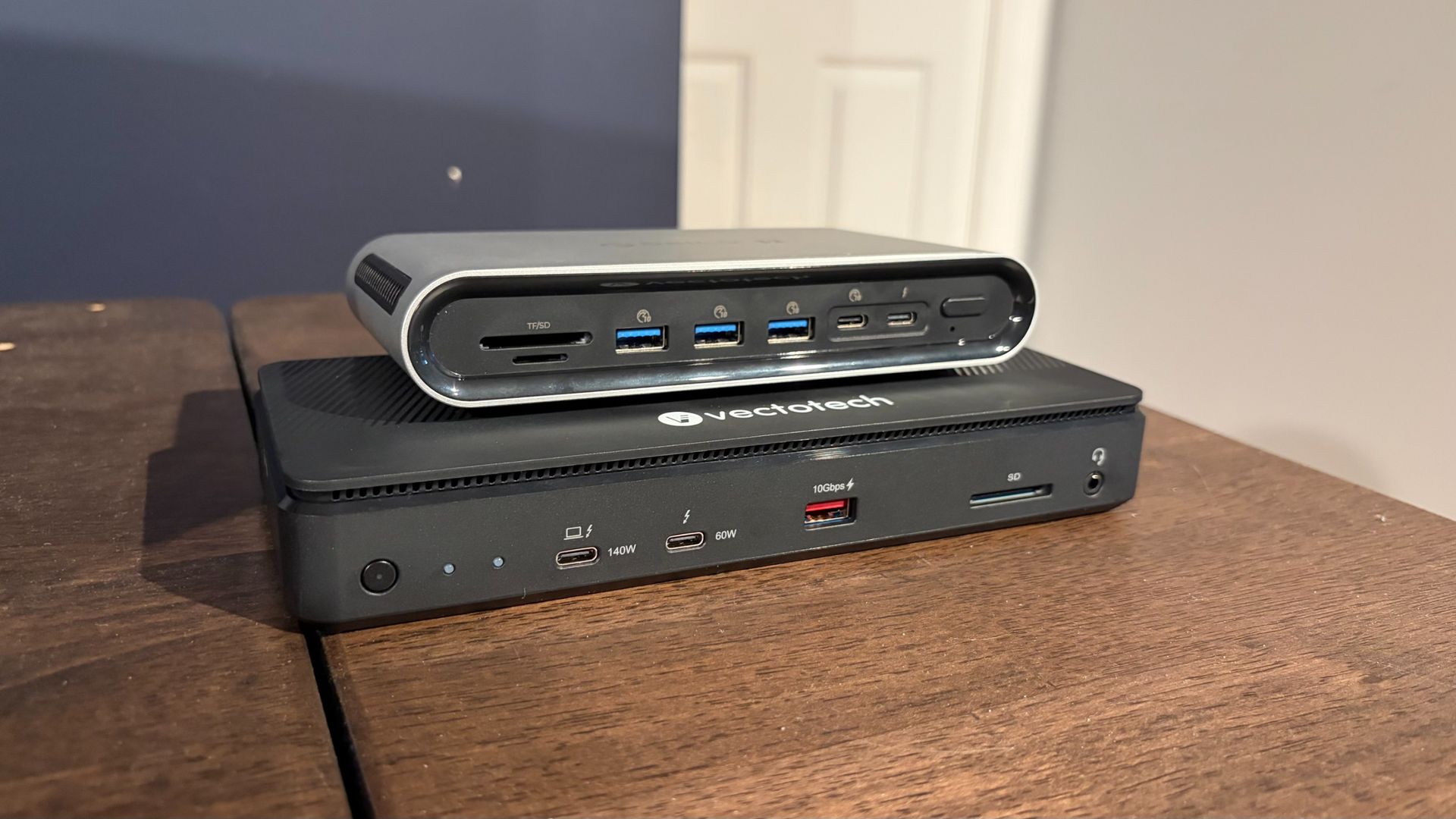
Both include 2.5 GbE LAN and internal M.2 slots, but the cheaper makes too many design and feature sacrifices.
When you purchase through links on our site, we may earn an affiliate commission. Here’s how it works.
The Thunderbolt 5 market is starting to heat up, as we’re seeing more players enter the increasingly crowded field. We’ve previously looked at docks in the sub-$400 price category, and premium offerings crossing the $600 barrier.
Today, we’re focusing on two new entries in the sub-$400 category: the VectoTech V-Core and the Orico TB5, priced at $349 and $399, respectively. Both offer a wealth of USB and Thunderbolt ports, 2.5 GbE Ethernet, and internal M.2 slots. While their specs look similar on paper, at the end of our testing, there was a clear winner.
The V-Core has what I’d call a traditional, candybar form factor. It’s meant to sit flat on your desk, unlike chunkier docks that can also operate vertically. At first glance, I thought the V-Core was made of lightweight aluminum. However, it wasn’t until I started fumbling around, trying to figure out how to access the internal M.2 SSD slot, that I discovered the unfortunate truth: the V-Core is constructed almost entirely of plastic. That includes the lower and top chassis, and much of the internal structure.
It’s a stark departure from every other Thunderbolt dock that I’ve tested, which are made from aluminum to help dissipate heat – which can be intense when a dock is under load. In addition, the top cover wiggled around when snapped into place (it uses a friction fit to attach to the main chassis).
With the top cover removed, you can see an internal cooling fan, which is essential for cooling Thunderbolt 5 docks with internal SSD bays, and a large black aluminum heatsink held in place with two screws. After removing the screws, the heatsink lifts off, revealing an M.2 slot that supports up to an 8TB 2280 SSD. Here’s another nitpick: Instead of using a screw to secure the SSD, VectoTech uses a tiny, spinning plastic retaining clip.
This is a feature that’s handy to have on motherboards when you’re often reaching inside a case, sometimes while the case is vertical. But it makes less sense in a small dock – especially when this particular latch is smaller than we’ve seen on other M.2 mounts. It didn’t inspire much confidence that it would hold the SSD in place, at least not compared to traditional screws. That said, VectoTech offers thermal pads that cover both the top and bottom of your SSD.
When it comes to ports, the VectoTech V-Core left me scratching my head a bit: There are no native HDMI or DisplayPort ports on the dock. Most Thunderbolt docks include at least one of the two common video ports, so it was disappointing to see this omission here. It’s not the end of the world, however; you can always use an HDMI-to-USB-C or DisplayPort-to-USB-C adapter with the dock (at an additional out-of-pocket cost).
Get Tom's Hardware's best news and in-depth reviews, straight to your inbox.