// TOM'S HARDWARE US — HARDWARE & GADGET
These 15 under-$50 gadgets have upgraded my tech life, and they're all on sale
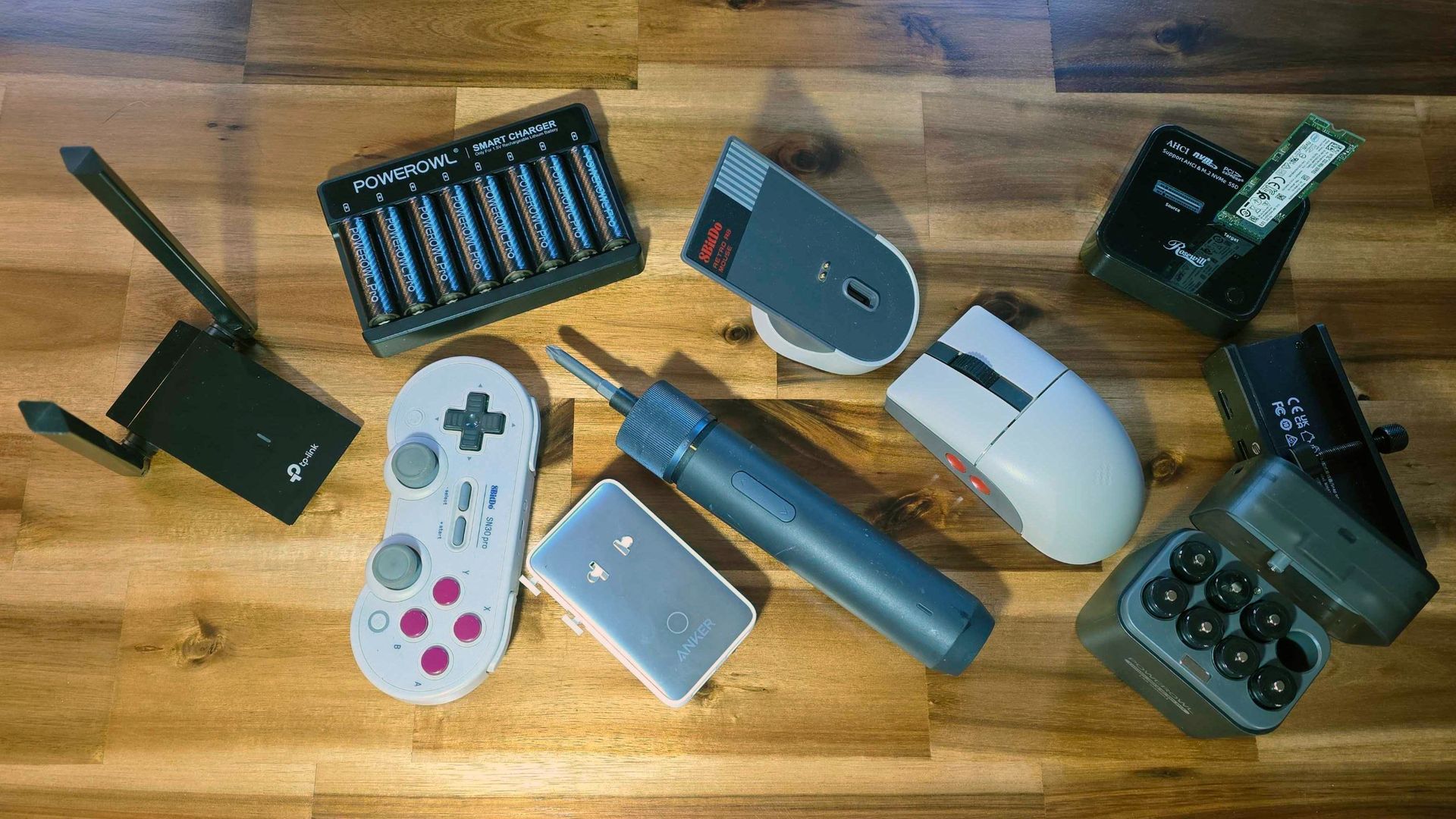
From M.2 cloners to screwdrivers, and travel-friendly tech accessories, these are affordable game-changers.
When you purchase through links on our site, we may earn an affiliate commission. Here’s how it works.
As much as I love high-priced tech like my potent RTX 4090-equipped custom gaming rig or the 65-inch LG OLED TV I use as my monitor, most of us can't spend several hundred dollars on a tech purchase or gift all the time. But you can still improve your tech life (or the lives of your friends and family) while spending a comparatively small amount of money.
I own all of the affordable devices listed below, and all are on sale for under $50. Some are even under $25! All of these products have made my tech-saturated world a little nicer in their own way. If you're looking for a small tech splurge for yourself during this deals season, or an affordable gift for that tech-savvy friend or family member, one of these $50-or-under options might be a good fit and a great deal.
Last year, a family member asked me for help with an older PC, which was trying to run Windows 10 and several programs on a cramped 110 GB SSD. At first, I figured I could clone the boot drive onto a more spacious drive so the OS and programs had more space to stretch out.
But the thought of using multiple USB enclosures or shuffling drives in and out of my desktop filled me with dread as I pictured being there for hours getting everything done and the system back up and running. So I looked into getting an M.2 SSD cloner and was surprised to see they can be found for less than $50.
With support for NVMe M.2 SSDs and offline cloning, this handy device makes it simple to move your files or OS from one drive to another. And with a 20 Gbps USB-C interface, it's also speedy in your OS of choice if you want to use software to clone or move your data between drives.
While I don't love the glossy plastic shell of Rosewill's model, it's one of the more affordable options. And it supports both NVMe M.2 drives and older AHCI models (Sorry, SATA). Using the cloner is pretty straightforward. You plug in the included USB-C power adapter, put your source drive in the left slot, the destination drive in the right slot, press the power button on the back, and a few logos light up, letting you know you're ready to go. Press the clone button on the top, and drive cloning will commence (provided your destination is the same size or larger than your source).That's assuming you want to do an offline clone. But because I wanted to also resize the partition between the old 110 GB and the newer Team Group 512 GB SSD, I used the second included USB-C cable to connect the Rosewill cloner to my laptop and powered up the device. Within seconds, both drives were recognized in Windows, so I fired up the excellent free DiskGenius software, cloned the old partition to a new Team Group drive with a few clicks, and then used the software to drag the boot partition to the full size of the new drive. The whole process took just a few minutes, since the Rosewill cloner supports 20 Gbps USB, and I wasn't exactly copying a huge partition. When the cloning process was finished and the partition inflated, it was hard to believe it was all that easy. I had expected to be at the task for hours, but I was done in less than 30 minutes. Sure, unless you're in IT, a drive cloner might not be something you use regularly, but it's sure handy to have around. You could also use it to save some money by buying a laptop with a cramped SSD and swapping in something much roomier – provided, of course, the laptop's storage isn't soldered to the motherboard. The Rosewill cloner is also handy for just checking the contents of old M.2 drives you may have lying around. But if that's all you need, you can buy an NVMe enclosure or a single-drive dock. I also own a version of this model from Suitok, which costs $12.
I picked up the OLIGHT IMINI 2 mini flashlight last year on impulse because it looked well-desig