// PC GAMER — GAMING
Asus ROG Strix XG129C review
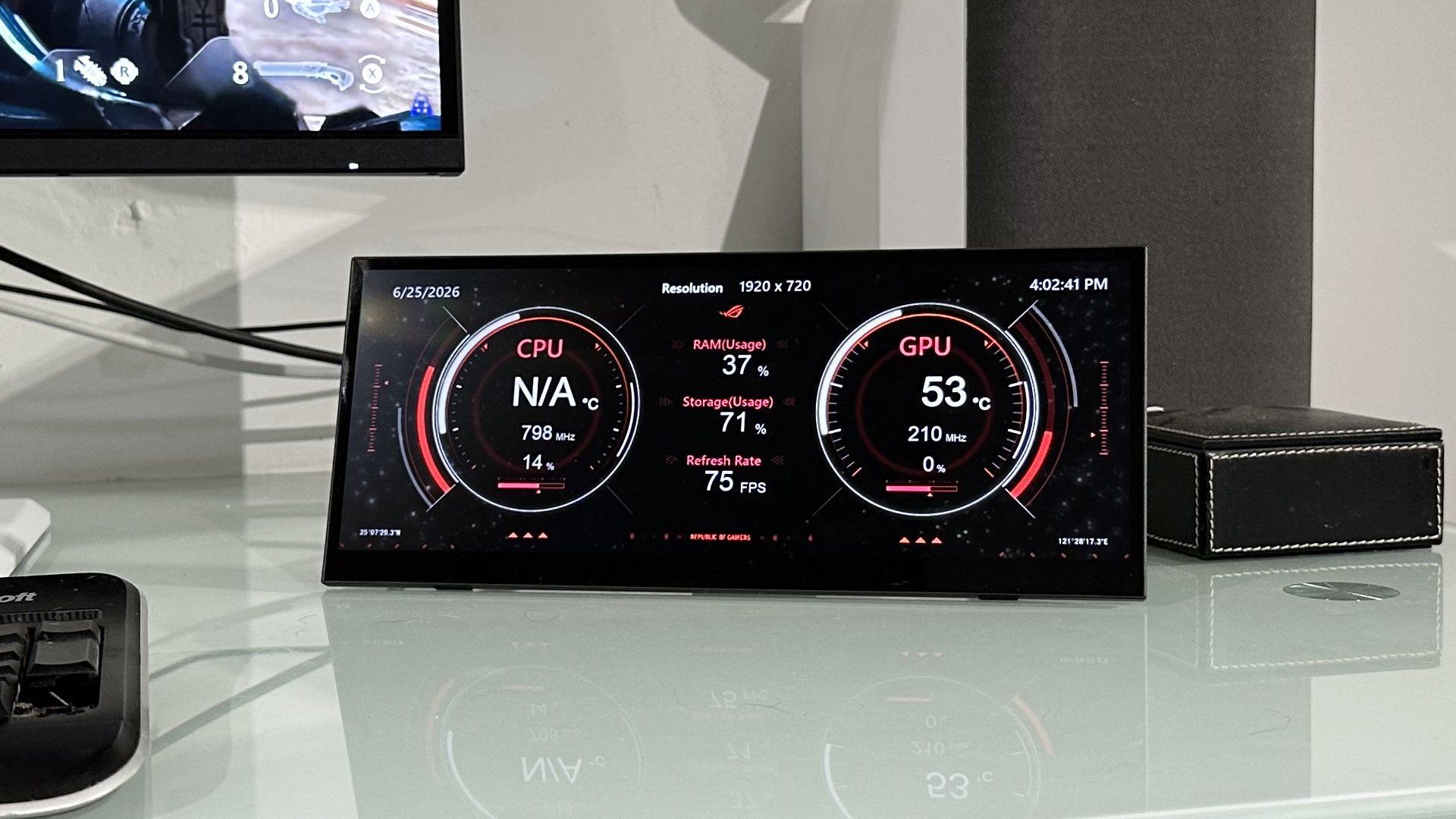
You can get a whole 27-inch 1440p panel for less than this 12.3-inch touchscreen USB-C monitor. So, the value proposition doesn't make much sense. But if the cost isn't an issue, the Asus ROG Strix XG129C is surprisingly fun and at least a little useful.
PC Gamer's got your back
Our experienced team dedicates many hours to every review, to really get to the heart of what matters most to you. Find out more about how we evaluate games and hardware.
You can't have too many screens. That's pretty much been the guiding moral in my life. Enter the new Asus ROG Strix XG129C and a minor existential crisis. This is a screen, but I have to ask—I can't believe I'm saying this—is there any real point to it?
For starters, this "gaming monitor" (Asus' words, not mine) measures just 12.3 inches. So, it's pretty puny. Actually, it's worse than that. It sports an ultra-wide 24:9 aspect ratio and thus isn't even as big as those 12 inches might imply. In terms of vertical viewable screen height, we're talking sub-4.5-inch.
But here's the thing. While I came in decidedly sceptical about the Asus ROG Strix XG129C, this isn't a proper monitor. It's a device for keeping track of, say, your PC's operating status or providing space for some supplementary application controls. Somehow, I ended up quite liking it. And not just because I'm a total sucker for screens. But more on my journey in a moment. First, let's cover off the core speeds and feeds.
IPS panel, 1x USB-C with DP and DC-inl 1s USB-C with DP and 30 W PD out, HDMI
✅ You want a sidekick display for keeping track of PC or social media: This isn't a proper PC monitor. But it is pretty nifty as a secondary display for status tracking.
❌ You want bang for your buck: You can buy a full 27-inch IPS 1440p gaming monitor for less money.
The 24:9 aspect translates into a native resolution of 1,920 by 720 pixels and a pixel density of 166 DPI, the latter being about the same as a 27-inch 4K monitor. So, it's pretty crisp.
It uses IPS panel tech and tops out at 300 nits for brightness and 75 Hz in terms of refresh rate. Oh, and quite importantly, it supports capacitive 10-point multi-touch input. For the record, the touch functionality works essentially out-of-the-box provided you are connecting via USB-C.