// PC GAMER — GAMING
Razer Wolverine V4 Pro wireless gaming controller review
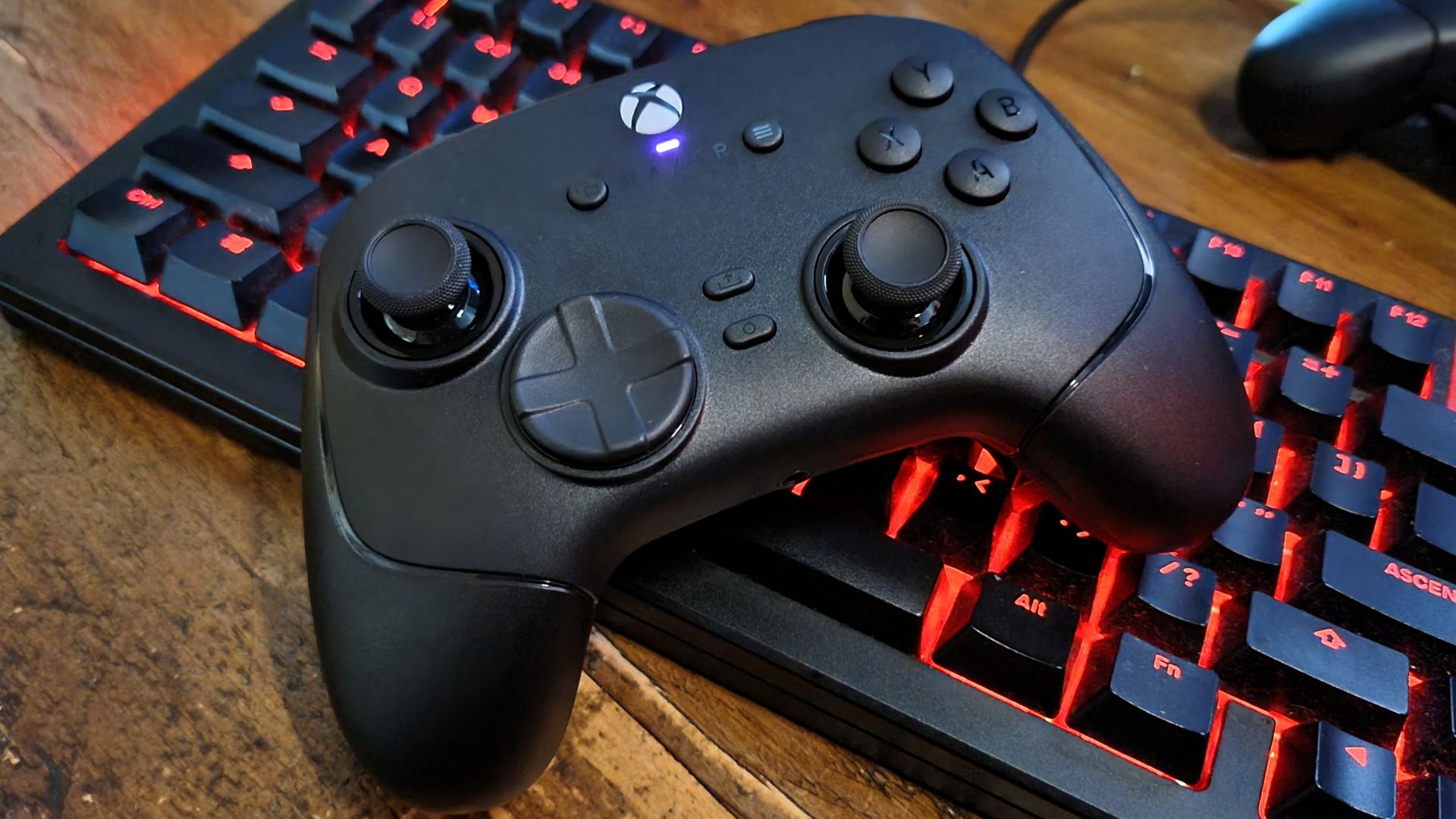
The Razer Wolverine V4 Pro takes some of the best bits of the previous model and improves them, while keeping the same overall design. I'm a huge fan of the V3 Pro, but even I'm tempted by the new model's snappier thumbstick sensors, speedy response rates, and modular control-switching party tricks. It's a shame it's so expensive—but if you've got the cash, I highly recommend giving one a go.
PC Gamer's got your back
Our experienced team dedicates many hours to every review, to really get to the heart of what matters most to you. Find out more about how we evaluate games and hardware.
I use my Razer Wolverine V3 Pro several times a week. It's become my go-to wireless controller (among many different options on my shelves), thanks to its shape, stickfeel, and build quality. It's plenty quick to react, it's got excellent triggers and face buttons, and is one of my favourite bits of gaming gear. Ever, in fact.Then came the Wolverine V3 Pro 8K, and I wasn't too fussed. Sure, 8K polling is a nice thing to have, but it wasn't enough to sway me towards spending $200 on another controller. Now, however, I have a Wolverine V4 Pro review sample in my hands, and I have to admit—I'm sorely tempted to upgrade.Razer hasn't messed with the core recipe that made the V3 Pro great. It's still got the same comfortable chassis shape, fantastic heavyweight, dual-action triggers, and all the right controls in all the right places. What it has done, though, is upgrade the hardware underneath, while adding a heavy sprinkle of customisation options that improve the experience considerably.I thought I wouldn't get on with the slightly lighter stickfeel compared to the previous model, but I was wrong. It's still got a highly-controllable resistance, now combined with superb snap-motion accuracy from the new contactless sensors.
It feels sharper, without losing its smooth, slightly weighty movement. The battery life has been upped to a maximum of 27 hours. You can pull off the rear buttons and block the holes off with flush-fit magnetic plates. And you get 8K polling support, complete with wrist-shaking haptic rumble. Individually, these might seem like small changes. Together, they make one of the best controllers I've ever used… well, even better.We do need to talk about the price. $200/£200 is an awful lot to ask for a gaming controller, especially when there are so many good options on the market for fractions of that sum. But the Wolverine V4 Pro has a kitchen sink-worthy list of features, all of which combine to create a brilliant gaming device—even if your bank account may disagree.
✅ You want the tippety-top of controller tech: You name it, the Razer Wolverine V4 Pro probably has it. Other than TMR or Hall effect sticks, which have been replaced with Razer's new (and rather excellent) capacitive sensor tech.✅ You want modular customisation that works: I've used enough modular gear to know it can sometimes feel a bit… half baked. Not so here, where everything clunks and clicks together seamlessly.
❌ You're on a budget: There are plenty of excellent gaming controllers out there for much less money than the Wolverine V4 Pro.❌ You won't use the extras: If the customisation features, 8K polling, and all the rest leave you cold, the Wolverine V4 Pro may be overkill.
The Razer Wolverine V4 Pro takes some of the best bits of the previous model and improves them, while keeping the same overall design. I'm a huge fan of the V3 Pro, but even I'm tempted by the new model's snappier thumbstick sensors, speedy response rates, and modular control-switching party tricks. It's a shame it's so expensive—but if you've got the cash, I highly recommend giving one a go.
Adjustable triggers, removable magnetic rear buttons, faceplate, and bumpers, mecha-tactile action buttons, magnetic blocking plates
Take a deep breath, because there's a whole lot to go through here. At its core, the Razer Wolverine V4 Pro is an asymmetrical, Xbox-style controller with 2.4