// 9TO5MAC — MOBILE & WEB
From iPhone Duo to Mac, Craft shows what a native productivity app can do
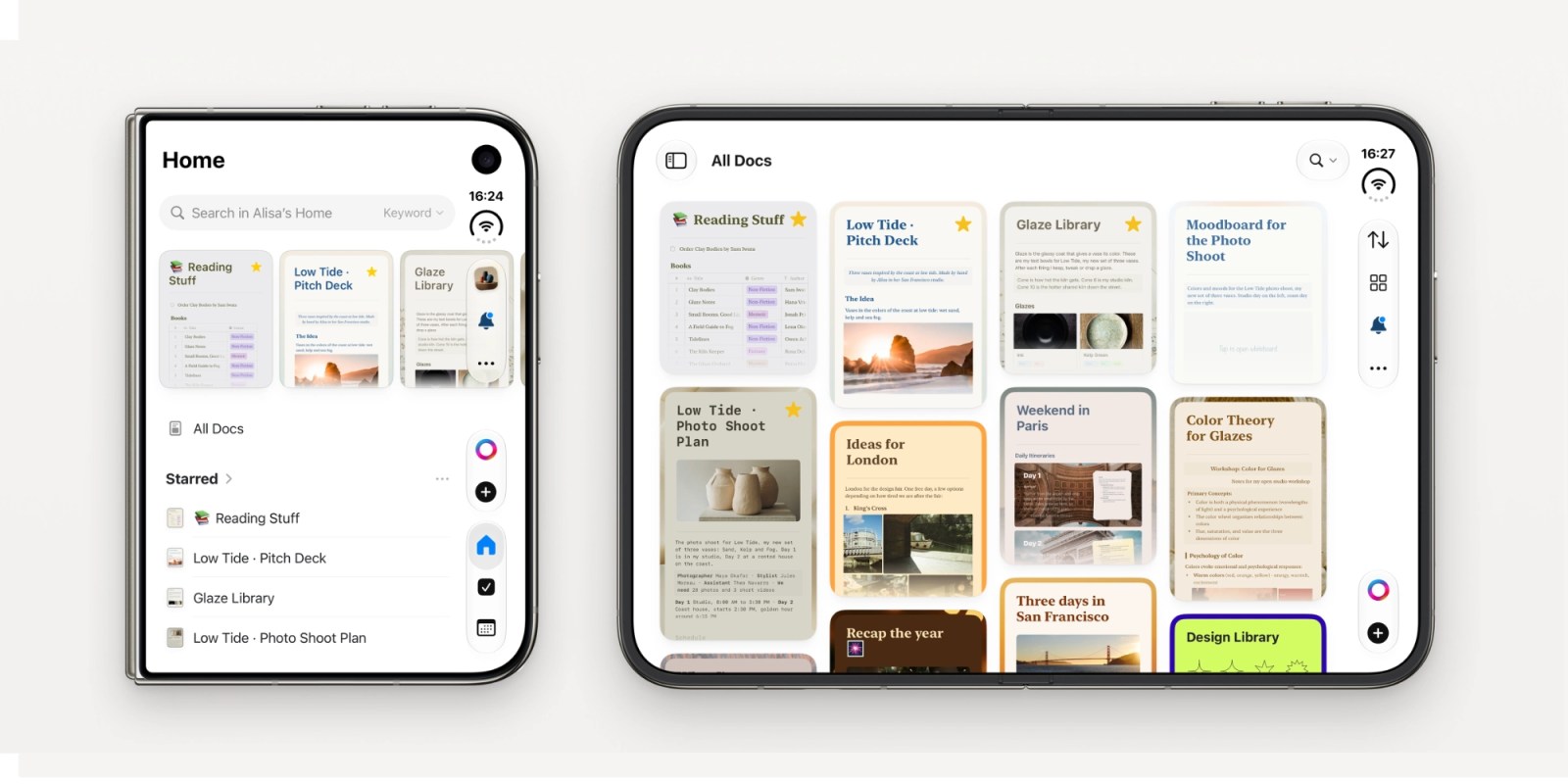
It’s been a busy fall for Apple. iOS and macOS 27 arrived in September, iPhone Duo went on sale just a few days ago, and more Mac announcements are expected later this week. Between the new software and hardware, there’s plenty for Apple users to explore.
Of all these announcements, the iPhone Duo has arguably attracted the most attention. As the first iPhone with a fundamentally different form factor, it introduces new possibilities for how we use our phones. But new hardware is only part of the story. Just as important is how apps take advantage of it. For an app like Craft, which brings notes, tasks, and documents together in one place, the larger display and new multitasking capabilities open up interesting new ways to work.
Craft is ready for iPhone Duo from day one, with an interface designed to take advantage of its new form factor. And while the Duo is getting much of the attention right now, Craft has also seen a steady stream of improvements across iPhone, iPad, and Mac over the past few months.
And there’s an additional bonus for anyone looking to give Craft a try: 40% off for life with code 9to5Mac40, available through this exclusive 9to5Mac offer.
Craft has always been developed specifically for Apple’s platforms, with the same features available across iPhone, iPad, and Mac, but an interface tailored to each device. That approach carries over to iPhone Duo, where Craft adapts between compact and unfolded poses.
In its compact form, Craft works much like it does on any other iPhone. You can quickly capture an idea, check off a task, or work on a document with the full set of editing and formatting tools. Unfold the device, though, and there’s suddenly much more room to work with. Writing, organizing information, and navigating longer documents all benefit from the additional space. The matte inner display with its nano-texture finish is particularly well suited to reading, especially when browsing through Craft’s richly styled documents.
The larger display is also a good fit for some of Craft’s more advanced features. Collections, for example, let you organize information in structured views, including Tables and Kanban boards. Being able to see more cards and information at once makes these views considerably more useful on the unfolded screen.
One of the Duo specific iOS features that has gotten the most praise from reviewers is the new side-by-side multitasking mode, and it’s particularly useful with Craft. You can keep a document open on one side of the screen and Photos on the other, dragging images directly into your document. Or open Safari alongside Craft to drag over text, images, and even entire web pages while researching a topic or putting together a mood board.
It’s a good example of how the new form factor can make familiar workflows feel quite different, without requiring an entirely new way of using the app.
For those unfamiliar with Craft, it’s a productivity app that brings notes, tasks, and documents together in one place. You can capture ideas, organize projects, plan your day, and create polished documents to share with others, all within the same app.