// ITS FOSS — LINUX & OPEN SOURCE
I Came for This New Linux Distro’s Aesthetic Looks and Stayed for its Window Tiling
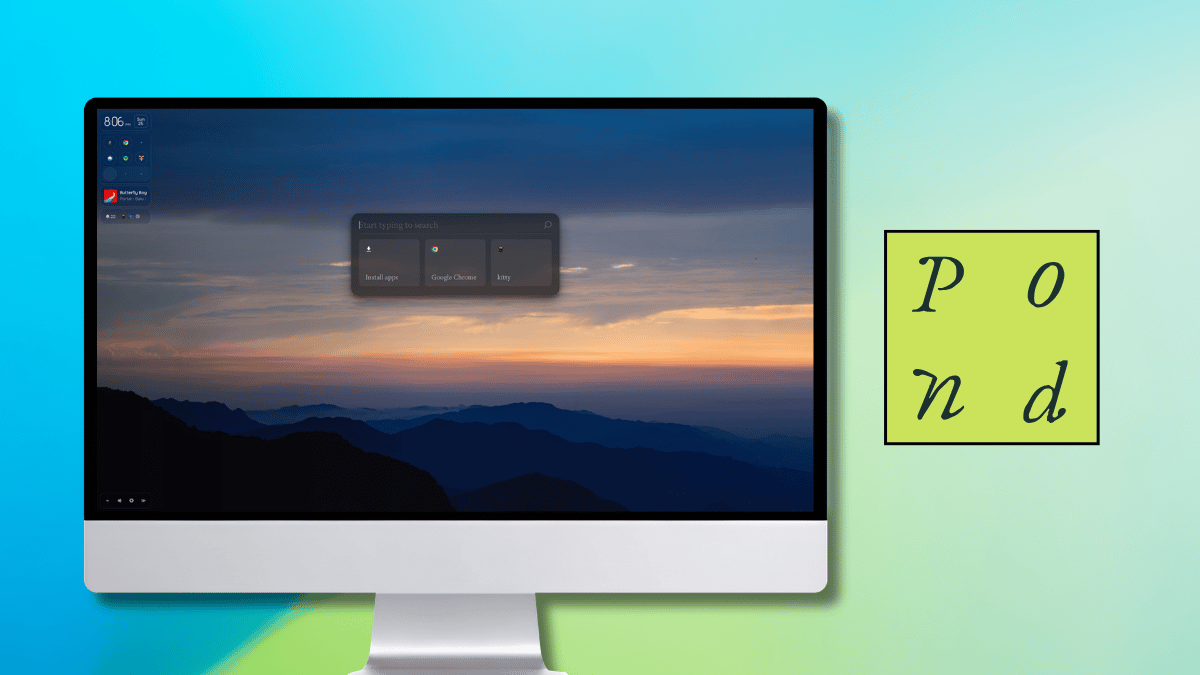
Yet another new Linux distribution has landed on Arch Linux as its foundation of choice. This one is called Pond, and it is Butterfly Interaction Inc.'s vision of how a desktop should look and behave.
For its desktop interface, it uses Niri, a very popular Wayland compositor that is known for its scrollable tiling, where app windows sit in columns along an endless strip that gradually grows as new items are added.
Pond is labeled an Early Preview, and this First Look piece covers what it offers, my time using it, and the ways you can install it.
Butterfly says Pond mixes new ideas with desktop habits people already know, and the goal is for a computer to feel more natural to use.
It builds that around four ideas. Windows are arranged spatially and can be rearranged, components come in different sizes to fit the space available, useful information stays in one uniform place, and content only shows up when it is relevant.
They also point out that each component was planned with the whole desktop in mind, from its proportions to where it sits and how it behaves.
As I pointed out earlier, Pond is a rolling-release distro based on Arch Linux with Niri as its compositor. Package duties are handled by a package manager that picks a default source for each app across Pacman, Nix, and Flatpak. More on that later.
I tested Pond inside a QEMU virtual machine with 4 GB of RAM and a 50 GB disk, making a few tweaks to the machine settings before I could get it to boot.
Right away, the installer caught my eye. It follows a very different approach than what most distros ship with, featuring a simplified one that takes users through the steps quickly.
It asks for your keyboard, language, and timezone first, then the disk, and finally a username, password, and computer name. I really liked how entering passwords in the text field showed me some Pond-themed icons instead of the usual dots or asterisks.