// ITS FOSS — LINUX & OPEN SOURCE
Ziggity is a Helpful Tool for Power Users Who Still Use Git Manually
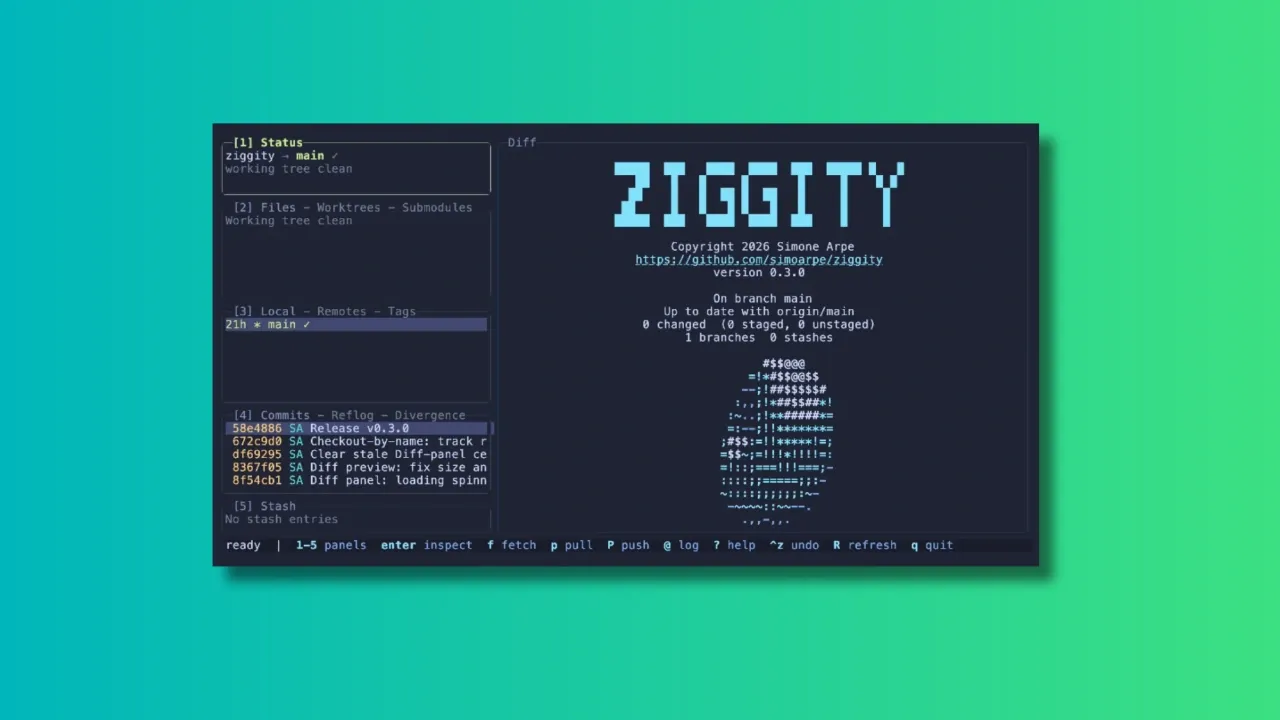
In the age when people are not even looking at the code generated by AI, I am reviewing a terminal-based client that gives full visibility and control over your git repositories. Because not everyone has handed over all the critical thinking to AI, I presume.
Over the years, many Git clients, both GUI and TUI, have emerged to make working with repositories easier. Tools like lazygit have become popular among terminal users, and Ziggity is another addition to the world of terminal-based Git interfaces.
Let me show you some of the main features of Ziggity.
One of Ziggity's main selling points is its lightweight design. It compiles into a single static binary, and the footprint stays small by design rather than by tuning.
The project also leans entirely on the Git installation already on your system instead of bundling something like libgit2, which keeps the binary itself down to a couple of megabytes. The project's own benchmarks, run on a Mac against lazygit, put Ziggity's process startup at a few milliseconds against tens of milliseconds for lazygit, with a noticeably smaller resident memory footprint once things settle.
Of course, benchmark numbers will vary depending on your hardware, your repository size, and the machine's other workload at the time.
Speed at launch is one thing, but a responsive interface while you actually work matters just as much.
Ziggity handles potentially slow operations such as fetching, pulling and pushing away from the main interface. This means you can continue browsing your repository, checking diffs, or reviewing commits while the operation runs quietly in the background.
A spinner in the Status panel is the only indication that something is happening, and a short one-line summary appears once the task wraps up. If it fails, that's when you actually get interrupted with a dialog.
The same philosophy carries over to longer, multi-step operations such as merges, rebases, autosquash, bisect sessions, and applying patches. Rather than dropping you back into a raw terminal and asking you to press a key to "return" to the app, something anyone who has used git clients will recognize, Ziggity simply keeps its interface up the whole time.