// TOM'S HARDWARE US — HARDWARE & GADGET
Minisforum Elite Mini M2 Air-304 review: A quiet and compact Wildcat
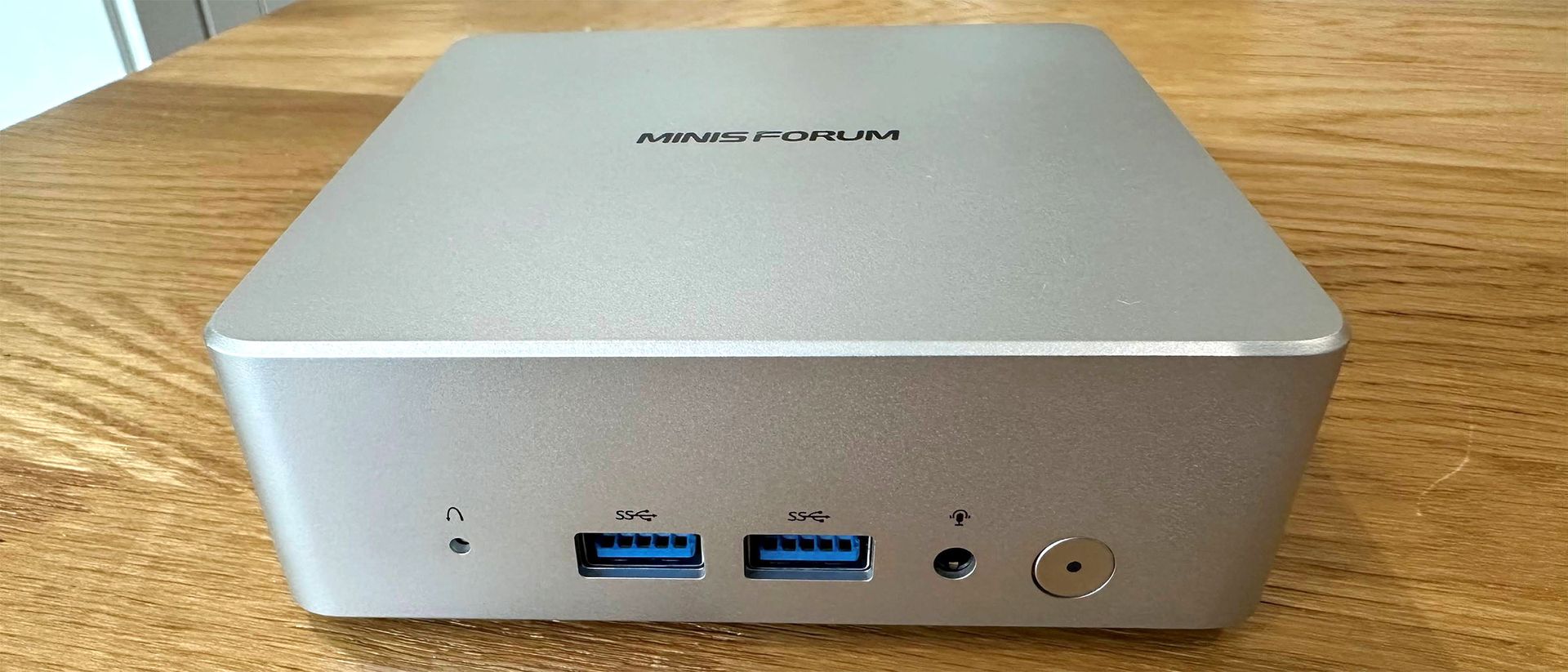
Minisforum’s smallest and cheapest mini PC packing Intel's Wildcat Lake silicon is here. It is small, quiet, and easy to stow away, but this machine's performance is really only for light workloads.
Capable enough for home office and media consumption
Only old or lightweight games and emulators are playable
Not a cheap option unless you have spare parts and go barebones
Why you can trust Tom's Hardware
Our expert reviewers spend hours testing and comparing products and services so you can choose the best for you. Find out more about how we test.
Minisforum’s Intel-based M2 line includes mini PCs with powerful processors such as the Core Ultra X7 Processor 358H (with 16C/16T CPU and B390 graphics), and the Core Ultra 7 356H (16C/16T). But there are more modest systems, too. The M2 Air-304 here is the most affordable option, based around the Intel Core 3 processor 304 with its 5C/5T CPU (1x Cougar Cove P-core and 4x Darkmont LP E-cores) and an iGPU with just a single Xe3 core.
No surprise, the little brother in the pack, both in terms of physical size and computing resources, is the most affordable. It currently starts at $263 for a barebones version. However, our test sample with 16GB DDR5-5600, a 500GB SSD, and Windows 11 Pro is listed at $559 - direct. That’s an introductory price, and Minisforum’s small text threatens that our configuration will bump up to $699 at some point in the future. Such a rise would put this product offering on very shaky ground, and we see B&H Photo has already raised the price at $729.
Overall, this Mini PC was pleasant to use, though. It ran quietly and only strained in gaming and productivity benchmarks which put it under loads that casual users aren’t going to be running on such a machine.
The Mini M2 Air looks stylish enough, and feels solid. Looks can be deceiving, though, and the top shell is a silver colored plastic, not a metallic alloy. Sometimes a metal shell can be used to help conduct away heat, but that seems less important with this actively cooled machine with a 15W processor. We note that there are thermal pads connecting the installed RAM and SSD to the bottom of this mini PC, which is metal.
A VESA mounting bracket is provided in the box if you prefer to hide the tiny device out of sight. It doesn’t have a remote power switch like the MSI Cubi NUC AI+ 3MG we reviewed earlier in the year, though, so you’ll have to consider reachability. A simple LED-lit power button is on the front of the device, alongside a couple of handy ports (more on the ports later). It also has a reset / clear CMOS hole on the front, and a Kensington lock slot on the rear.