// PC GAMER — GAMING
New Asus beta BIOS patches now include a fresh AMD feature to stop you thinking your PC's b0rked
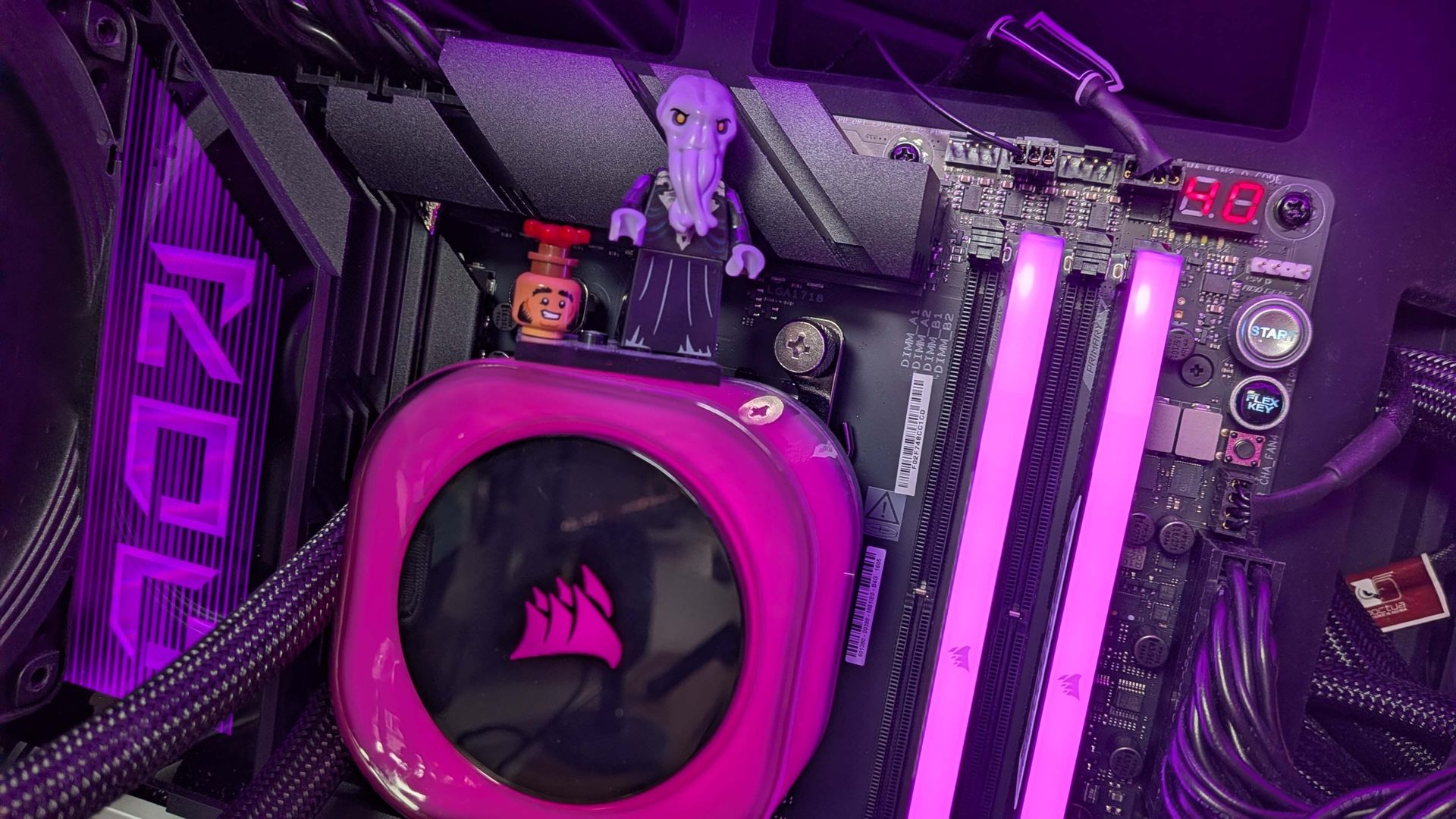
The new memory training counter shows your PC hasn't just hung on boot.
When you purchase through links on our site, we may earn an affiliate commission. Here’s how it works.
Memory training is boring stuff. Your PC will spend an age running through it when you first boot your PC, or you swap in some new RAM sticks (lucky you), or you make a change which has anything to do with memory in your BIOS. Or just because your PC decides it might fancy doing it again. But a new AGESA 1.3.0.1F beta BIOS update, first from Asus (via Uniko's Hardware), has made this whole process a lot more exciting.
Well, going from not at all exciting to something is always going to feel like a bigger deal, but I don't necessarily want to oversell it. Though when you're waiting for memory training to complete it's real nice to at least have a readout to indicate that it is progressing and your PC hasn't just hung.
This is the issue with memory training on PCs in the past. It was pretty damned opaque, in that you'd start up your PC and it would do… nothing. The fans would spin up, and the lights would light, but you'd have no readout on your monitor, and the debug screen on your motherboard would just have a static figure. Mine would be stuck on '15' for an age.
Obviously you could just go looking up the error code and it would inform you that your system was just having a good long think about its system memory, but if you didn't know that could be a thing, it can feel like your rig is bricked.
The new AGESA 1.3.0.1F beta patches are out now, first from Asus, but you can bet other motherboard vendors will be following suit soon enough. This latest version of the AGESA BIOS brings with it AMD's new memory training function, which shows on the motherboard's debug screen that the memory training process is, indeed, proceeding. You'll see it tick up, first from 00 to 09, and then it will go through 0a, 0b, 0c, etc. to show that it is working through the memory training and that it isn't stuck.
You're still getting nothing on your monitor screen, however. The memory training function is done well before your system gets around to turning on your rig's GPU.
My Asus Crosshair X870E Hero board, with 64 GB DDR5-6000, and a Ryzen 9 9950X, went all the way up to 11 (cue guitar riff) before the training was complete and the motherboard rebooted happily.
Keep up to date with the most important stories and the best deals, as picked by the PC Gamer team.