// ITS FOSS — LINUX & OPEN SOURCE
Linux Mint Teases A Kernel Cleanup Trick That Fedora Figured Out Years Ago
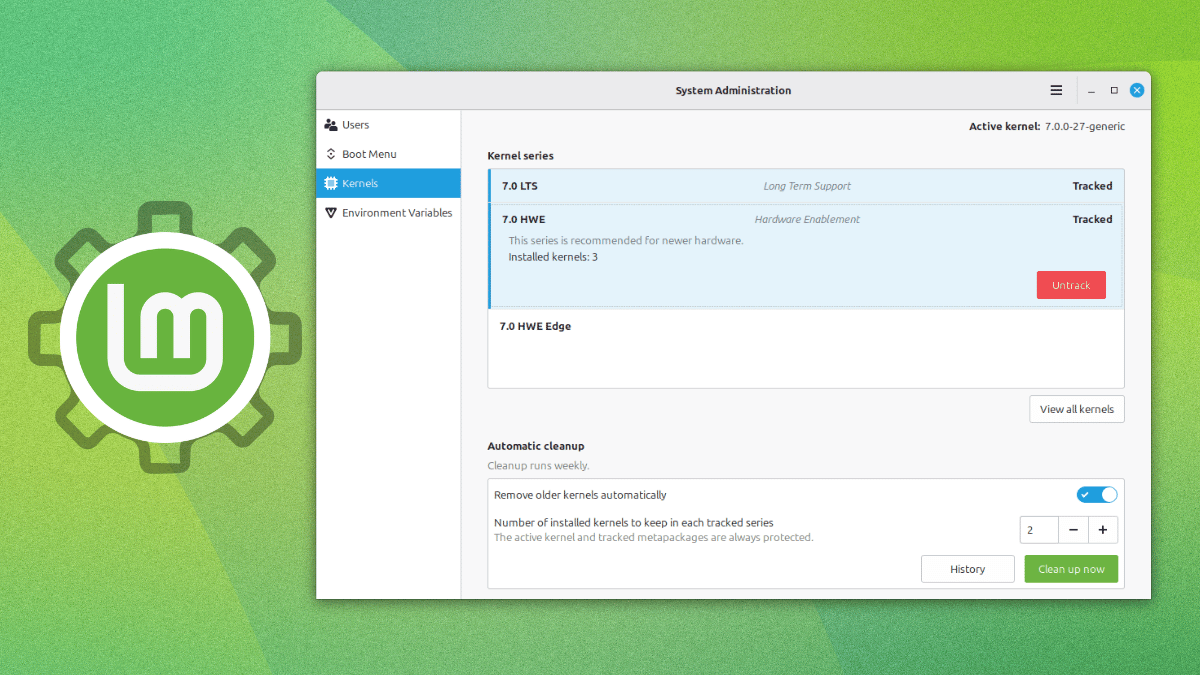
The Linux Mint project regularly puts out monthly news that gives us a look at what the developers are working on and where the overall project is headed towards.
Their July update has shown us how the distribution intends to handle kernels going forward, moving the entire job out of the Update Manager and into a different tool altogether.
Yes, and no. Kernel management isn't new, as in the past, Update Manager has let users view and remove individual kernels, but that functionality was removed.
The new implementation sits inside the System Administration tool instead, and it's built to behave the same way whether you're on Linux Mint or LMDE.
Instead of tracking individual versions one at a time, the new "Kernels" page inside System Administration groups multiple kernel versions according to series. Setting up the tool is a one-time choice of you telling it which kernel series matter to you and how deep a backlog to hold onto for each one.
Everything downstream runs on its own after that. The series you're following keeps updating through Update Manager the same way they always have, while anything past your set limit gets thrown out during a scheduled pass once a week.
Manual cleanups are possible too for times when you want to quickly free up some space to accommodate other content. Individual kernels can also be marked "Protected," which keeps them off the chopping block regardless of whether their series is tracked or how old they are.
Before you go looking for this on your own system, know that it isn't live yet.
Linux Mint project lead Clement Lefebvre has said that this is a preview of what's coming to the next Mint release.
I understand that Linux Mint has had to reimplement their solution, but Fedora has had this problem solved for years. Its DNF package manager has done this by default the whole time.