// TOM'S HARDWARE US — HARDWARE & GADGET
iBuyPower Slate Gaming Desktop review: Strong gaming value and extras
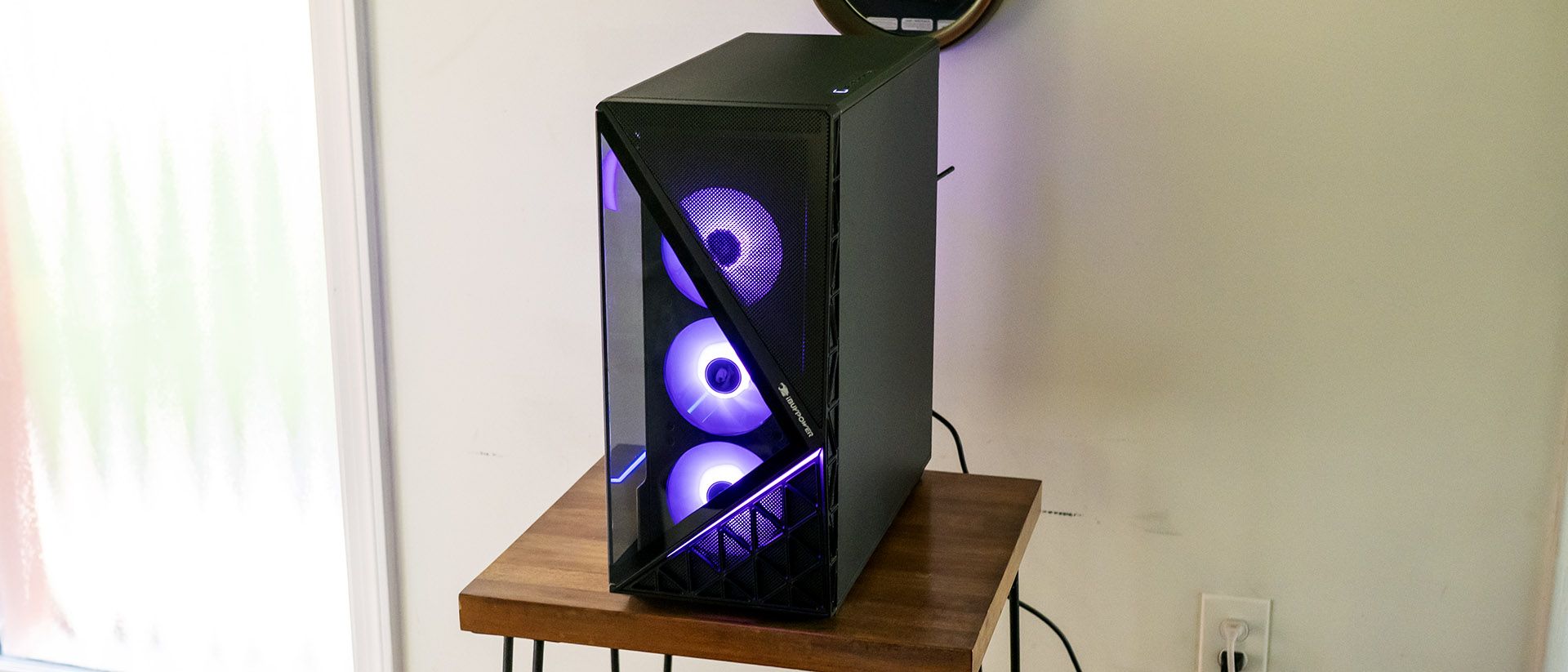
The iBuyPower Slate is a well-executed mid-range gaming desktop that pairs attractive styling, thoughtful extras, and strong RTX 5070-powered gaming performance. While its Ryzen 7 7700X3D isn't as capable in productivity workloads as Intel-based competitors, gamers looking for a capable 1080p and 1440p machine with quality included peripherals will find plenty to like.
360 mm liquid cooler with integrated status display
Productivity performance trails similarly-priced Intel systems
Cooling fans can get loud under CPU-heavy workloads
Why you can trust Tom's Hardware
Our expert reviewers spend hours testing and comparing products and services so you can choose the best for you. Find out more about how we test.
The $1,999 iBuyPower Slate arrives with a formula that's hard to argue with: an RTX 5070, a Ryzen 7 7700X3D, a 360mm liquid cooler, and a tempered-glass chassis with plenty of RGB lighting. It even goes beyond expectations by including gaming peripherals that don't feel like afterthoughts.
But in an increasingly competitive mid-range desktop market, attractive extras and gaming prowess alone aren't always enough. The question is whether the Slate's gaming-first focus justifies its price when rivals offer stronger all-around performance for similar money.
There’s no mistaking the Slate for anything but a gaming machine. It’s designed to be seen inside and out, with a full-view tempered glass side panel. The front panel’s triangle glass partially shows off a trio of 120 mm RGB fans. The tower sits firmly in mid-tower territory, at 8.7 x 19.3 x 19.5 inches.
The mesh covering the rest of the front and top permits airflow and should do a decent job of blocking dust, though the case’s only removable air filter is under the bottom-mounted power supply.
Inside, the Slate’s blacked-out interior offers an RGB light strip running along the power supply compartment and up the front panel. Additional lighting comes from the two memory DIMMs. The GPU, an Asus Dual RTX 5070 in our review unit, lacks illumination. The lighting can be controlled via the Hyte Nexus app, though not on a per-component basis. (See the Software section later in this review.)