// PC GAMER — GAMING
If I had known how incredibly useful a NAS would be, I would've set one up a lot sooner
When you purchase through links on our site, we may earn an affiliate commission. Here’s how it works.
What I've learned since setting up a NAS at home: I should've done this sooner. What started out as a plan to store a copy of my most precious data at home has evolved as I've found out what a NAS is actually capable of. I went in expecting accessible local storage, I've ended up with a personalised server with heaps of possibilities.
I've been wanting to ditch Google for a while. I've done the easy things: switching to Proton and using DuckDuckGo. But I don't want to feed the beast anymore—Google is huge, powerful, rich beyond compare, and, in my opinion, wears it horribly. If I can avoid paying a monthly subscription into its already incomprehensibly large coffers, I should try to, even if it means paying a larger sum than I'd ever pay for cloud storage on NAS drives.
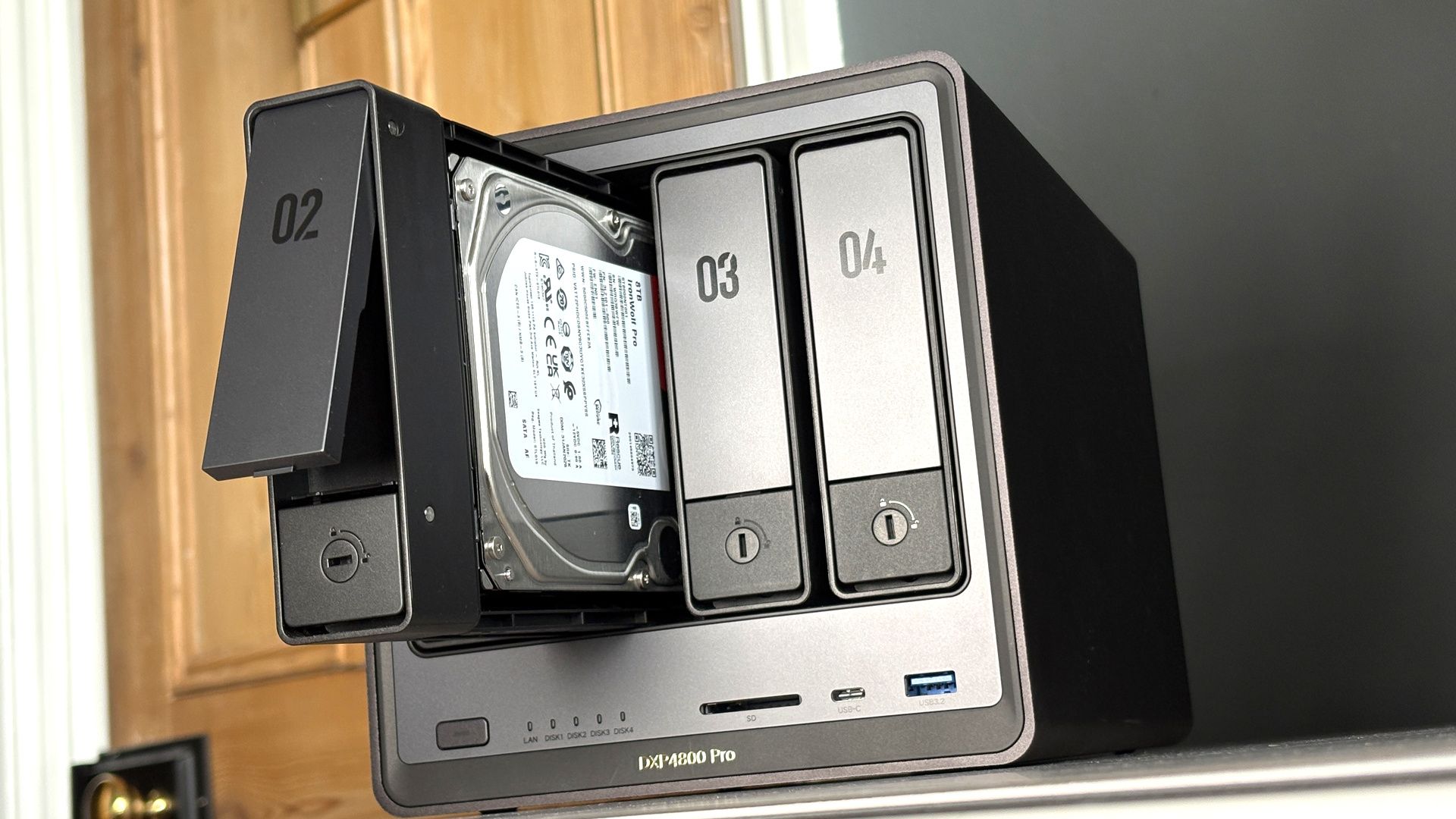
So, that's what I've done. A couple of months ago, I purchased two Seagate IronWolf Pro 8 TB HDDs for a princely sum of £240 each. That's one reason I wish I'd done this project sooner. These were available for £170 just a few years ago. They're £300/$300 as I write this, however, so I guess I did alright. HDDs at 12 TB and above are even more ludicrously expensive. That's really what I'd have preferred, but I couldn't spare the cash.
There are slightly cheaper drives available—I'm just a sucker. I recently spoke to someone at Corsair who designs 3D printable cages for HDDs for the company's cases, and stood next to their ample collection of hard drives, they told me the Ironwolf Pro was serious business and I made a good choice. This compliment alone justifies my frivolous spending in my mind. And, of course, the idea that these drives will last me many years to come without failure.
I just had to be sure to buy a proper NAS drive. One designed for the demands of an always-on box. A CMR (Conventional Magnetic Recording) drive, to be exact. These work exactly how you might expect a HDD to work—hence the conventional bit. Data is written to tracks laid side-by-side on the platter. It's a big disc of very neatly arranged data.
Though not all drives work like this. Many consumer drives use what's called SMR (Shingled Magnetic Recording), which uses overlapping tracks on the platter. That complicates things: Data is written to one track, but in doing so, necessitates rewriting the neighbouring tracks, too. SMR is not as reliable in this context and write speeds suffer. So, more expensive CMR drives it is.
Then I needed something to install these drives into. That's where the Ugreen NASync DXP4800 Pro comes in, currently on sale for $676/£586.
Keep up to date with the most important stories and the best deals, as picked by the PC Gamer team.
It's a four-bay NAS with a pretty powerful CPU in it (by NAS standards): Intel's Core i5 13 1315U. It won't beat any Cinebench records with only two P-cores, but its four E-cores help make up for that. It's rated to 15 W base power and 55 W turbo power. It's a chip with plenty of grunt for the easygoing software I'm running here. A step up over a Pentium or Arm chip, anyways.