// TOM'S HARDWARE US — HARDWARE & GADGET
Windows 98 SE users get a Thunderbolt 4 driver, thanks to AI assistance
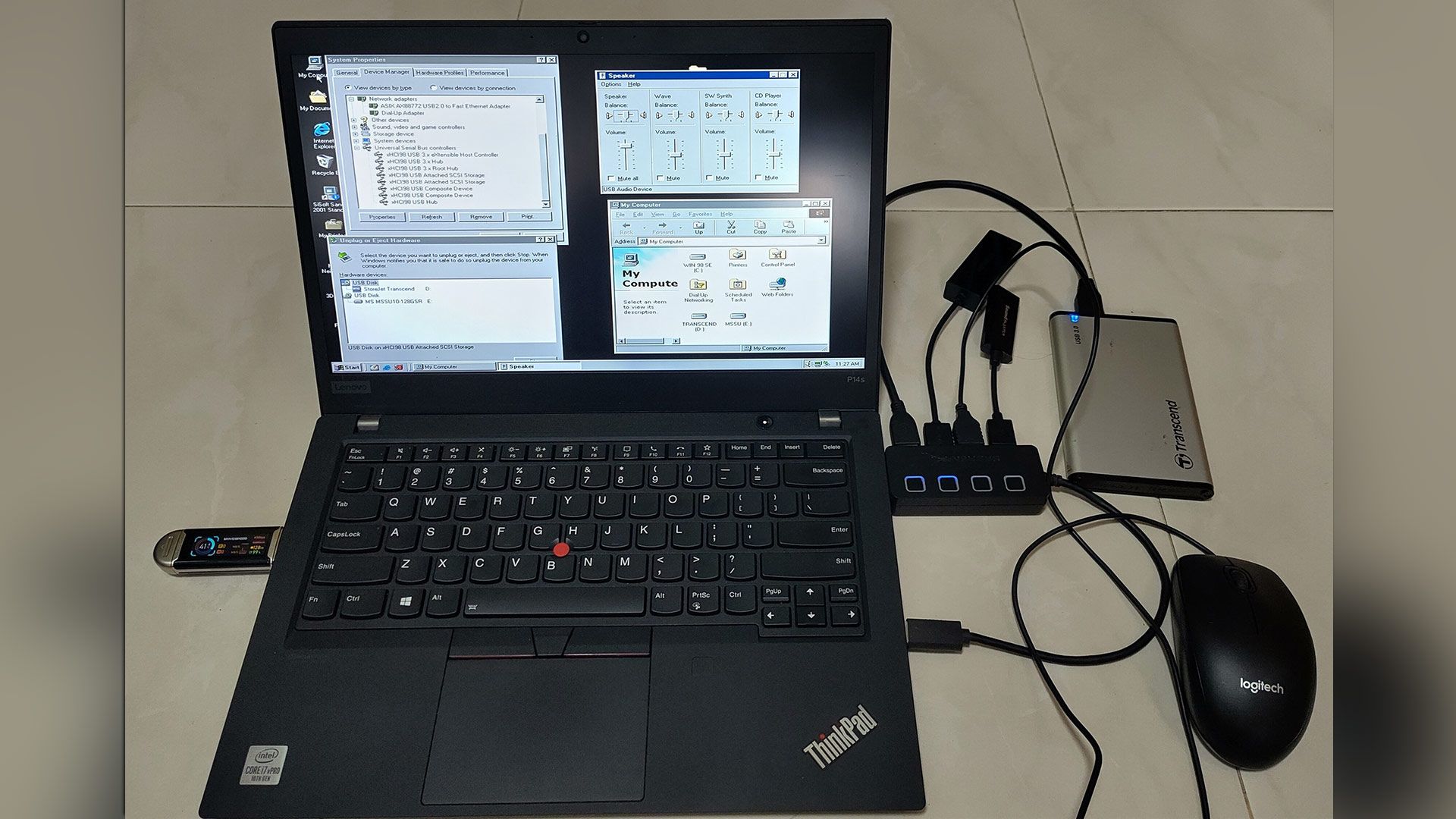
If you've ever wanted to run Windows 98 SE on your mid-2010s or newer PC with fast USB hub support, here's your chance.
When you purchase through links on our site, we may earn an affiliate commission. Here’s how it works.
Windows 98 SE devotees can now enjoy (experimental) support for USB4 and Thunderbolt 3/4. Developer and maker Yeo Kheng Meng, who also enjoys retrocomputing, recently released the vibe-coded xHCI98 v3.0.0.0, enabling the practical use of generic USB 3.x, USB4, and Thunderbolt 3/4 host controllers on systems running Windows 98 SE, ME, 2000, XP, Vista, and 7. An extensive blog post by the dev provides further reading about the driver, compatibility, its creation, and usage.
Demo video “shows many different USB devices being hotplugged to a modern 2020 ThinkPad P14s Gen 1 with only xHCI controller.”
Some of you will be wondering why a project to bring USB4 (Thunderbolt 3 and 4) to PCs running Windows 98 SE exists. Retro computing fan Meng explains on his GitHub that this project should appeal directly to users of PCs from the mid-2010s that have xHCI-only (USB 3.x) chipsets and no legacy EHCI controller. However, older OSes don’t have xHCI drivers, and that’s where xHCI98 steps in. “Without xHCI support, even keyboards, mice, and flash drives need the BIOS's legacy support, cannot be hotplugged, and devices such as Ethernet and audio do not work at all,” explains Meng, revealing his motivation. “This project fills that gap.”
Impressively, xHCI98 drives a lot more than USB storage. It replaces Windows’ own USB port and hub drivers to facilitate the connection and use of USB 1.1 and 2.0 and SuperSpeed (USB 3.x) devices and hubs, UAS (USB Attached SCSI) storage through a second driver (xhciuas.sys), and Thunderbolt 3 and USB4 docks and NVMe enclosures through a third driver (xhcicm.sys).
Meng has developed and tested xHCI98 mostly on Intel hardware, as that is what he owns. Candidly, he admits “this is a solo human's project with AI assistance, so bugs are not unexpected,” even if you do have the same hardware as the dev - a 2020 ThinkPad P14s Gen 1 (Comet Lake xHCI, no EHCI). It stands up pretty well during the plug/unplug video demo above, though the test rig used is not quite the USB cart of death.
As a solo developer, Meng isn't shy to admit he leaned heavily on AI assistance to prepare the xHCI98 release. His vibe coding adventure was supported by Claude Fable 5.1 for planning, Claude Opus 5.5 for coding, and Codex GPT 6 Astra as an adversarial reviewer.
In addition to a few bug warnings, there are some other things to know about using this driver with the various older versions of Windows it supports, standby and hibernation, and more. The dev helpfully sketches out a process for checking your hardware, outlines various install methods, discusses updating, and talks about tuning the driver for those who will be jumping in at the deep end with this project.
Get Tom's Hardware's best news and in-depth reviews, straight to your inbox.