// ARS TECHNICA — HARDWARE & GADGET
2026 Kindle Paperwhite review: Page-turn buttons are back, for a price
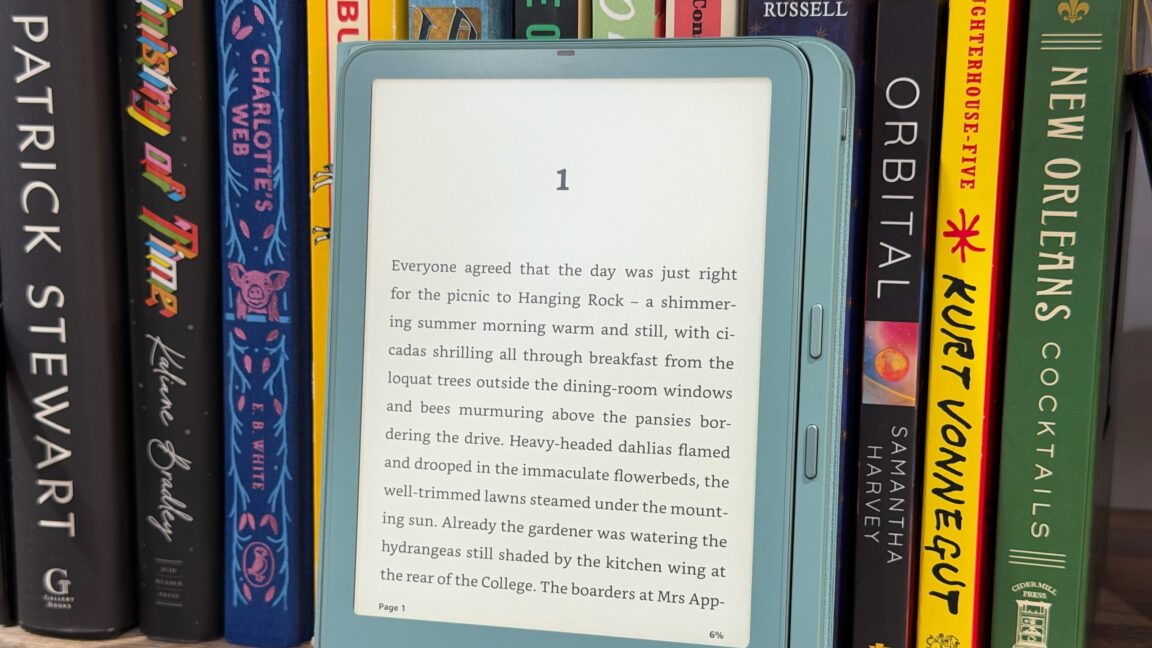
Kindles are getting costlier faster than they’re getting better.
Supply pressures, shortages, and inflation have pushed tech prices relentlessly upward over the last half-decade, and even basic gadgets haven’t been immune. That’s why you can spend $385 on a Raspberry Pi, or why the cheapest Amazon Kindle in 2026 costs more than the midrange one from a few years ago. “New thing, better features, same price” used to be a reliable formula, but now you’re lucky if you can get the same thing for barely more than before.
The 2024 Kindles all came with small price increases, but the 2026 models make them look like stellar deals. The $160 Kindle Paperwhite from two years ago wipes the floor with this year’s $150 Kindle in just about every conceivable way, from screen size to front light quality to waterproofing—something to consider if you’re choosing between a used or refurbished Paperwhite and one of these new models.
The flagship of the now five-model-large monochrome Kindle family is the $250 2026 Paperwhite Signature Edition, which takes the core specs of the new $200 Paperwhite and puts it in a sturdy iPad-esque aluminum case instead of the typical plastic.
It’s an exceptionally nice reader, and if you’re down with paying even more for it, longtime page-turn button holdouts can recover their precious buttons while still getting the benefits of new, fast Kindle hardware. With the exception of one regression—wireless charging, a feature of the 2024 Signature Edition that has been removed here—it’s the fastest and nicest Kindle you can get. It’s mostly the value, or lack thereof, that leaves a bad taste in one’s mouth.
Unlike the 2021 or 2024 Kindle Paperwhite updates, the 2026 Paperwhite doesn’t include any notable screen or lighting upgrades. Anyone upgrading from a two- or three-generation-old version of the hardware will still get an upgrade, but the 2026 Paperwhite isn’t doing a ton to push the category forward. And while speed increases were front-and-center in Amazon’s promotional material for the 2024 Paperwhite, Amazon isn’t highlighting any particular gains for this year’s Paperwhite (the base Kindle does apparently open books 30 percent faster than the previous-generation Kindle, though).
But the Paperwhite and this year’s basic Kindle both make a couple of tweaks worth mentioning that don’t really show up on a spec sheet. One is that the device’s power button moves from the bottom edge to the top-right edge, a small change I appreciate because I’ve accidentally pressed the bottom-mounted power button all the times I’ve tried to set the Kindle on the edge of something. The other is that the devices now have user-replaceable batteries, a change made in part to comply with right-to-repair regulations going into effect in some countries.
Whether you’re buying the standard plastic-backed Paperwhite or the aluminum Signature Edition, you’re still getting a 7-inch 300 PPI screen with a front light that can adjust its color temperature as well as its brightness, which I find makes the Paperwhite easier on the eyes than the harsher, more bluish-tinted front light on older Kindles and the basic 2026 Kindle. The plastic Paperwhite is a smidge lighter than the 2024 version, and the Signature Edition is a little heavier (thanks in part to the aluminum casing), though not by a lot in either direction.
Whether it’s faster than the 2024 Paperwhite or not, the snappy and fluid performance I observed while using that device is definitely present in this one. The E-Ink screen still puts a cap on exactly how fluid and responsive the device can feel, but you rarely feel the big gap between your touch input and the device responding to that input like you can on most older Kindles. (I tried repeatedly to run the old Google Octane 2.0 benchmark I used to get a sense of the 2024 Paperwhite’s relative performance, but it could never complete a run in either the 2026 Kindle or the 2026 Paperwhite’s browser, for whatever reason).
I didn’