// ITS FOSS — LINUX & OPEN SOURCE
I Found an Easy Way to Make GNOME More Colorful
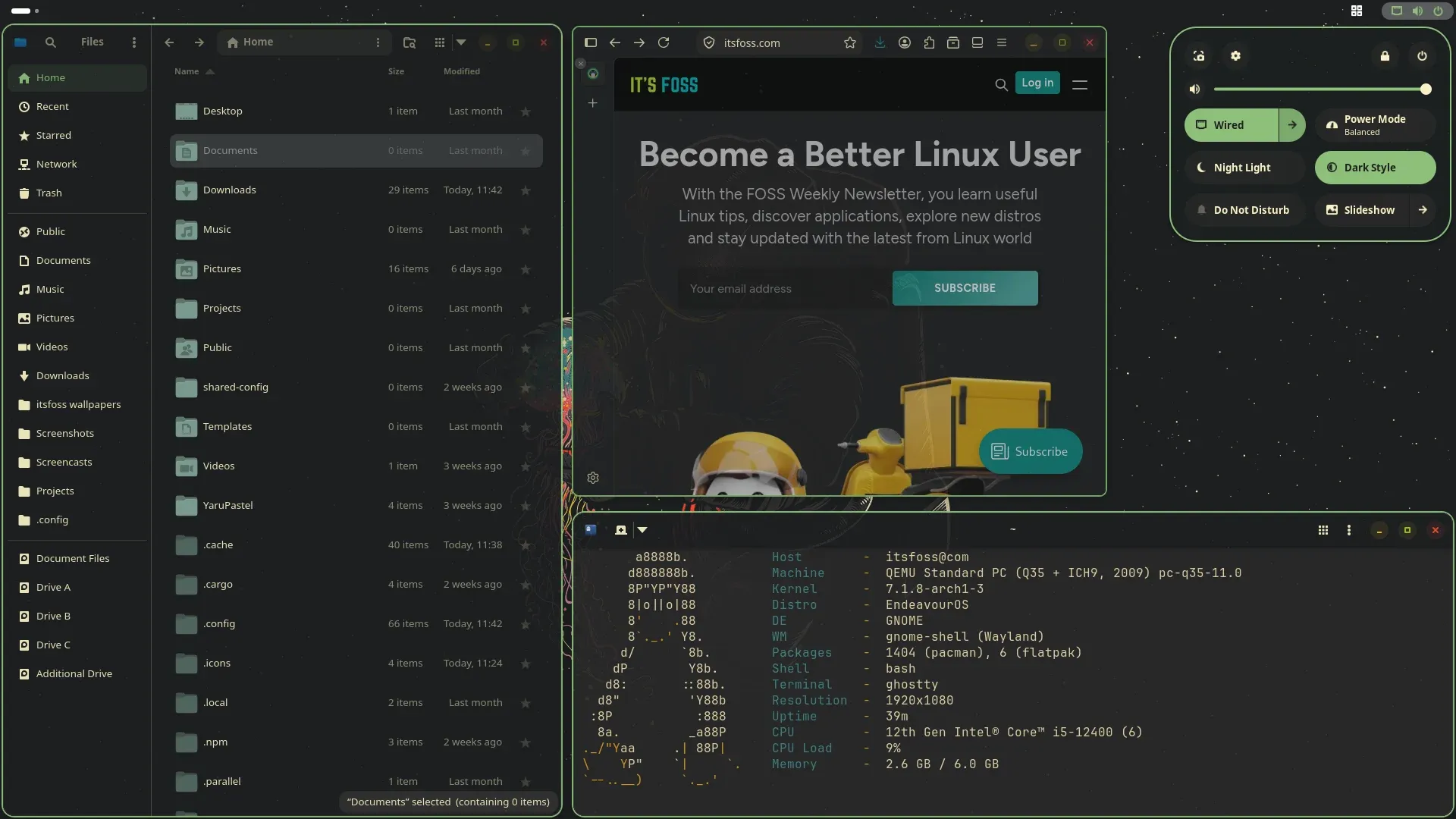
One thing that always comes up in the GNOME vs KDE debate is how easy it is to customize KDE. You can surely customize GNOME but not to the extent of KDE.
But that doesn't deter us GNOME users from trying new looks and visuals, does it? In that regard, I recently came across a super cool GUI tool that lets give an altogether different look to your GNOME desktop.
Take a look at the screenshot below. Looks like Archcraft or Omarchy, right?
That is the magic of Rewaita, a GUI app worth adding in your customization toolbox.
Rewaita is not a standalone theme or icon. It keeps GNOME’s familiar Adwaita design but replaces its colours and adds optional visual effects like changing the transparency to windows.
As you open Rewaita, it very helpfully gives you a user guide to help you through the process of changing the theme on GNOME.
Once you're through that process (that I'll describe later), it gives you a good range of choices that include 14 light themes and 24 dark ones (all hail dark mode), followed by 6 Window Control themes. Many of these themes are well-known standard themes around Linux, like Breeze, Nord and Catppuccin, etc.
Which is great because they're all tried and tested to suit the popular tastes of Linux users. After all, most Linux ricing screenshots you see on various communities use those color themes.
The Window Control themes are more of the same that include Breeze, Mint and MacOS-styled button themes.
All you need to do is choose the theme, and the change is immediate in all newly opened windows.