// ITS FOSS — LINUX & OPEN SOURCE
Astra: For All Your High Fidelity Music Needs and Absolute Control
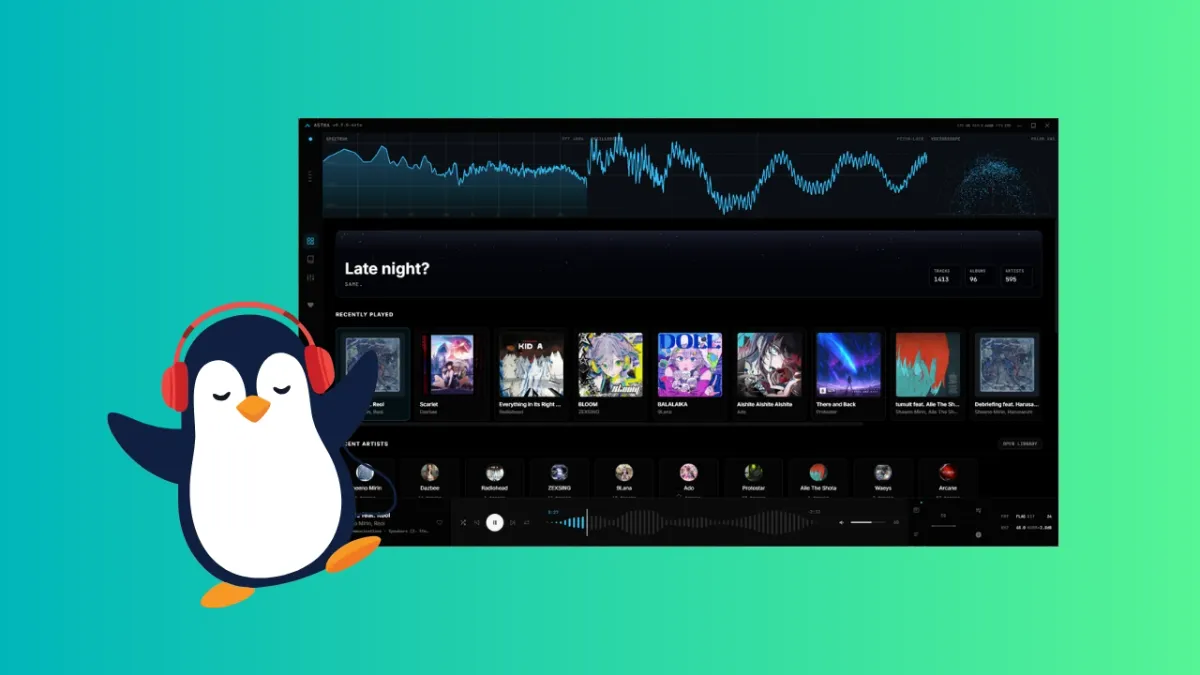
In the general trend of "back to the future past" that we've been experiencing these days, a lot of users want to roll back from the streaming-based consumption services now, days of physical media or digital files that are locally present on their systems (I still miss my iPod).
So what do we need again? Physical and/or offline digital media players. At the same time, the technology encoding these files have enhanced exponentially, bringing the need for software that can adequately process all that information.
And so, I bring to you Astra: an open source music player that can play your high quality, high fidelity audio without breaking a sweat, and show you information about it that you had no idea you wanted.
Astra is quite versatile, supporting all the major formats natively, which include FLAC, MP3, WAV, OGG, AAC, M4A, OPUS, WMA and AIFF. FLAC, WAV and MP3 are the most common formats that high definition audio is available in. If you wish to play audio of any other format, there's a background FFmpeg net it falls back to support it, so you'll be taken care of, anyway.
"Dolby Atmos" is probably something that you've heard of, it is technology that makes your music sound more three-dimensional, giving it a more surround feel. Astra claims to decode audio made for that even if your hardware doesn't support it. It adapts the audio settings to the output you own. I don't have Doly Atom speakers but I felt that the sound was pretty surround quality.
Offline audio players often tend to cross-fade between tracks, or buffer before the next track plays which is really annoying, but Astra deals with that by pre-buffering the next track before the one playing ends. The audio flows the way it was meant to, like how it would on a physical vinyl. A beautiful touch, if you ask me.
"Parametric EQ" are two words that get every producer's tail wagging. First off, there are presets already that include a flat EQ, vocal focus, bass focus, treble focus and so on. The parametric part is that you can configure the EQ manually with up to 10 bands, which is a lot of control for a music player. Usually something like that is present in a production setup. In any case, the volume of the frequencies are displayed in the background of the EQ panel to help you find your settings even more easily.
Moving on to the most visually engaging (or distracting, take your pick) elements of Astra, it offers three visualizers, each highlighting a different element of the music you're listening to. Each of these visualizers are configurable, with technical settings which you can choose depending on how much your system can handle before it becomes too much to handle.
The spectrum analyzer shows the relative volume of the frequencies in the audible range that the song has, which go from 20 Hz to 20000 Hz. In other words, it shows you how loud the bass is on the left of the spectrum, and how loud the treble is on the right. It changes with the audio in real time, being extremely helpful for finding problematic frequencies and creating an equalizer profile.
As we know, sound is all made of waves. These waves can be visually depicted as a simple graph, denoting the frequencies, wavelengths and amplitudes. In pure physics terms, all sounds can be made of adding different sorts of sine waves, one of which looks like this: