// ARS TECHNICA — MODA & SOCIETÀ
Apple Mac mini review: The new M6 impresses, but the price hike is rough
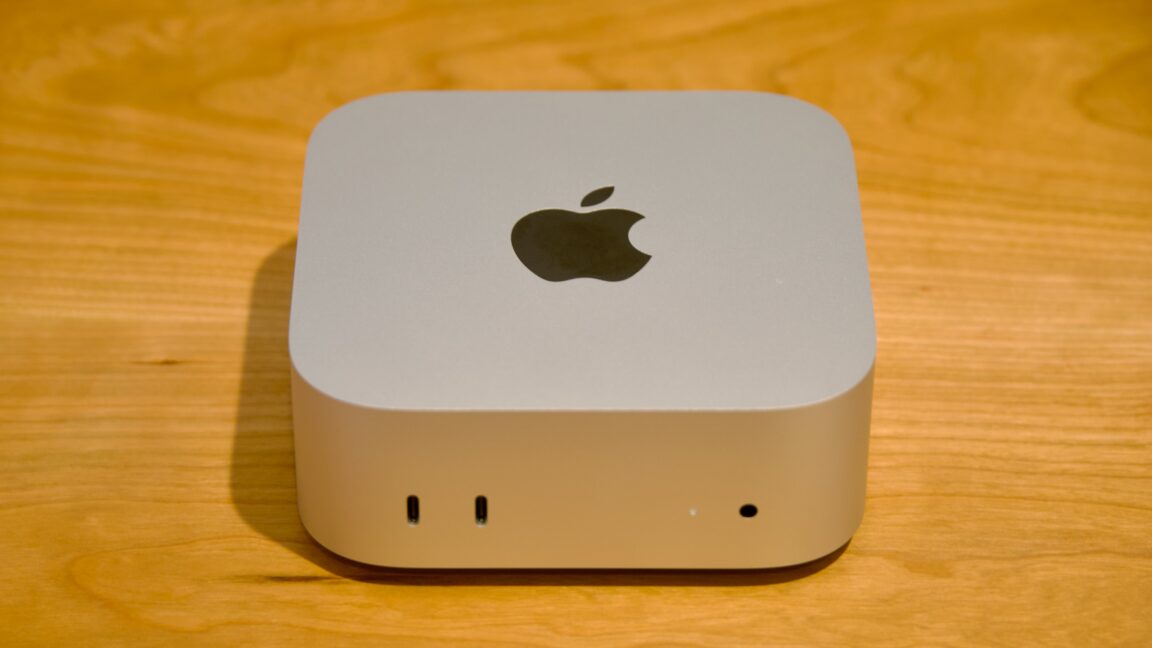
The M4 Mac mini was one of Apple’s best values ever. This one, not so much.
The new Mac mini is the kind of Mac upgrade Apple has done a million times. It’s the same design as before but with new guts.
These play-it-safe updates aren’t very exciting, but they’re also usually all upside—you get a year or two’s worth of technological improvements for the same price you would have paid for the older version yesterday. Unfortunately, 2026’s unprecedented memory crunch has upended that standard operating procedure.
The new Mac mini starts at $899 for a version with 16GB of RAM and 256GB of storage, a $300 increase for the same memory and storage specs you could get in the $599 M4 Mac mini in 2024.
The M4 Mac mini was a great general-purpose desktop computer and one of the best values Apple had ever offered in a desktop Mac. The M6 Mac mini is only one of those things. I’ll let you guess which.
Note that this review is specifically for the M6 version of the Mac mini. We didn’t get an M5 Pro Mac mini to review, but we’ll talk more about how its pricing and performance fits in for our Mac Studio review.
The M4 Mac minis gave the computers their first full redesigns in nearly 15 years, so it’s not too surprising that the new Mac minis don’t change anything. Compared to the older Intel and M1/M2-era versions, they’re slightly taller (2 inches, up from 1.4), but they have a smaller 5×5-inch footprint (down from 7.7 inches squared). The system is actively cooled, with a fan vent on the bottom to make sure that whatever chip is inside can run at high sustained clock speeds (passively cooled Apple Silicon Macs like the MacBook Air have always been a bit slower than actively cooled Macs with the same chip).
All Mac minis have two 10 Gbps USB-C ports and a headphone jack on the front, and a 2.5 Gbps (default) or 10 Gbps (optional) Ethernet port and HDMI port on the back. Both also have three Thunderbolt ports on the back, but these are Thunderbolt 4 on the M6 Mac mini and Thunderbolt 5 on the M5 Pro version. That means the M6 mini’s ports top out at 40 Gbps, while the M5 Pro mini supports up to 120 Gbps speeds.
Realistically, there aren’t a ton of things on a Mac that can use all that bandwidth, especially since Apple doesn’t support external GPUs. But you do need a Thunderbolt 5 Mac to daisy-chain multiple computers together to form a compute cluster, so if that’s something you’re interested in, keep it in mind when you buy—maybe you’re buying multiple desktops, or maybe you already have an M5 Pro or M5 Max MacBook Pro you’d like to test the feature with.
The only real gripe with this design continues to be its bottom-rear-mounted power button; apparently, complaints about this are being sent to the same trash can Apple has always used for complaints about the Magic Mouse’s bottom-mounted charging port. It doesn’t come up often in everyday use if you just let your Mac go to sleep rather than shutting it down. But the positioning problem does really call attention to itself when you pair a TouchID-equipped external keyboard with the mini, since it requires a quick double-tap of the Mac’s power button before the sensor will work.