// HACKER NEWS — CYBERSECURITY
JavaFX 27 Native Image on a Raspberry Pi 5
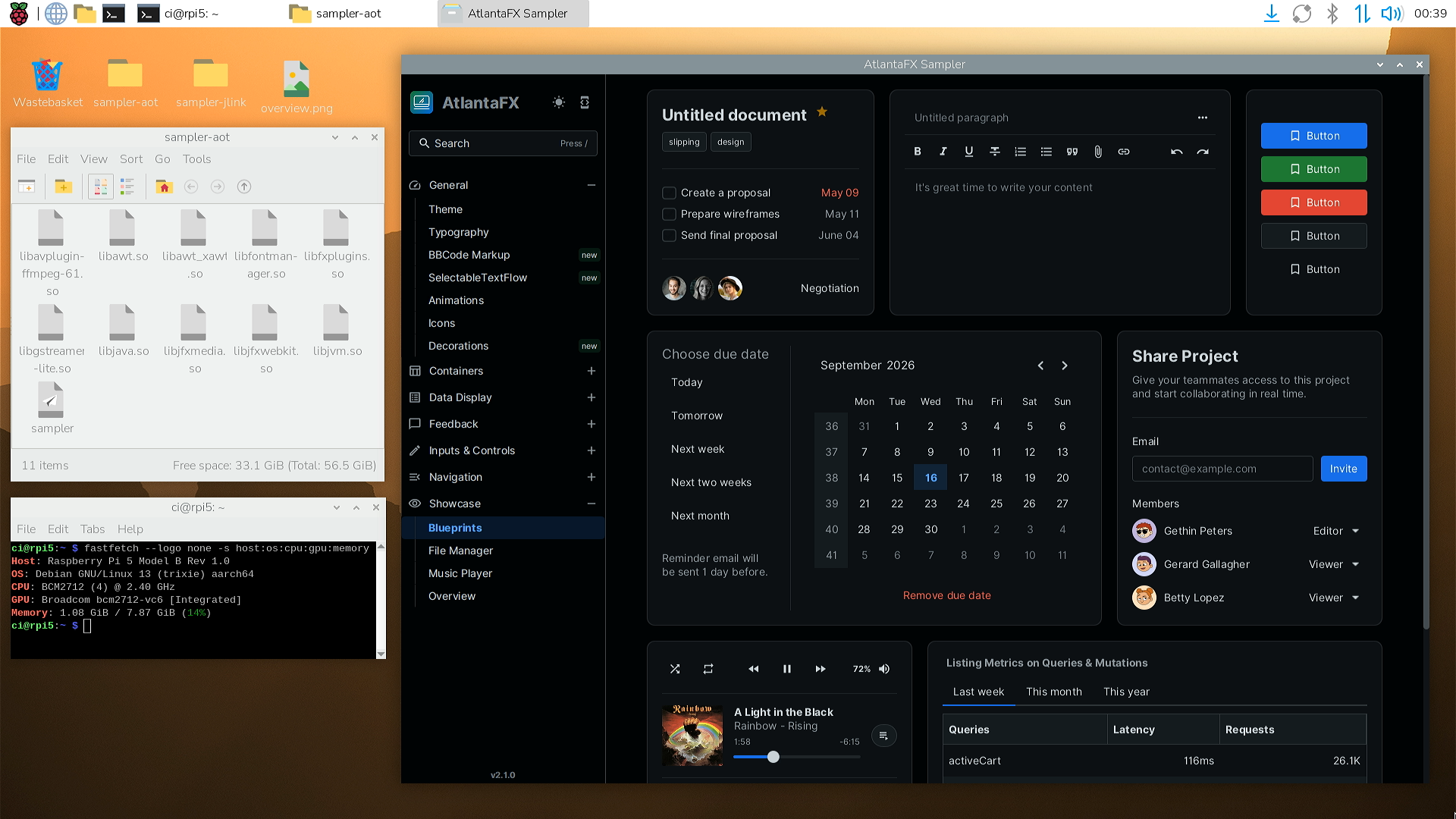
How Gluon Substrate, Liberica NIK, and StaticFX get JavaFX running as a GraalVM Native Image, including WebView and media, benchmarked on a Raspberry Pi 5.
We initially used GraalVM Native Image as a way to deploy JavaFX to mobile targets. However, after seeing our mobile apps feel snappier than our desktop apps, we gradually migrated all of our GUI and CLI applications over to ahead-of-time (AOT) compilation. GUIs mostly run in interpreted mode (users would have to click thousands of times to reach the JIT threshold), and with AOT we see up to 90% reductions in startup and first visit times, which results in a noticeably better user experience.
In fact, starting the AtlantaFX sampler on a high-end Ryzen 9 9950X desktop with jlink + CDS takes more than 2.5 times as long (1.3 s) as the same application running AOT-compiled on a tiny Raspberry Pi 5 (0.5 s, see benchmarks). The whole run is captured in a short video walkthrough of all pages, including FXML, WebView, MediaPlayer, and AWT integration.
JavaFX actually works very well in Native Image once everything is configured, but getting a complex application running for the first time is typically not a straightforward experience. This steep initial hurdle has unfortunately earned JavaFX, and desktop Java in general, a reputation of being incompatible or working poorly with Native Image. I think a big part of this stems from complex, specialized tooling that performs a lot of "magic" behind the scenes to hide the native layers. Whenever anything breaks, it produces errors that many Java developers don’t know how to debug.
In this post I want to demystify the internals of these tools, and show why we built our own tooling to run the latest JavaFX 27 release with the latest enterprise Oracle GraalVM on desktop targets.
Unlike frameworks such as Quarkus or Micronaut that were designed for ahead-of-time compilation and controlled server environments, JavaFX is a large and highly dynamic GUI framework that long predates native-image and needs to run on arbitrary client machines with different operating systems. Making that whole stack work requires a dedicated solution with linker fixes, substitutions, and nearly a thousand metadata entries. Gluon’s Substrate and BellSoft’s Liberica NIK are the two established options, and we just released StaticFX as a third.
Gluon’s Substrate is a complex toolchain that can port JavaFX to just about anything, including Windows, macOS, Linux, and the mobile targets iOS and Android. It can create executables with and without JavaFX, shared and static libraries, deal with resources, add custom C extensions, build OS-specific bundles and installers, and even do remote deployments to small targets via ssh.
Getting all of that to work requires modified builds and custom tools for practically every layer, starting at the GraalVM distribution to mobile tooling and dedicated Maven and Gradle plugins. The result is quite an impressive stack, and Gluon deserves credit for contributing a lot of the upstream changes that let JavaFX run everywhere.
However, the number of moving targets makes for a brittle combination that can easily break. According to Gluon: "every new release of iOS, Android, the AOT compiler, the JVM components or the JDK required patches and adjustments", so they have been pivoting towards OpenJDK Mobile. That is a more standard JDK + Leyden approach with an open-world model that removes the need for metadata and should significantly simplify the user experience.
That being said, the existing tooling still gets maintenance updates (see docs) and is comparably user-friendly considering the enormous underlying complexity. However, the latest versions Gluon currently supports are GraalVM 23 Community Edition (CE) and JavaFX 21, and there is currently no supported way to use a newer JavaFX release.