// TOM'S HARDWARE US — HARDWARE & GADGET
Grab some of our favorite controllers for PC gaming for less than the cost of a DualSense
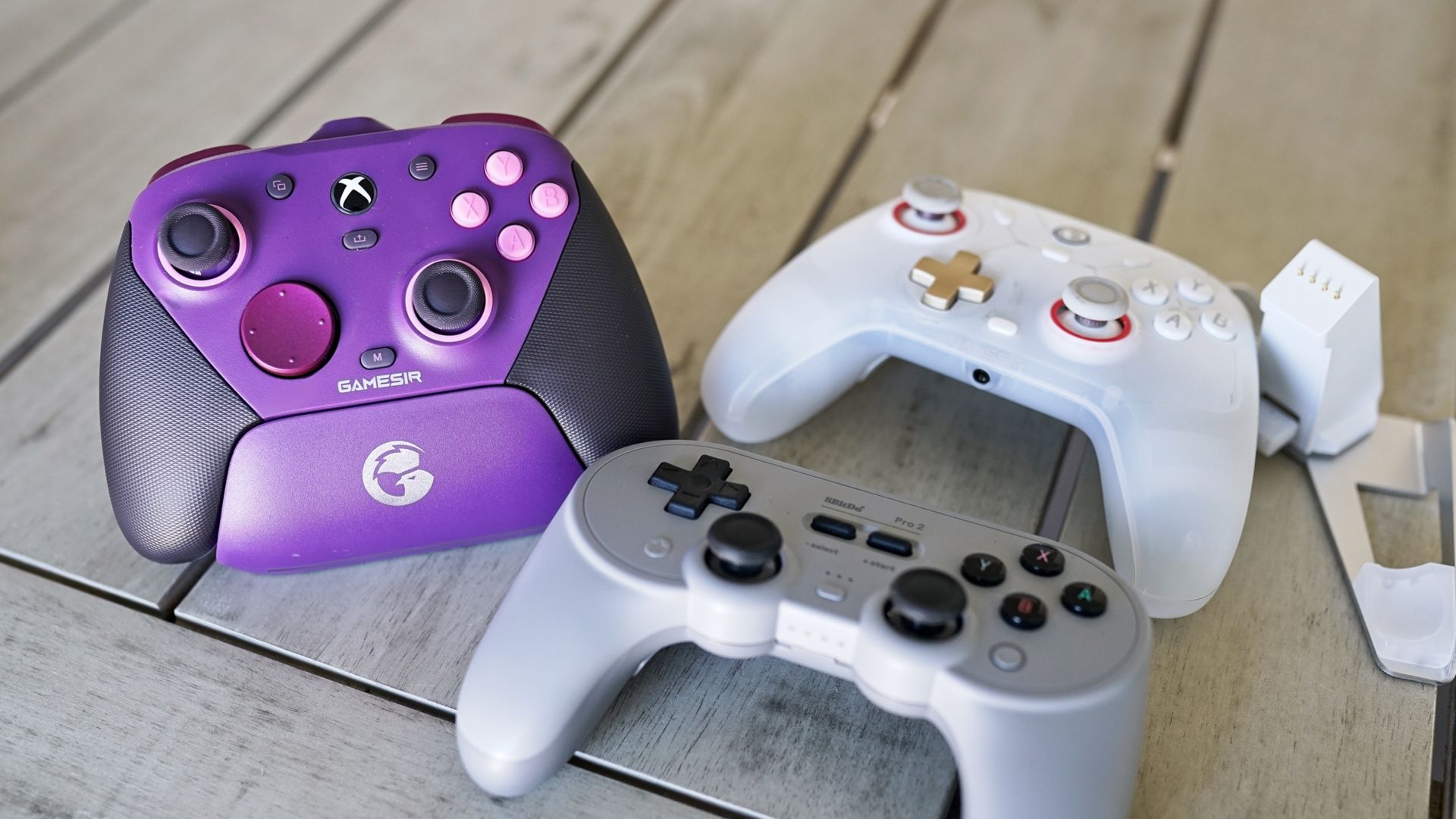
If you aren't feeling particularly great about Sony right now.
When you purchase through links on our site, we may earn an affiliate commission. Here’s how it works.
Sony doesn’t have a lot of love going its way among gamers right now, especially among the PC crowd, between the decision to abandon physical disc sales and reportedly shelve ports of its games to PC. Sony makes an excellent controller with the DualSense, not only for the PS5, but also for PC, with native support for its features (such as adaptive triggers) in some games. Still, it doesn’t feel great spending $74 on a controller if you don’t particularly align with Sony’s recent decisions, especially considering there are several other excellent controllers that either cost less or pack more features (and sometimes both).
Although there’s some impressive tech in the DualSense, it’s missing a lot of features that are now commonplace among third-party controllers, notably, TMR joysticks, additional rear paddle buttons, and multiple onboard controller profiles — you’ll need to spend $200 on the DualSense Edge for that. All of the controllers below come with those modern conveniences, as well as dedicated software for profile management and button remapping.
All except one also use a 2.4GHz connection, allowing you to use the controller wirelessly with virtually any device, and without the latency implications or connection limitations of Bluetooth.
The GameSir G7 Pro is a pro-style controller without the extra luggage, literally. As more tech gets packed into controllers, they get heavier, which is an issue with the standard DualSense and, to a far greater extent, the Xbox Elite Controller (any version, really) and the DualSense Edge. With the G7 Pro, you get extra amenities like remappable buttons (including rear paddles), a charging dock, a 2.4 GHz connection, and a surprising number of different aesthetic variants. The primary difference is that the G7 Pro feels like a normal controller in your hands, and it’s less than half the price of the first-party options from Sony and Microsoft.
For feel, the G7 Pro clocks in at 7.1 ounces, a far cry from the Elite Controller's 12.2 ounces and the DualSense Edge’s 11.6 ounces. Like the first-party premium designs, you get four remappable buttons: two paddles on the back and two small buttons situated between the trigger and bumper. It also comes with removable sticks and three D-pad options in the box. The faceplate and grips come off, as well, if you want to change up the look in the future.
The G7 Pro stands out most for what it does differently, however. For the face buttons and D-pad, GameSir uses optical micro switches, which you can also carry over to the triggers. The G7 Pro includes Hall Effect analog triggers, but you can toggle over to a hair trigger setting with a slider on the back. In this mode, the controller instead uses a micro switch, giving you the tactile feedback you get with the face buttons.
For connectivity, 2.4GHz is the way to go, with the G7 Pro operating at a 1,000Hz polling rate and using its included charging dock for connection (the dongle is removable but sits inside the dock). It also supports Bluetooth and wired connections. For managing the controller, you can use the Nexus App, which gives you access to full controller remapping, calibration for the TMR sticks, and far more. But you don’t need to use the app, which is one of the highlights of the G7 Pro.
You can remap buttons, as well as calibrate your sticks and triggers, with combinations on the controller itself. The remapping is particularly useful, allowing you to quickly remap controls when you boot up a new game rather than opening Nexus to remap there. It’s seamless. Regardless of how you set up the G7 Pro, you can store up to three profiles on the controller itself, and far more within Nexus.