// TOM'S HARDWARE US — HARDWARE & GADGET
HyperX Omen 35L review: A polished gaming PC for deep pockets
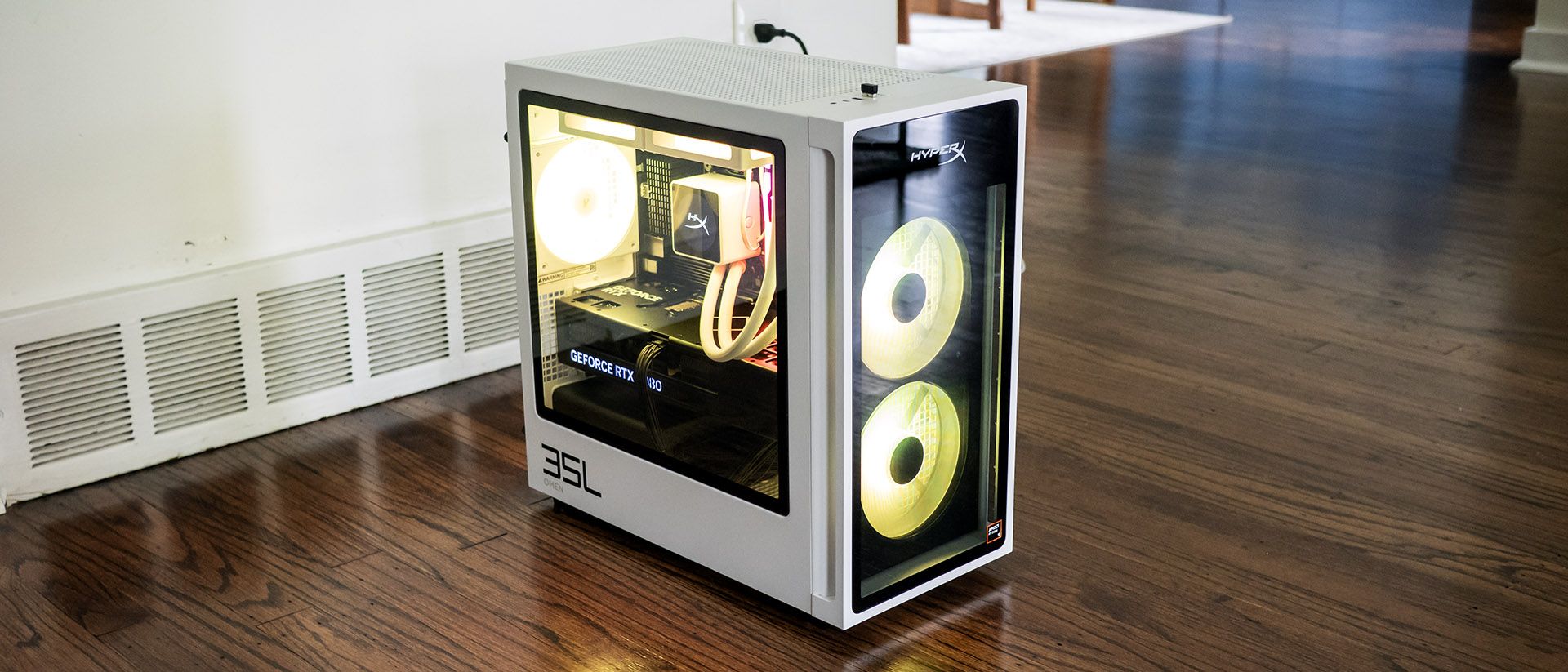
The HyperX Omen 35L delivers a premium gaming PC experience, pairing a striking black-and-white styling, quiet operation, enthusiast-grade features, and excellent 4K gaming performance. Top-end configurations make the most sense, as entry-level models are expensive for the hardware.
Why you can trust Tom's Hardware
Our expert reviewers spend hours testing and comparing products and services so you can choose the best for you. Find out more about how we test.
HP’s HyperX Omen 35L is ambitious, and it’s hard not to be impressed by it in our maxed-out test guise with a Ryzen 9 9950X3D and Nvidia RTX 5080. From its monochrome design and extensive RGB lighting to its top-tier components, it checks the boxes enthusiasts are looking for.
But when a PC is $6,211 like our test configuration, it raises the question of whether the Omen 35L’s blend of style, performance, and premium features is enough to justify a purchase, even if that's what high-end PCs cost right now.
The HyperX Omen 35L’s black and white case stands out, looking refreshingly modern, even though parent company HP has used similar designs before. At 8.27 by 16.06 by 16.14 inches, it’s firmly in mid-tower territory. The metal case feels reassuringly solid and makes extensive use of tempered glass. Bright RGB fans shine through the front while many RGB-lit components are visible through the side panel. It’s a classy system.
The contrast continues inside, where the black motherboard, graphics card, and power supply are easily visible against the white case. The white liquid cooling loops are especially attractive, as is the CPU cooler featuring its own LCD panel. The latter shows CPU and GPU temperatures.
Nvidia GeForce RTX 5080 (16GB GDDR7, 2,617 MHz boost clock)
2x 10 Gbps USB-C, 2x 5 Gbps USB-A, 4x USB 2.0, DisplayPort 1.4, Ethernet
HyperX’s top-mounted front ports include USB-C (10 Gbps), two USB-A (5 Gbps), and an audio combo jack. This location works well if the desktop is on the floor.
At the back, the tower offers a pair of USB-C ports (10 Gbps), two USB-A (5 Gbps), four USB 2.0, DisplayPort 1.4 output, Ethernet, and audio jacks. It’s disappointing to see a desktop this expensive offers neither USB4 nor Thunderbolt 4, though it does include Wi-iFi 7 and Bluetooth 6.0 from a Realtek 8922AE networking card. The wireless antennas are built into the chassis, eliminating the need for external protrusions. It’s also notable that HP offers a Clear CMOS button, a surprise on a mainstream tower.