// TOM'S HARDWARE US — HARDWARE & GADGET
Logitech G502 X Lightspeed Review: No lights, same price
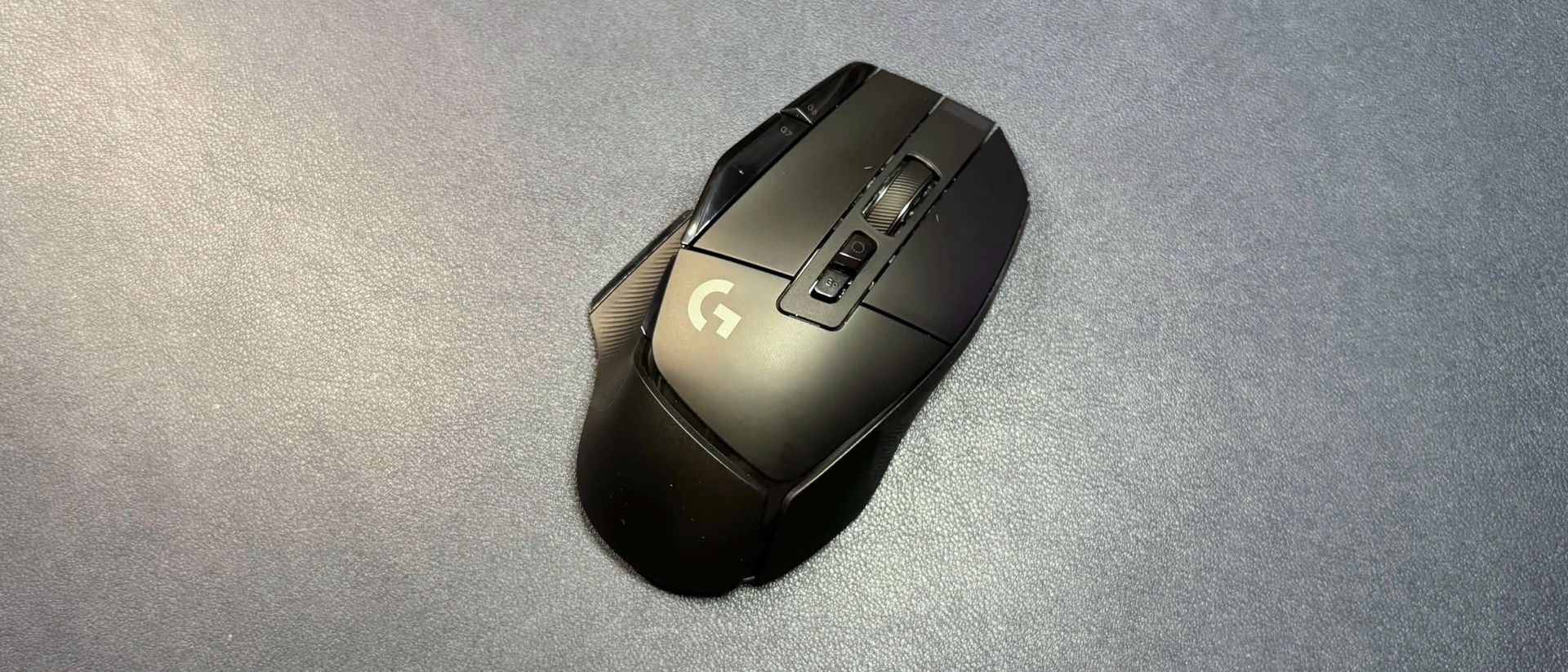
This is a great gaming mouse in terms of performance, but it's currently the same price as the prettier G502 X Plus.
Why you can trust Tom's Hardware
Our expert reviewers spend hours testing and comparing products and services so you can choose the best for you. Find out more about how we test.
Logitech's G502 X Lightspeed has been around for awhile — the mouse was introduced in 2022 alongside the fancier Logitech G502 X Plus (and the wired G502 X), but since it’s receiving a firmware update that upgrades its Hero 25K sensor to a Hero 44K sensor, this seemed like a good time to take a look at it. The G502X Lightspeed is available in black and white colorways and currently retails for $159.99, which is the same price as the G502 X Plus — however, it can (and should) normally be found for less than this.
The Logitech G502 X Lightspeed is a right-handed gaming mouse with an ergonomically contoured shape. It's the same size and shape as the G502 X Plus, with large primary mouse buttons, textured rubber side panels for grip, and a smooth matte chassis with glossy accents. It comes in black and white colorways (our review unit was black) and has no lighting aside from a small indicator light at the front of the mouse to indicate connection and battery life.
Like the G502 X Plus, the G502 X Lightspeed is definitely on the larger side. It measures 5.17 inches (131.4mm) long by 3.12 inches (79.2mm) wide, and is 1.62 inches (41.1mm) high at its tallest point. It's larger than the Razer Basilisk V3 Pro and V4 Pro (5.11 x 2.96 x 1.67 inches / 130 x 75.4 x 42.5mm) — not by a lot, but it definitely feels like a much larger mouse. It weighs about 3.6 ounces (102g), which makes it lighter than the Basilisk V3 Pro, but slightly heavier than the Basilisk V4 Pro.
The G502 X Lightspeed has 11 programmable buttons, and 13 programmable controls if you include scroll up/down. There are the left and right primary mouse buttons, as well as two side buttons along the left edge of the left mouse button. On the left side of the mouse there are the two standard thumb buttons, plus a "sniper" button that's magnetically attached and can be flipped so that it's not in your way. The sniper button can also be "deleted," and Logitech includes a delete cover in the box that makes the button unpressable (and also has the same soft, rubbery texture as the rest of the thumb rest).
The scroll wheel is a 4-way tilt wheel, so it has three programmable "buttons" (left click, right click, and center click), as well as scroll up/down. Above the scroll wheel are two buttons: One is a mechanical scroll wheel switch that switches between notched, tactile scroll and free scroll — that’s not programmable, as it's a physical switch — and the other is a profile cycle button that can be remapped.
On the bottom of the mouse you'll find UHMWPE mouse feet — at the top and bottom, around the sensor, and under the thumb rest. There's a power switch, as well as a magnetically-attached dummy puck that can be swapped out for the charging puck included in the Logitech PowerPlay 2. Under the puck is a slot for storing the mouse's wireless dongle.
In the box, the G502 X Lightspeed comes with a 6-foot (1.8m) USB-C-to-USB-A cable, a USB-A dongle, a USB-C converter, and a sniper button delete cover.
Get Tom's Hardware's best news and in-depth reviews, straight to your inbox.