// TOM'S HARDWARE US — HARDWARE & GADGET
JSAUX FlipGo Horizon Pro dual-screen portable monitor review: Jack of all trades, master of some
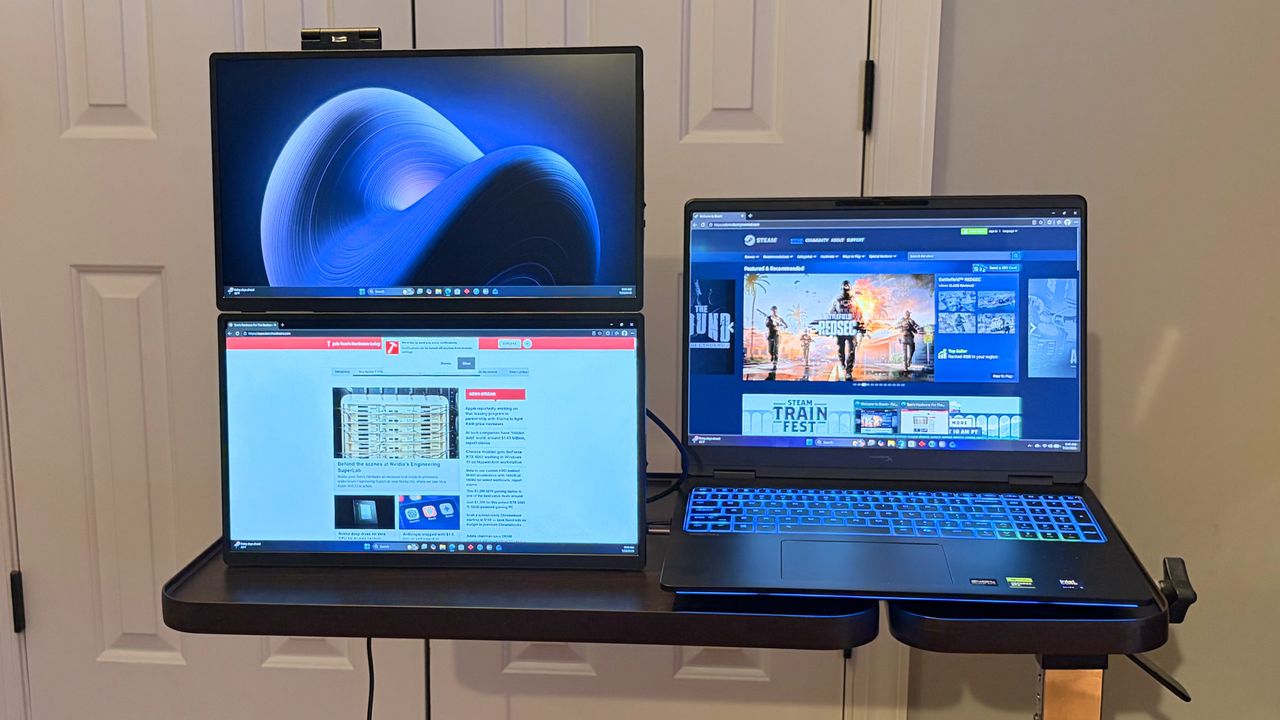
With multiple viewing modes, high-quality construction, and integrated networking functionality, the FlipGo Horizon Pro is in a class of its own.
Built-in hub with additional USB-A ports and a GbE port
-Pricing is twice that of competing dual-screen portable monitors
Why you can trust Tom's Hardware
Our expert reviewers spend hours testing and comparing products and services so you can choose the best for you. Find out more about how we test.
While the overall portable monitor market has exploded over the past few years, one sub-segment that has seen increasing attention is the dual-panel market. We’ve already reviewed entries from several players in this space, but the latest from JSAUX might be one of the most versatile that we’ve seen so far.
The JSAUX FlipGo Horizon Pro is a dual-screen portable monitor with a large footprint. Still, it’s highly configurable in how you position the display panels, and it even includes an integrated hub with multiple USB-A ports and a gigabit Ethernet port. Those features are rare among the best portable monitors, so let’s see what makes the FlipGo Horizon Pro tick.
A lot is going on with the design of the FlipGo Horizon Pro, and for good reason. It's trying to accomplish a lot with its various operating modes, and it employs a rather ingenious system to execute on its mission.
At the heart of the FlipGo Horizon Pro is its black aluminum frame. It consists of a wedge-shaped base, on which your laptop rests. Not only does the weight of the laptop provide an additional anchor point (and stability) for the base, but it also positions the laptop on a slight incline.
On the back of the base are several ports used for connecting the monitors and expanding port availability for your laptop. You’ll find two USB-C inputs for the monitors, a USB-C for power from the included 65-watt power adapter, and a USB-C port for data and video that connects directly to your laptop. In addition, there are three USB-A ports for peripherals and a Gigabit Ethernet port for networking.
Sprouting up from the base is a horizontal bar that forms the basis for mounting the monitors. Two sliding platforms attach to the horizontal bar: one for the left monitor and one for the right monitor. The sliders allow you to accommodate both large and small laptops. In addition, each slider can fold forward or back to suit your preferred viewing angle or enable a specific operating mode.