// TOM'S HARDWARE US — HARDWARE & GADGET
ViewSonic VG1457 dual-screen portable monitor review: compact size and weight, but lackluster color
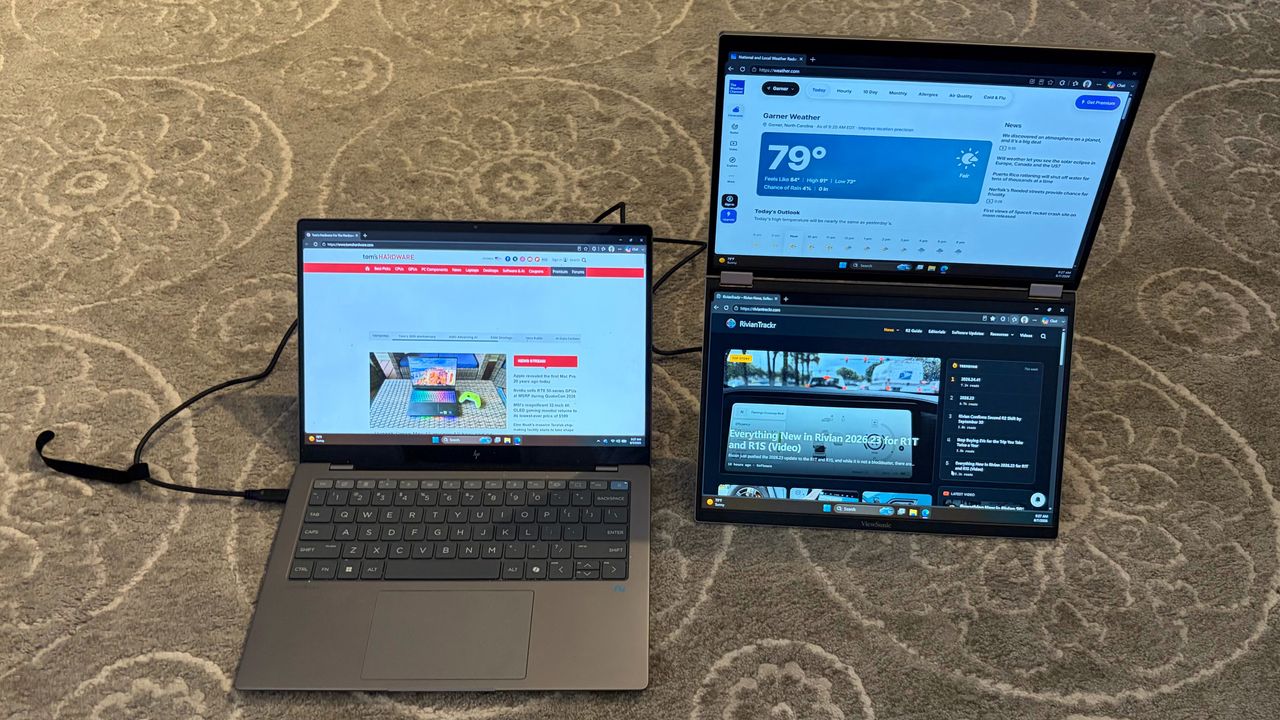
The ViewSonic VG1457 is feature-packed and has a compact frame, but color performance and panel brightness are sore spots.
Three USB-C ports, including 65-watt power passthrough
Below average color performance and brightness levels
Why you can trust Tom's Hardware
Our expert reviewers spend hours testing and comparing products and services so you can choose the best for you. Find out more about how we test.
Five years ago, there was very little variety in the types of portable monitors available for consumers. You had a few options from well-known desktop monitor brands, and that was about it. However, in the past few years, we’ve seen a large uptick not only in form factors for portable monitors, but also in the adoption of leading panel technologies like OLED.
ViewSonic is a well-known player among the best portable monitors, and we’ve reviewed several of its entries. The latest to grace our lab is the VG1457. This is a dual-display monitor that is quite different from the typical competitors in this space. Rather than having the two displays flank a laptop’s built-in screen with a “spine” connecting them, the VG1457 features two panels stacked on top of each other, joined by a 360-degree hinge.
Due to this design, the VG1457 can be used in several types of orientations across multiple screen modes. And with a sub-$350 price tag, it represents a relative bargain for mobile warriors.
The VG1457 features a remarkable design, incorporating two display panels in a relatively light and compact form factor. Since ViewSonic doesn’t have a thick and heavy frame that needs to support two outstretched panels, the VG1457 only weighs 2.6 pounds (about double that of a portable monitor with a single display). And when folded, it has roughly the same footprint as a single-panel portable monitor (albeit thicker).
Each panel measures 14 inches across and features 1200p resolution. In its default landscape orientation, the VG1457’s panels are stacked on top of each other, with two 360-degree hinges connecting them. However, if you prefer, you can stand the panels up so that they are in portrait mode, with the two panels sitting next to each other, book-style.
In either viewing mode, the twin panels are supported by an adjustable kickstand. The kickstand incorporates dual 2-watt speakers and three USB-C ports. The bottom USB-C port is used exclusively to power the monitor, while the other three USB-C ports can handle power and video, including two-way power delivery up to 65 watts. I was able to power the VG1457 using a single USB-C cable connection to an HP OmniBook X laptop.