// ITS FOSS — LINUX & OPEN SOURCE
Paperweight: An Open Source App to Clean Up Your Inbox and Digital Footprint
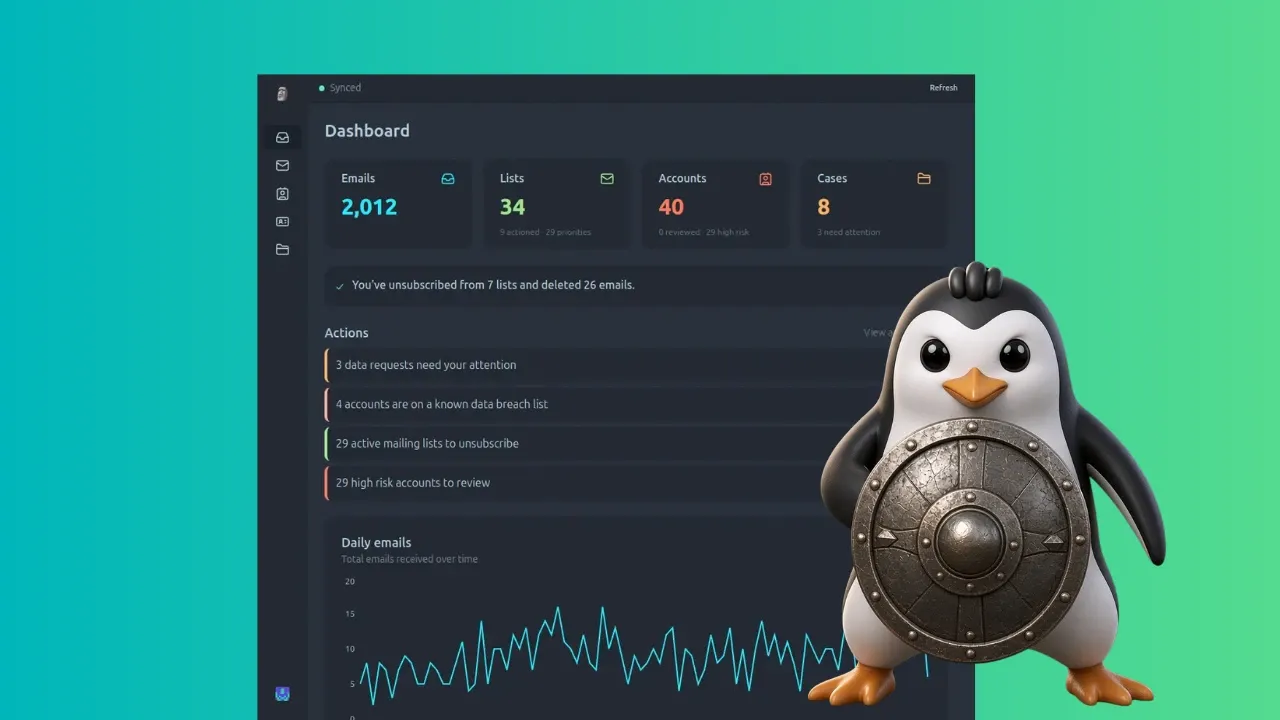
E-mail is one of those things that get really unruly before you realize they have. You sign up everywhere with your e-mail, get lots of spam from services that you almost forget you have even heard of, and all the important things, consequently, get lost in the noise.
This is the problem Paperweight aims to solve. It is an open source application that helps you see what accounts or newsletters you subscribed to so that you can take a decision on them.
You probably already know that a digital footprint is the trail of information you leave behind when you use the internet. While it is not easy (nearly impossible) to erase the entire digital footprint, we sure can reduce it.
There are premium services like Incogni from Surfshark that does this job for a fee. They look into all the data broker databases and also send the data deletion requests on behalf of you.
Paperwight aims to help you do some of those tasks. The idea is this. You plugin your email into Paperweight. It scans all the emails and gives you:
While you can bulk unsubscribe, rest of the action needs manual action. You will have to approach the respective websites by sending them emails individually.
And here's the thing. All this processing happens locally on your system. The inbox is scanned on the system, there is no server in between, so no data collection. The source code is available so you can verify these claims.
All the services that send you e-mails are listed under "Mailing lists" right on the main window, and you can go in and check what e-mails you've been sent, how many, and the dates of the recent ones.
Here's the exciting part: you can select multiple services at once and unsubscribe from their e-mails without having to individually open every single service's e-mail and going through the unsubscription process, which usually takes you through a few browser hoops.
After selecting the services you wish to unsubscribe from, it becomes a simple matter of clicking the dumpster icon and confirming: