// TOM'S HARDWARE US — HARDWARE & GADGET
Mac Mini docks add more ports and storage — get more out of your headless server, AI machine, or Apple workstation
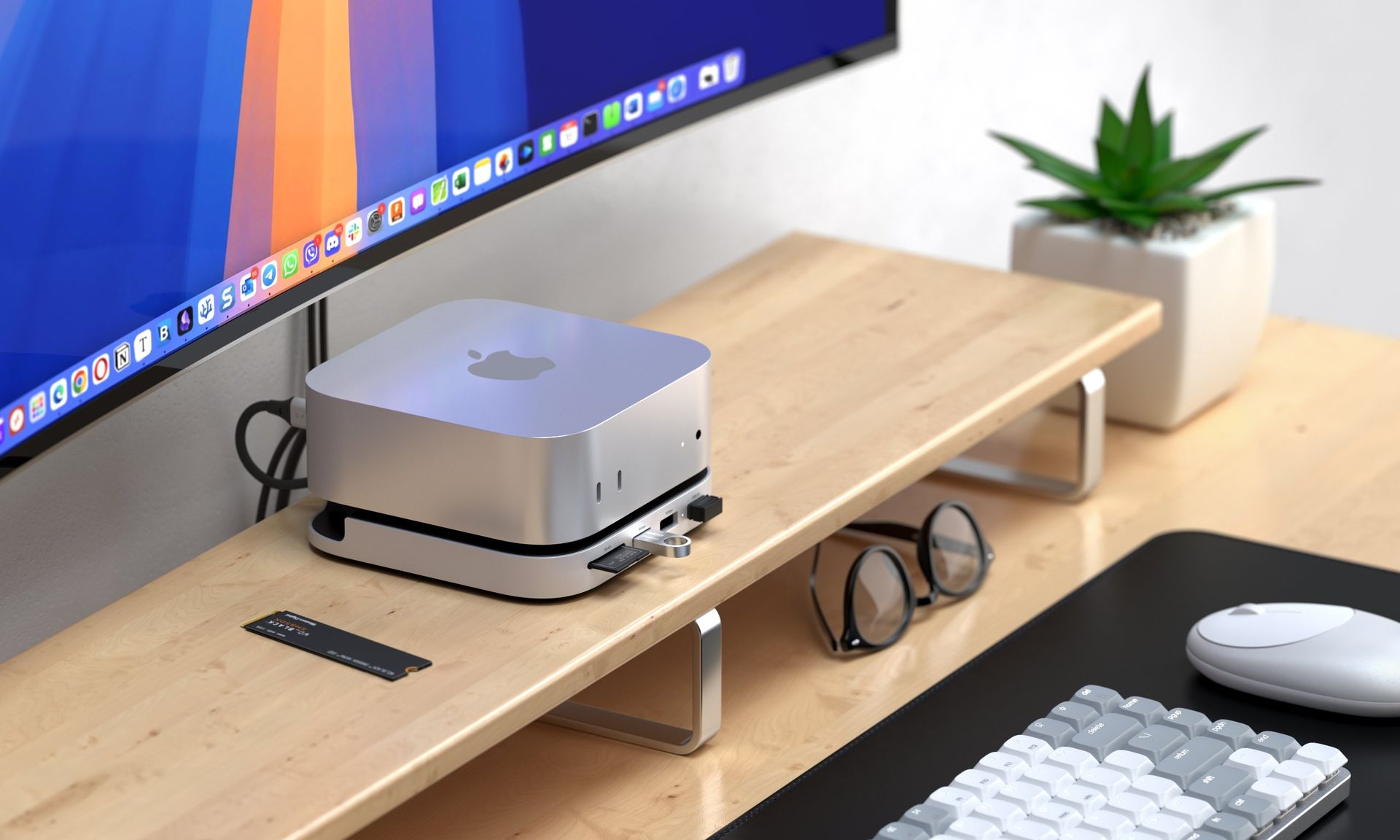
Custom-molded Mac Mini docks fit right under your new mini desktop.
When you purchase through links on our site, we may earn an affiliate commission. Here’s how it works.
Whether you're one of the many people who rushed on the M4 Mac Mini this year or grabbed the M6 or M5 Pro Mac Mini that released last month, you're bound to eventually want to consider more storage, more ports, or both.You can't upgrade the storage (it's soldered on the M6, and on M4 you need specialty NAND that will void the warranty and isn't easy to come by), so using external storage is all there is. And while the Mac Mini is fairly generous with five USB-C ports, there are no legacy USB-A ports or an SD Card slot like on the Mac Studio.
For Prime Day, there are a handful of docks specifically designed for Apple's Mac Mini that will give you more ports, including options with SSD slots to allow for more storage in a compact footprint. Keep in mind these won't work in older Mac Minis, which had a different chassis.
This Satechi dock has front-facing USB-A ports, an SD card slot, room to reach the Mac Mini's power button, and an SSD enclosure for extra storage.
This dock has a mix of USB-A and USB-C ports on the back, along with two USB-A ports and both SD and microSD card slots on the front. They're not the fastest ports at 10Gbps, but it's cheap and also has an NVMe SSD enclosure.
Acasis's dock has ports on three sides, but what's most interesting about it is that it has support for 2 NVMe SSDs for up to 16TB of internal storage. They won't be at their fastest over the 40GBps cable, but should be fine for making backups and other scheduled tasks. This dock also includes a 65W power brick.
In general, some Mac users love these docks, while others have suggested that placing them underneath a Mini can block the Wi-Fi signal. That's something to consider if you're not plugging into Ethernet.
While there are lots of specialized docks for the Mac Mini, you don't need that. If you're willing to use any standard, rectangular USB-C or Thunderbolt dock, which can offer the same advantages, just not in a bespoke shape.
A more traditional dock. The Revodok doesn't fit a Mac Mini on top of it, but it can be paired with any mini PC or laptop that you like.]