// TOM'S HARDWARE US — HARDWARE & GADGET
Why I upgraded to a 4K OLED PC gaming monitor
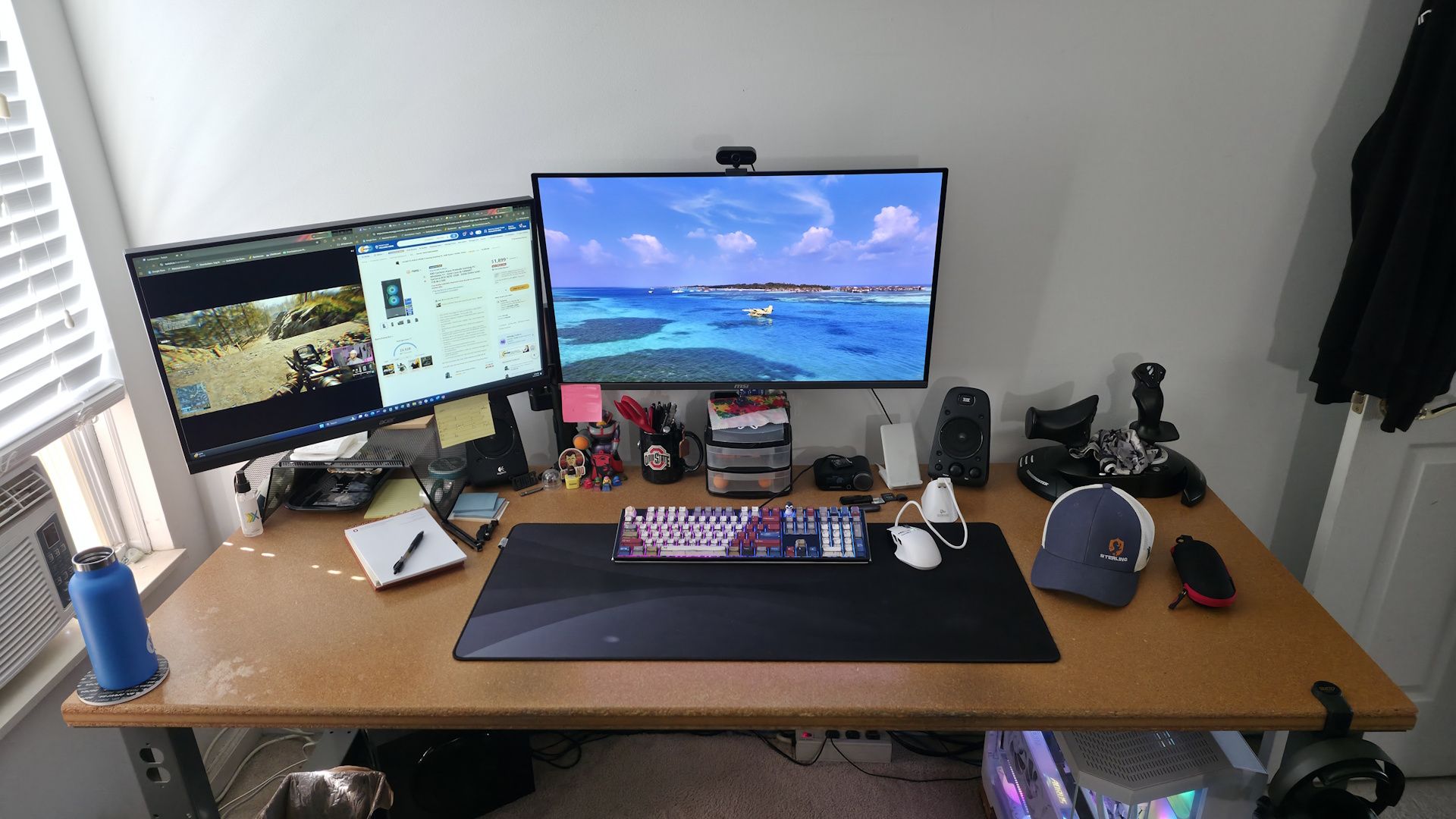
True blacks and infinite contrast, incredible colors, and burn-in?
When you purchase through links on our site, we may earn an affiliate commission. Here’s how it works.
4K OLED PC monitors have been out for years, but while some enthusiasts have made the move to OLED tech, some haven’t. Like any new technology, when the first OLED gaming monitor was released - the Alienware AW3423DW - it was expensive, with a launch price of $1,300, and it was price-prohibitive for an overwhelming majority of users. But compared to other PC gaming monitors (think VA and IPS-type panels), it was a Thanksgiving feast for the eyes. The LG UltraGear 32GS95UE, widely considered one of the first 4K OLEDs for gaming, was $1,400.
I eventually settled on the MSI MPG 321URX, which is currently $634 and, without a doubt, it's the best upgrade I’ve made to my system in a long time. There are a lot more affordable options available now, too: Models like the ASRock Phantom Gaming (PG032UFS) dual-mode 4K gaming monitor is on sale for $596, while the MSI 321UPX (similar to mine, but calibrated out of the factory) is $799. A year or so ago, the MSI was around $950, and the ASRock was over $1,000 in late 2025. So while sub-$700 is still a lot of money, prices have come down quite a bit on some quality panels. And while those offer the full-fat 4K resolution, there are even more affordable options if you're willing to step back to 1440p, like the Acer Predator X27U, for under $300.
I remember seeing them at CES and later walking past them in stores. The blacks were as black as could be, and the colors more vibrant than IPS panels. I recall thinking: "I have to have one." Then I looked at the price and walked away. Eventually, prices came down, and I upgraded, donating the 1440p IPS 165Hz panel to my kids, and I’ve been on a 4K OLED ever since. This article explains why I upgraded and offers advice on whether you should or shouldn't.
My journey to a 4K OLED started after seeing them at CES a few years ago, and more recently in stores. Seeing the deepest blacks and incredible colors was a sight to behold compared to my previous 27-inch 2560x1440 165Hz Acer Predator IPS panel, which many would consider a very good, fast IPS panel.I worked on two 2560x1440 panels at my desk. On the left panel, I usually had video streaming, be it Hulu/news or Twitch, on one half of the monitor along with Chrome and several tabs ranging from personal email to a ‘scratch pad’ for work. On the right monitor, I had my ‘work Chrome’ on the right half (along with Slack), and I used the left area as free space to write articles in another Chrome tab and access File Explorer and other applications necessary for my job. This worked, but I quickly realized that I needed more screen real estate. I needed a higher resolution to fit more on the screen and a larger size so my old eyes could actually see what’s on the screen.
But I’m also a gamer at night. Generally, I'm an FPS (First-Person Shooter) guy playing titles like PUBG, Call of Duty, Battlefield 6, and more. Because I mostly play quick-twitch games, I need a high-refresh-rate monitor. Since I was already rocking 165Hz, the next natural upgrade for significantly higher refresh rates and lower display-related input lag was 240Hz. Sure, 180Hz variants are available, but I want a significant upgrade for something I will likely keep until it dies and cannot be replaced.
In the end, I upgraded to a 32-inch 4K OLED in early 2025 before RAM, video cards, and storage prices went nuts. The MSI MPG 321URX was $900 at the time (currently $634) and, without a doubt, the best upgrade I’ve made to my system in a long time. While I spent a pretty penny, not only was I able to get more screen real estate, both physically and in pixel count, but I also got true blacks and better color coverage (99% DCI-P3, 137% sRGB, aRGB 96%) than my IPS panel.
I also wanted to keep pixel density (Pixels Per Inch or PPI) the same or better. And if you do the mat