// TOM'S HARDWARE US — HARDWARE & GADGET
IT pro says his parents’ Keurig smart coffee maker sent 1TB of data over their Wi-Fi in 10 days
Turning it off and on again seems to have fixed the problem, but its data was not captured.
When you purchase through links on our site, we may earn an affiliate commission. Here’s how it works.
A Keurig smart coffee maker owned by a self-described IT pro’s parents sent 1TB over their Wi-Fi in 10 days, saturating an access point on its own, user @NomadsGalaxy said in an X post. Nomad added that most of the traffic “didn’t escape my network” but it’s unclear what data it was trying to send, even though there was a temptation “to scan it’s [sic] packets with Wireshark and other tools.”
Hey uh, @Keurig - what the hell is a COFFEE MACHINE uploading, let me double check...
ONE FUCKING TERABYTE OF DATA IN 10 DAYS!?!?
Immediately unplugging that. Getting my parents a new coffee machine. https://t.co/tTHMYC7hNDOctober 6, 2026
Nomad, a Technical Field & Community Specialist at 3D printer maker Prusa with more than 10 years of IT experience, tagged @Keurig and uploaded a UniFi screenshot, asking what the coffee machine could possibly be uploading. The issue was detected after his parents asked why their network was so slow. He said that he would be unplugging his dad’s machine and getting his parents a new one.
The screenshot names the device starting as “Keurig” on his “Appliance network” with traffic indicated at 9.94GB down and 1,008.45GB up, over the connection of 10 days, 9 hours. It was apparently disconnected the evening of Oct. 5, and he later suspected it was a bug. The amount of data indicated by the screenshot’s numbers suggests an average upstream of about 9 Mbps, which could swamp an access point. This comes out to about 97GB a day, about 27 times the amount of the LG washer’s 3.6GB a day reported in 2024.
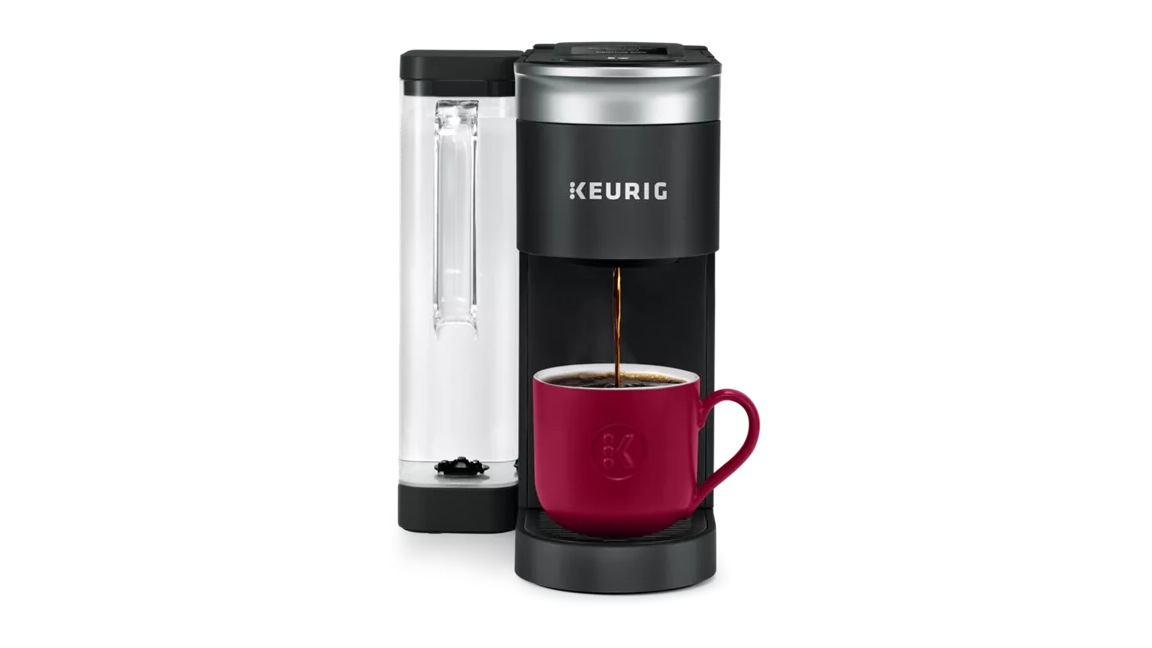
The model in question, as linked in a reply, is the K-Supreme SMART with BrewID, according to its product page and Use and Care Guide. This guide details app control for remote brew, remote on and off, and scheduled brews. It also covers Alexa and Google Home voice control. BrewID recognizes Keurig-made pods over Wi-Fi, perhaps fueling his speculation that “it’s just DRM waiting to be enabled,” and applies the roaster’s recommended settings. On this model, it works over 2.4GHz Wi-Fi, presumably for range and compatibility, which does limit its maximum bandwidth.
Later in the X thread, Nomad acknowledged that the UniFi had not reported an actual 1TB upload, so he concluded it was mostly local junk data. The coffee maker was already on a separate IoT network with his parents’ smart devices, but not much was blocked. Rebooting the device and placing it in a segregated VLAN solved the issue, at least temporarily. He did not make any attempts at packet capture, opting to keep it safely offline rather than running captures. He recommended that Keurig fix the potential flaw in the device’s network stack to prevent such issues in the future.
According to the pykeurig GitHub project, which allows Home Assistant integration, information sent to the cloud includes power state, brew state, pod recognition result, and the software version. Keurig’s own open-source notice lists Microsoft’s Azure RTOS, an off-the-shelf operating system and networking stack for IoT. The type of data sent is small, so 1TB does read as a malfunction, but the proprietary firmware isn’t public.
The X screenshot also shows the radio’s MAC address with the block registered to Jabil on Feb. 18, 2021. Jabil’s site lists Wi-Fi and Bluetooth expertise, RF and antenna design, IoT embedded modules, and connected appliances among its capabilities. Keurig has previously listed Nypro, a Jabil subsidiary, as a partner. This does not confirm the origin of the hardware or how the firmware works.