// TOM'S HARDWARE US — HARDWARE & GADGET
Modder discovers that putting a GPU in the 'wrong place' can deliver a 19 degree cooler hotspot
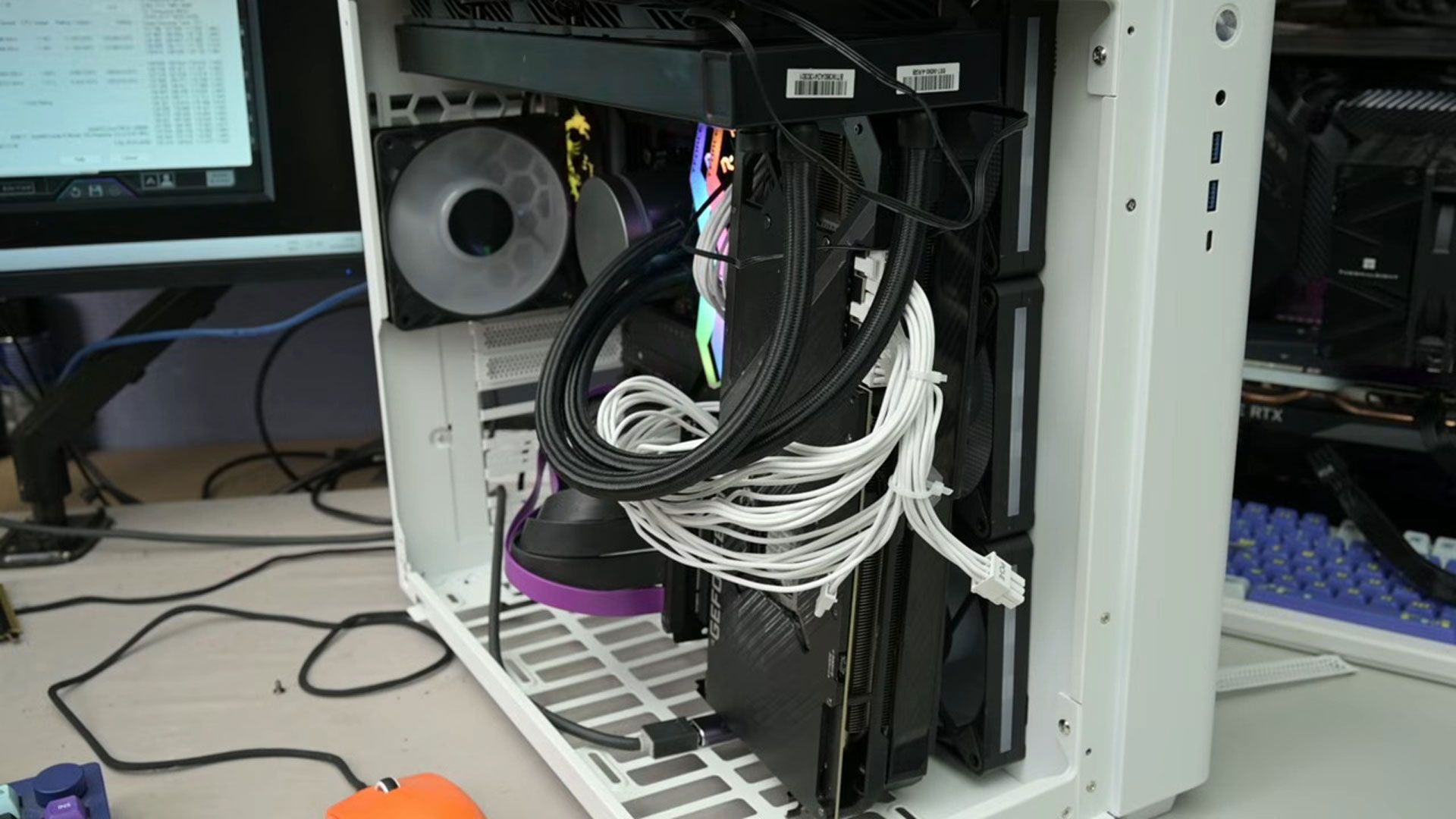
The absolute best GPU result wasn't good for CPU temperatures, so the tech tinkerer also shared the best overall configuration, optimized for both CPU and GPU.
When you purchase through links on our site, we may earn an affiliate commission. Here’s how it works.
It might be reasonable to assume that desktop PCs are built in a certain way due to decades of evolution and optimization. However, we're getting used to TrashBench challenging convention, and we're pleased to say the video below represents one of this enthusiast's best cooling innovations yet. In this latest video, completely ignoring the accepted norms of GPU placement delivered up to a 19°C hotspot temperature reduction but adversely impacted CPU temperatures. However, some more tweaking resulted in a 14°C reduction in hotspot temperatures and a 3.3°C cooler CPU.
TrashBench's plan was to prepare his RTX 3080 desktop PC and "test it normally, then start moving s*** around." This process began with an entirely conventional setup with the CPU cooled by a 360mm AIO, and the triple-fan RTX 3080 slotted directly into the usual PCIe expansion slot.
With the traditional build complete, TrashBench tested this baseline with a constant thermal load from looping 3DMark Time Spy and 7-Zip’s built-in benchmark. The fans in the system had their RPMs locked for consistency. Now he could start "trying to figure out if we’ve been putting the parts in the wrong place."
Beginning the first 'alternative' PC build, we heard the modder muse, "cable management isn’t important here... Is it ever?" Then we saw the GPU tested at the bottom of the case, and vertically to the side, facing one way or another, and either side of the triple case fans on the side. Meanwhile, the CPU AiO cooler was tested with the radiator fans pushing air out or bringing air in.
In summary, some configurations mostly benefitted the GPU or the CPU. But, as we noted in the intro, the sweet spot - where a worthwhile benefit was recorded in cooling both the GPU and CPU was still very worthwhile.
Taking the lessons learned from the best GPU and CPU cooling ideas, and striking a balance, TrashBench finalized his reinvented PC cooling design. That was with the CPU mounted vertically, directly against the side intake fans, and the CPU AiO cooler radiator in a traditional exhaust config. See the screenshot for the observed benefits. We’d headline this sweet spot configuration as delivering a 3.3°C cooler CPU and chilling the GPU hotspot by 14°C.
If you want to try this kind of GPU repositioning testing, a PCIe riser cable is essential. We saw TrashBench use them in a number of lengths.
Get Tom's Hardware's best news and in-depth reviews, straight to your inbox.