// TOM'S HARDWARE US — HARDWARE & GADGET
Gigabyte Z890M Aorus Elite WiFi7 Motherboard Review: Icy-white SFF board offers full-size features for Intel
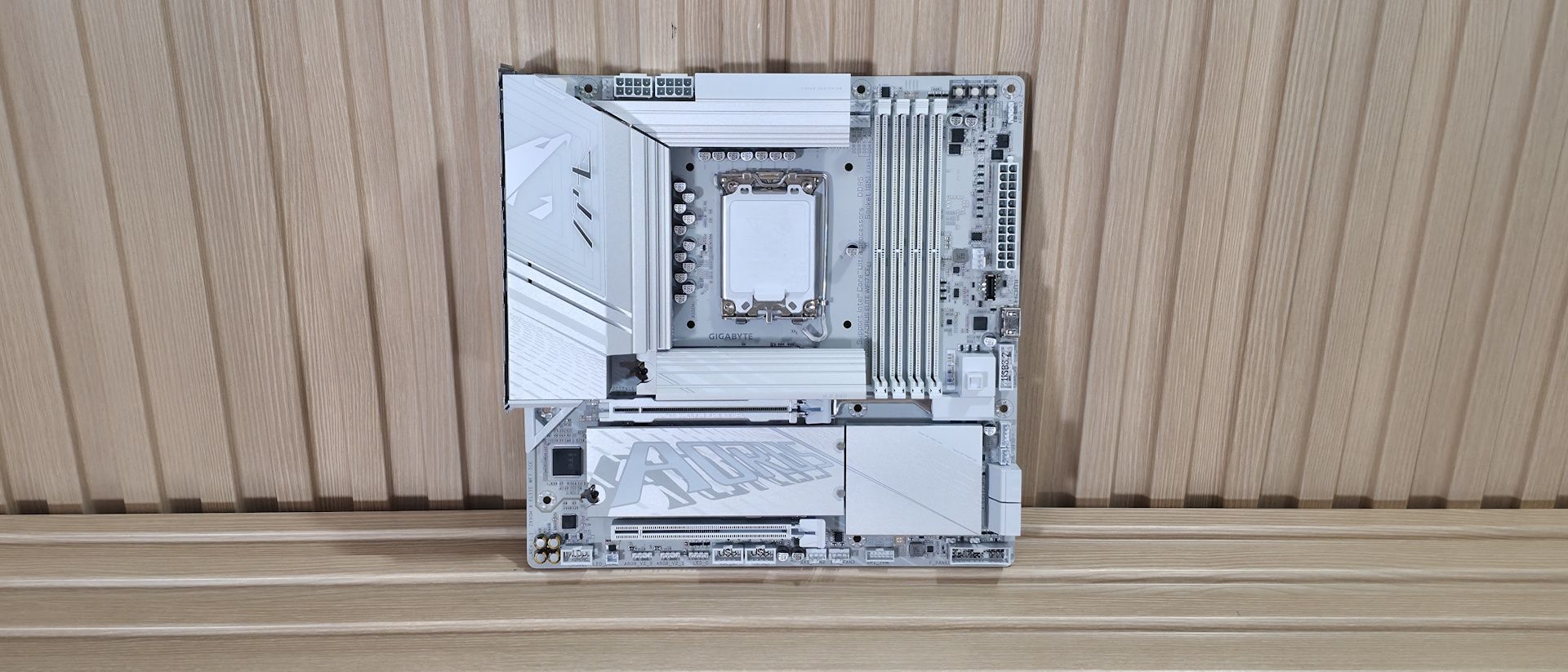
Gigabyte's Z890M Aorus Elite Wifi7 Ice is one of the better-looking Micro ATX boards around. The Icy-white aesthetic and full heatsink coverage add a premium vibe, and the specs are solid for $209.
Why you can trust Tom's Hardware
Our expert reviewers spend hours testing and comparing products and services so you can choose the best for you. Find out more about how we test.
The latest board to land on our test bench is a small-form-factor Intel option, the Gigabyte Z890M Aorus Elite Wifi7 Ice. This Micro ATX motherboard costs only $209 on Amazon and packs most of the ATX version's features into a smaller package. The board is optimized for Intel’s Core Ultra 200S Plus processors and pairs best with Micro ATX chassis, but its best feature is its looks. It’s one of the better-looking Micro ATX options, especially if you’re looking for a white-themed build.
The Z890M Aorus Elite offers three M.2 sockets (2x PCIe 5.0) and four SATA ports for storage, 2.5 GbE and Wi-Fi 7 (160 Hz) for networking, and a basic audio solution. The rear IO delivers nine USB ports total, including one 40 Gbps Type-C port (with DisplayPort capability). All of that is typical fare for the form factor. You also get two full-length PCIe slots (one reinforced) and heatsinks covering all M.2 sockets, giving the board a more premium look than its direct competition. It also adds two RGB lighting zones, one by the VRMs on the left and the other under the chipset heatsink, adding glow to your chassis.
Overall, performance in our testing was average, with the board doing well in some tests and slightly below average in others. For gamers, it performed well in our 3DMark tests and in real games. In short, there’s nothing to worry about from a performance standpoint. The Z890M Aorus Elite also supports AI features, including AI Perfdrive, which offers customizable BIOS performance presets for one-click CPU improvements.Below, we’ll examine the board's performance and other features to determine whether it deserves a spot on our list of the best motherboards. But before we share test results and discuss details, here are the specifications from Gigabyte.
(1) DisplayPort (v2.1)(1) USB4 Type-C (DP 2.1)(1) Front HDMI (v1.4)
(1) USB4 Type-C (40 Gbps)(1) USB 3.2 Gen 2 (10 Gbps)(4) USB 3.2 Gen 1 (5 Gbps)(4) USB 2.0
(1) PCIe 5.0 x4 (128 Gbps) / PCIe (up to 80mm)(1) PCIe 4.0 x4 (64 Gbps) / PCIe (up to 80mm)(1) PCIe 4.0 x4 (64 Gbps) / PCIe (up to 110mm)Supports RAID 0/1/5/10
(1) USB v3.2 Gen 2 (10 Gbps) Type-C(1) USB v3.2 Gen 1 (5 Gbps)(2) USB v2.0 (480 Mbps)
(3) 3-pin ARGB headers(1) 4-pin RGB LED strip header