// TOM'S HARDWARE US — HARDWARE & GADGET
Razer Basilisk V4 Pro Review: Tried and true and now with AI
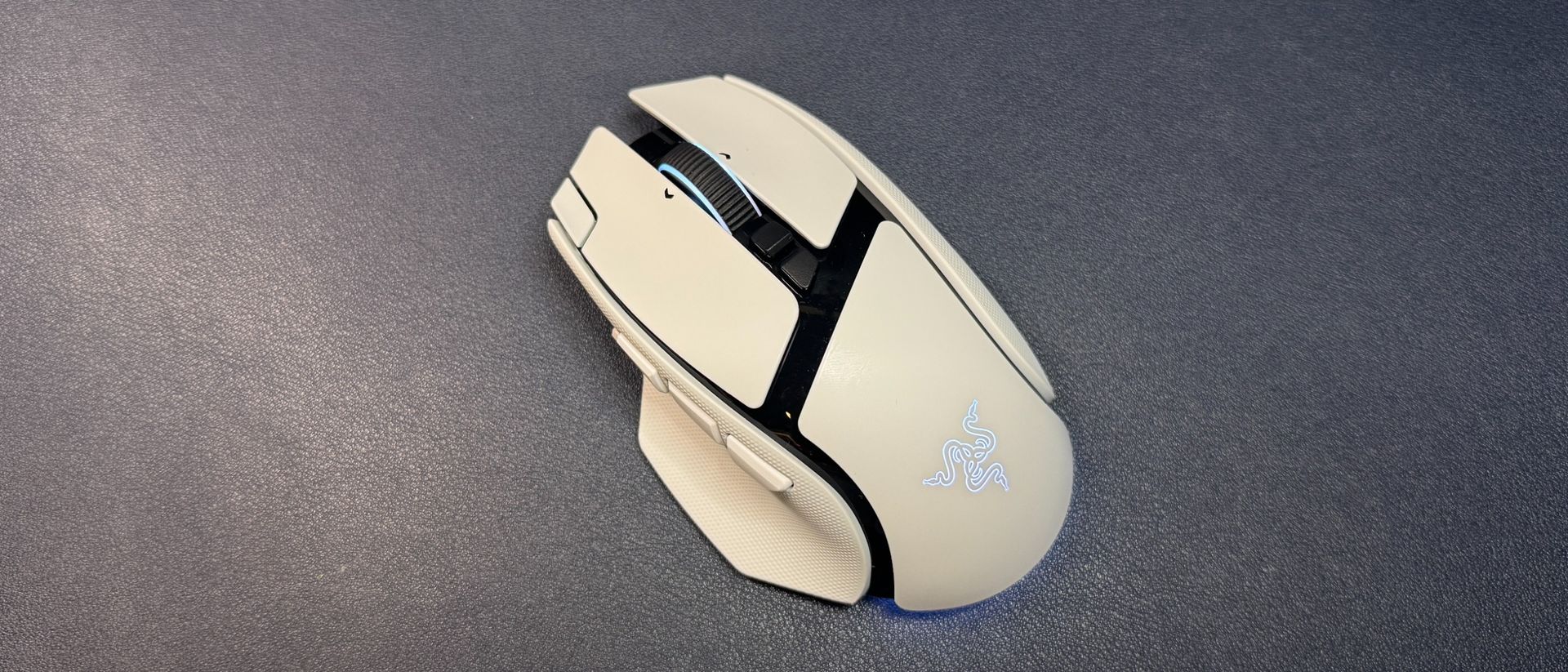
The Basilisk V4 Pro is a great all-around gaming mouse for gamers who want more functionality than a stripped-down FPS mouse, but who aren't totally button-crazy.
AI prompt button messes up the thumb button harmony
Why you can trust Tom's Hardware
Our expert reviewers spend hours testing and comparing products and services so you can choose the best for you. Find out more about how we test.
Razer has been updating its gaming mouse lineup systematically over the past two years, and it's finally the Basilisk's turn to get a real update. The last update we saw to the Basilisk line was the Basilisk V3 Pro 35K in October 2024, which was basically just the Basilisk V3 Pro with a new sensor.
The Basilisk isn't Razer's most popular gaming mouse line, but it is the more versatile, all-rounder line for people who aren't chasing performance above all else. The Basilisk V4 Pro maintains the general design of its predecessor — a contoured, right-handed gaming mouse with bright RGB lighting and a handful of extra buttons, for the serious gamer who isn't trying to break esports records. It features Razer's newest Focus Pro 50K optical sensor, gen-4 optical mouse switches, and up to an 8,000 Hz polling rate, plus multiple forms of connectivity and up to 200 hours of battery life (over 2.4GHz at 1,000 Hz).
It is admittedly pricey, like all of Razer's flagship mice, at $169.99 for both colorways (black and white), and it launched with Razer's Mouse Dock V2 Pro — which is sold separately for $69.99.
Following in the footsteps of its other recent next-gen mouse launches, Razer has kept the design of the Basilisk V4 Pro largely the same. The Basilisk V4 Pro has basically the same size and shape as its predecessor — it has a right-handed ergonomic shape with a contoured thumb rest and a hump that sits slightly back and to the left. It has large primary mouse buttons with shallow finger grooves, and a slight contour on its outer edge that makes it relatively easy to pick up and move.
It's not exactly the same as the V3 Pro, however. The V4 Pro has two new buttons, for a total of 12 programmable buttons on the mouse: the left and right primary buttons, three thumb buttons (instead of the usual two) and a trigger button in the thumb groove, a clickable tilt wheel (three "buttons" — center click and left/right click), two buttons above the tilt wheel, and an extra button on the left side of the left mouse button. The third thumb button and the extra button on the left mouse button are the new ones; the third thumb button sits in front of the first two and is set to open up Razer's AI prompt by default, while the extra button on the left mouse button is set to switch through profiles by default.
I'm... actually not a big fan of the new buttons. Or, well, I don't really think they're necessary — the Basilisk already had plenty of buttons for a mouse that's not all about having buttons, and I don't really see myself incorporating these new buttons into my workflow in the near future. The extra button on the left mouse button is a little too far forward — this is a very long mouse (it measures 5.02 inches / 127.5mm long), and the extra button is right at the front edge. I have medium-sized hands and relatively long fingers, and the button felt too far for me to press comfortably. It's not a big deal if you plan to leave it set as a profile switch button (which are often located on the bottom of mice), but it's not really viable as a real extra button.
Worse, however, is the location of the third thumb button — the AI prompt button — which is located in line with the other two thumb buttons. I generally have no issue with three rows of thumb buttons, as my daily driver is the Razer Naga V3 Pro, but this new AI button is the same size as the other thumb buttons and it pushes everything back a little. This puts the first thumb button (MB4) back too far to press comfortably (and that's a mouse button I use often). And while you can swap the button