// SPACE.COM — SPAZIO & SCIENZA
I saw Saturn’s rings in seconds with the Celestron StarSense Explorer 150mm Tabletop Dobsonian telescope — full review
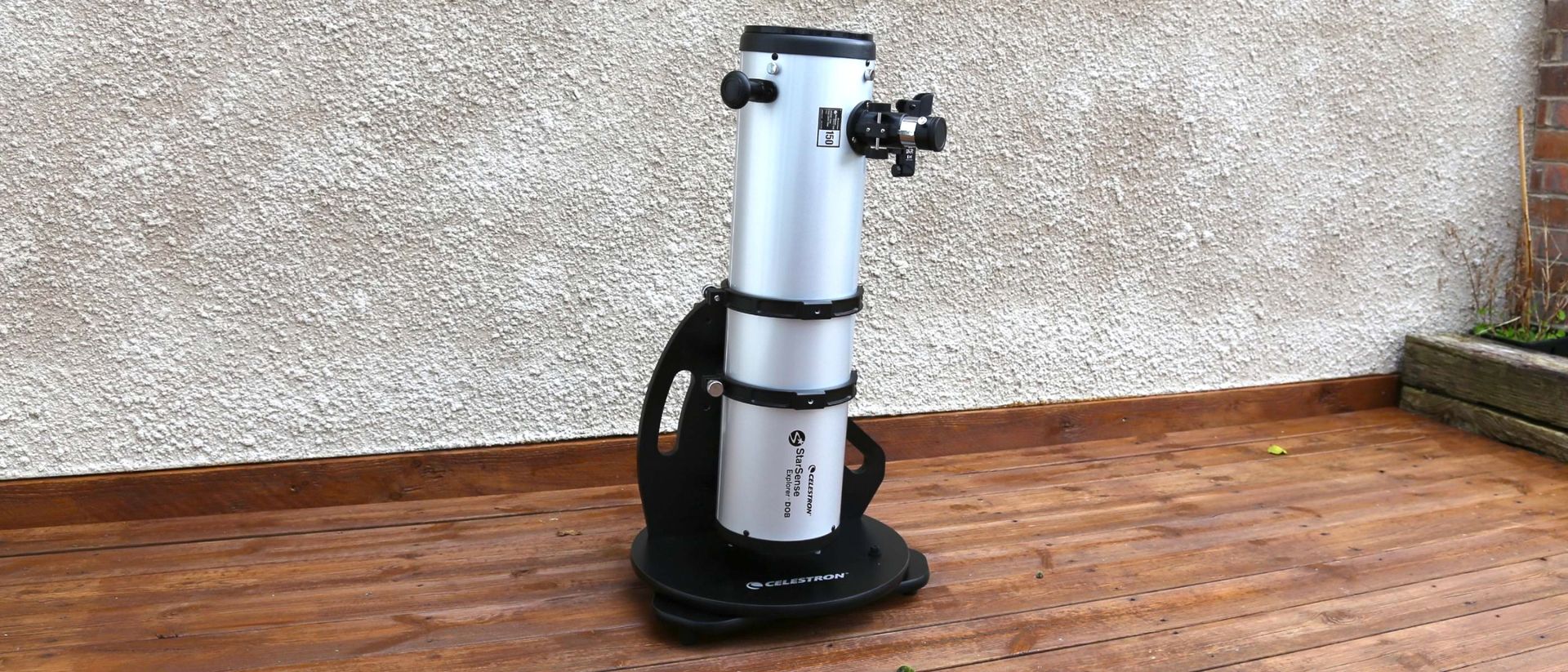
The StarSense Explorer 150mm Tabletop Dobsonian is a great model to learn the basics of manual telescope operation and get great views of your chosen targets, thanks to intuitive smartphone integration, but it isn't as easy to set up as you might think.
Why you can trust Space.com
Our expert reviewers spend hours testing and comparing products and services so you can choose the best for you. Find out more about how we test and review products.
Saturn was only a night past its annual opposition when I pointed the Celestron StarSense Explorer 150mm Tabletop Dobsonian straight at it. The planet was at its biggest and brightest of the year, the seeing was good and its famous rings were visibly opening up after appearing edge-on from Earth in recent years. It was an obvious target for a new telescope.
Finding it took seconds. After selecting Saturn in Celestron’s StarSense Explorer app, I followed the on-screen arrows as I moved the telescope across the sky. As I got closer, the app zoomed in until a bullseye turned green. I looked through the supplied 25mm eyepiece, then swapped to the 10mm to see a pale yellow Saturn at 75x magnification, with its rings sharply defined and its giant moon Titan visible in orbit.
It was a stunning view, and exactly the kind of experience a beginner needs from a first telescope. There was no frustration and no wondering whether I was looking in the right place. StarSense took me straight there — but, crucially, I moved the telescope myself. I’ve always liked that combination of hand-holding and DIY observing that Celestron’s StarSense tech gives you.
I’m less convinced by the tabletop telescope it’s attached to. Although this $599 RRP (£379) model is significantly smaller than the Celestron StarSense Explorer 8-inch Dobsonian telescope I’ve previously reviewed, it still weighs 25 lbs (11.33 kg). You need to place it on something sturdy before you can use it comfortably. After living with it in my backyard, I’m not convinced the tabletop format is the advantage it initially appears to be.
I’ve used Celestron’s StarSense Explorer system on a variety of telescopes and have always been impressed by how easy this type of smartphone navigation is to use. The technology works just as well here and, for me, it remains one of the best ways of making a traditional optical telescope accessible to a complete beginner.
This isn’t a computerized GoTo telescope. There are no motors to slew across the sky automatically and no tracking system to keep an object centered. Instead, a smartphone sits in a dock attached to the telescope, and its camera looks at the sky via a small mirror. Celestron’s StarSense Explorer app analyzes the reflections of the stars it sees, works out exactly where the telescope is pointing and tells you which direction to push it to reach the object you want to observe.
My iPhone 16 Pro Max fitted perfectly into the dock, and the initial alignment process was identical to what I’d used before. Once that was done, I used StarSense to find the Pleiades (M45), the Andromeda Galaxy (M31), the Double Cluster in Perseus and Saturn. It worked every time, with the target appearing in the eyepiece when the app told me I had reached it.
I can find all of those objects without an app, but that’s not really the point. Beginners often struggle to translate a star chart or an astronomy app into actual telescope movements. StarSense gives you confidence that you’re heading in the right direction while still requiring you to operate it physically.