// TOM'S HARDWARE US — HARDWARE & GADGET
Razer HyperFlux V2 Review: The best wireless charging mat for Razer mice
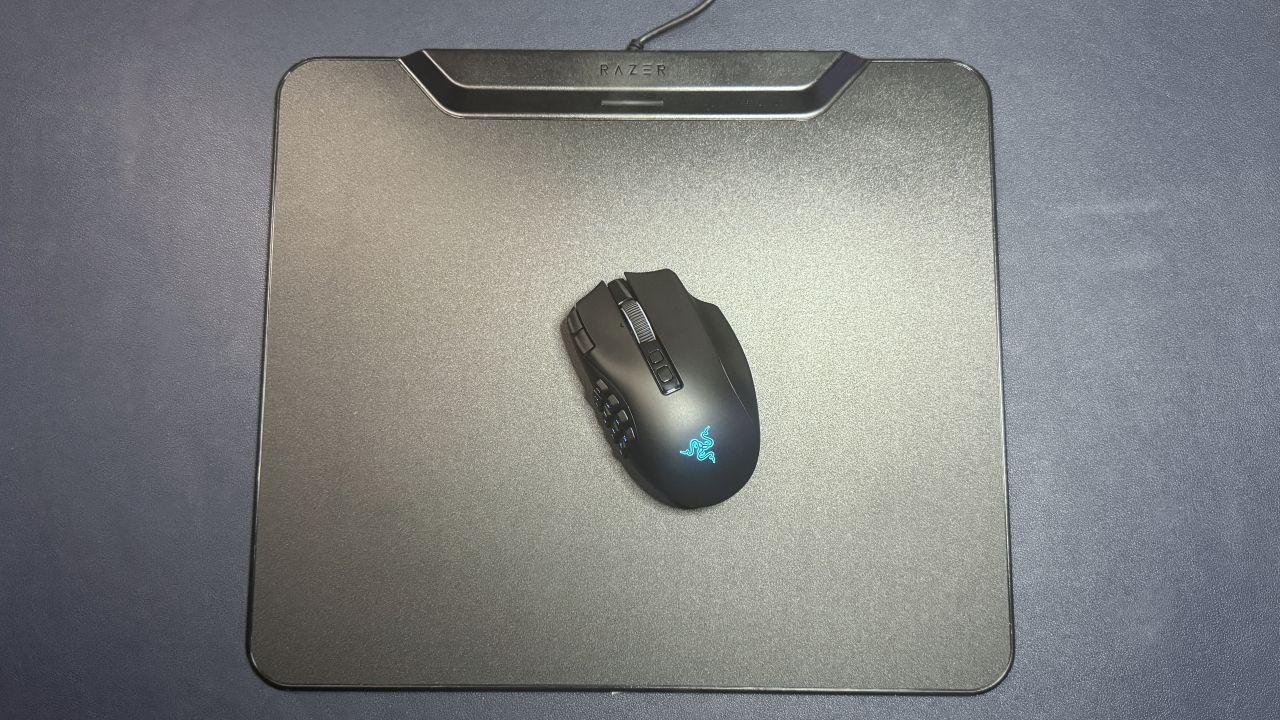
The HyperFlux V2 is a wireless charging mouse pad that works exactly as intended with compatible wireless Razer mice. But it's not particularly exciting otherwise.
Why you can trust Tom's Hardware
Our expert reviewers spend hours testing and comparing products and services so you can choose the best for you. Find out more about how we test.
There aren't too many wireless charging mouse pads on the market, which is perhaps a little surprising given how many wireless gaming mice there are. Possibly there just isn't that much demand for wireless charging mouse pads. After all, not many people want to pay $100+ when the best gaming mouse pads start at much, much lower prices.
The Razer HyperFlux V2, introduced about a year ago, is the current version of the brand's wireless charging mouse pad lineup, which debuted back in 2018. The HyperFlux V2 supports several of Razer's current mice from three of its lines — Naga, Basilisk, and Cobra — but not from the DeathAdder or Viper lines. It comes in hard and soft editions, both of which are priced at $119.99.
The HyperFlux V2 comes in two variations — a hard edition, which has a hard, polycarbonate surface designed for speed; and a cloth edition, which has a soft, cloth surface for control. Both versions share the same specs, aside from surface type. For this review, we tested the hard edition.
The HyperFlux V2 is a medium-sized gaming mouse pad that's a little larger than other medium-sized gaming mouse pads. It measures 16 inches (360mm) wide by 12.24 inches (311mm) long, so it shouldn't take up too much space on the average gaming desk. The surface itself is only 0.2 inches (5mm) thick, though the power/charging module at the top is around 0.52 inches (13.3mm) thick. The HyperFlux V2 is slightly larger than Logitech's PowerPlay 2, which measures 13.54 x 11.14 x 0.14 inches (344 x 238 x 3.5mm). But both should fit on your desk pretty easily.
The mouse pad has a hard, microtextured polycarbonate surface surrounded by a shiny plastic bezel. It's not particularly luxurious-looking, but the surface is flat and consistent and seems fairly easy to clean, though dust does seem to gather in the (very tiny) gap between the surface and the bezel.
There's a long, thin charging module at the top of the mouse pad, in the center. It's longer and more prominent than the PowerPlay 2's charging module, but it's also better integrated into the design. It's very similar to the power module in the Razer Firefly V2 Pro. In the center of the charging module, there's a 1.25-inch (32mm) LED indicator light, which lights up to indicate the mouse's charging status and battery level.
The bottom of the mouse pad is fully lined with an anti-slip rubber base to keep it from moving around on your desk.
Get Tom's Hardware's best news and in-depth reviews, straight to your inbox.