// 9TO5MAC — MOBILE & WEB
Here’s what’s new with parental control features in iOS 27, iPadOS 27, and macOS 27
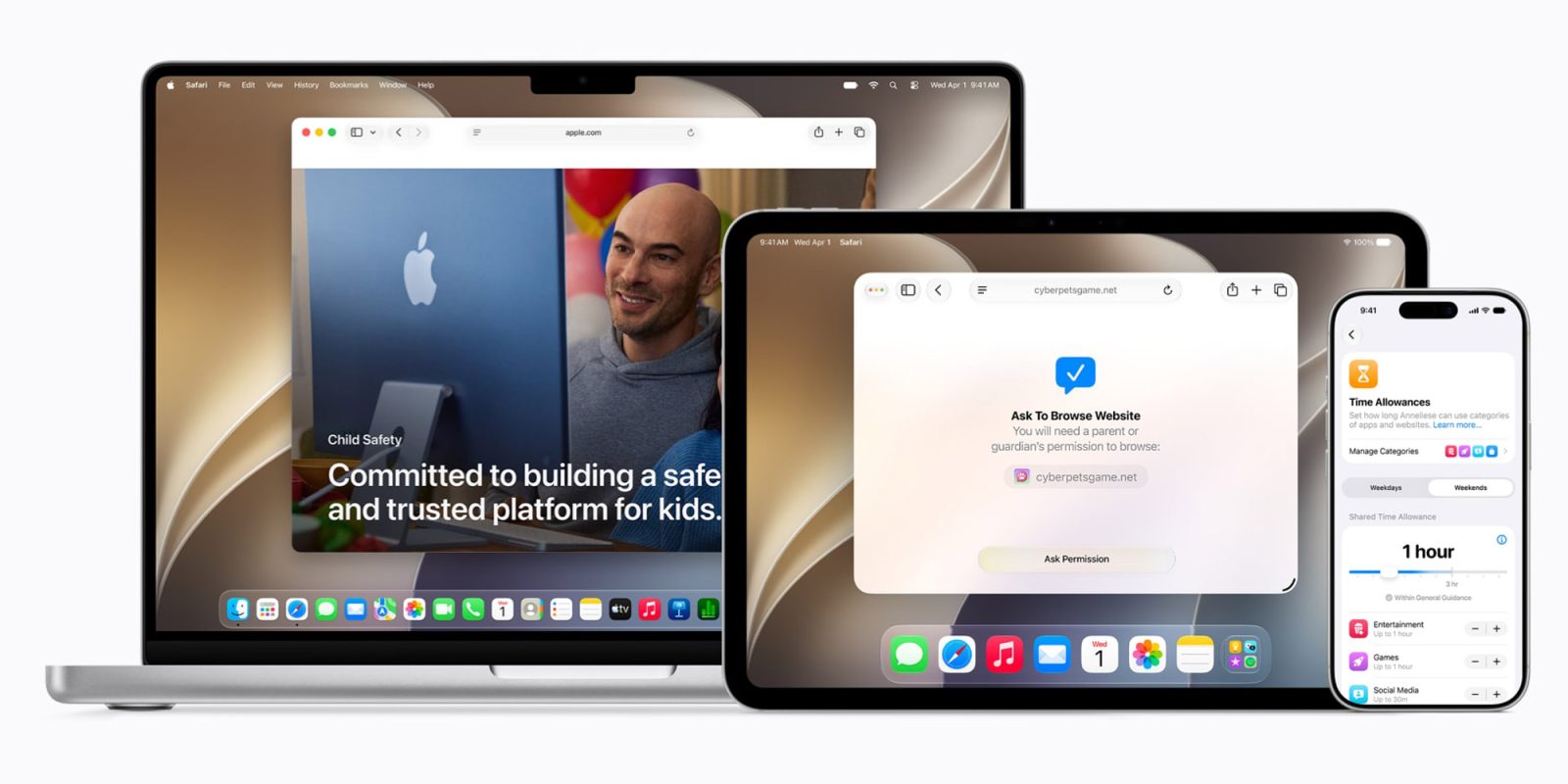
Included in today’s 2027 system updates from Apple are several new Screen Time and parental control features aimed at giving parents more control over how their kids use their devices. Here are the details.
Apple today released iOS 27, iPadOS 27, and macOS 27 with what it describes as a “new suite of powerful, intuitive, and easy-to-use tools that helps parents create safer digital experiences for their kids,” many of which the company previewed in June, during the WWDC26 keynote.
In essence, the new features focus on four areas: what content kids can access, who they can communicate with, when they can use their devices, and how parents can manage those controls.
All of them fall under the protections and restrictions of Child Accounts, which Apple says are required for children under 13, or the equivalent minimum age in their country or region, and available for children up to 18.
With iOS 27, Apple has also simplified the setup process for new Child Accounts. Parents can start with a small set of essential apps, a recommended starter set, or choose exactly which Apple apps their child can access from the outset.
Once a parent sets up a Child Account, they can choose which apps and websites their child can access, as well as set age and content restrictions for movies, TV shows, music, books, and other media.
Parents can now also rely on Ask to Browse, a feature that lets kids request access to blocked websites in Safari across iPhone, iPad, and Mac, with parents approving requests in Messages. This is similar to Ask to Buy, which already requires parental approval before children can download apps or make in-app purchases.
Parents can also require kids to ask for approval before connecting with new contacts, set shared or individual daily limits for categories such as Entertainment, Games, and Social Media, and create schedules that determine which apps are available at different times of day. Those schedules can also vary depending on the day of the week.
Screen Time itself has also been redesigned, with a new architecture that Apple says makes parental controls sync more quickly across devices in a Family Sharing group. Parents can now see weekly usage summaries and their kids’ most-used apps at a glance, temporarily pause access to a device, open things back up for a limited period, and quickly switch between different schedules.
Communication Safety is also expanding beyond nudity detection. The feature can now block detected gore or violent content in shared images and videos, while displaying a warning and additional resources.