// 9TO5GOOGLE — MOBILE & WEB
Googlebook OS hands-on: It’s Android, stupid
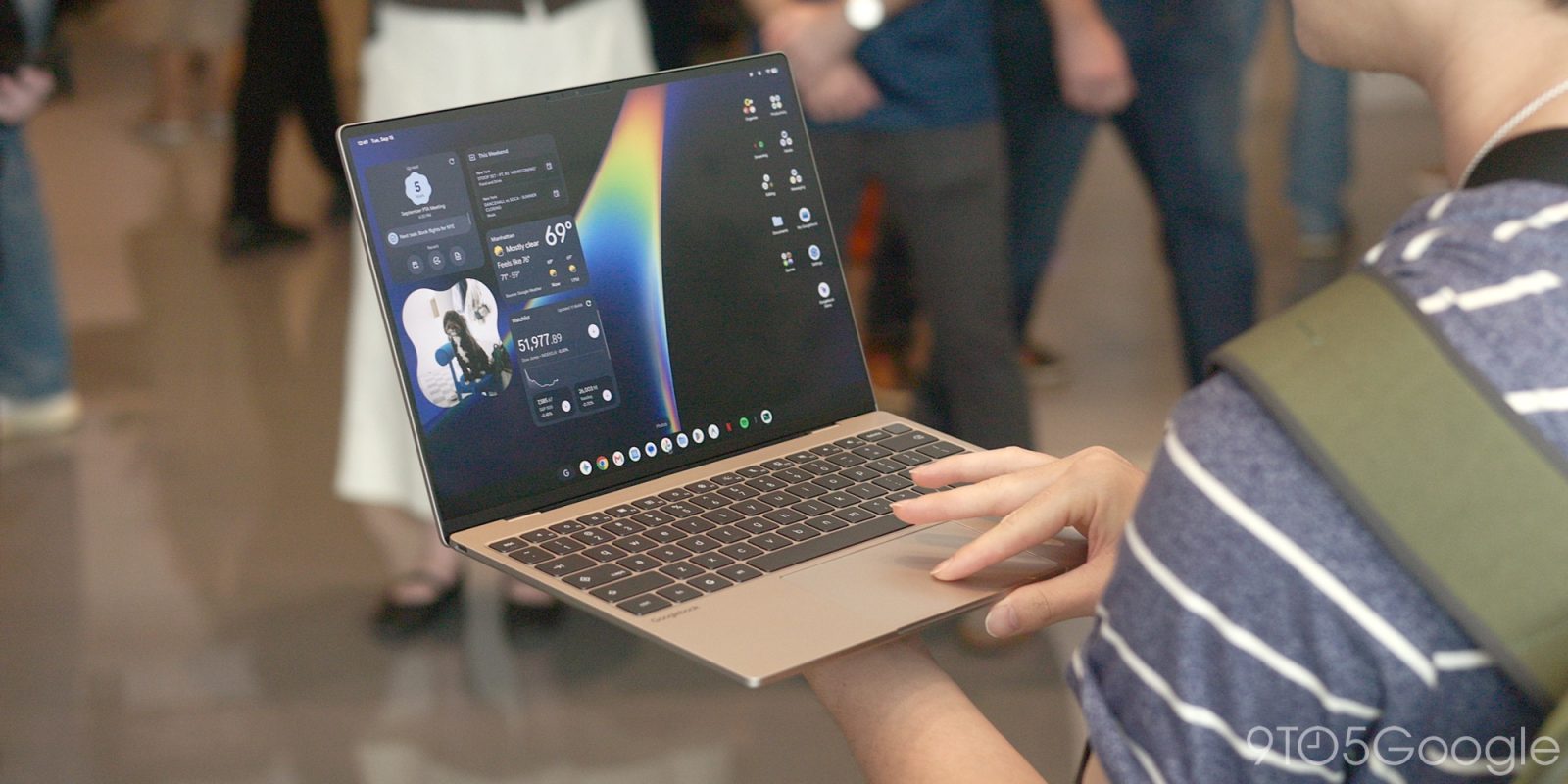
An overwhelming sense of familiarity struck me the first time I used a Googlebook. That was immediately followed by a realization that this is just Android, and I think that feeling of similarity will go a long way in justifying and ultimately selling Googlebooks.
Going into this event, I was not particularly asking for a desktop operating system that felt like my Pixel phone. In fact, having used Chromebooks for many years (my first unit was the 2013 Acer C720), I thought Googlebook OS would not feel too different from ChromeOS. The desktop and app dock look the same, but the changes made by building on top of Android make all the difference.
That shared design and user experience allowed me to immediately start using Googlebook OS like a near-expert. Quick Settings and Notifications were obviously in the top-right corner, matching Android’s conventions. It’s a small change compared to ChromeOS, but it felt natural the first time I used it. I knew immediately to move the cursor to that top corner instead of the usual bottom corner on Chromebooks.
I also knew I could add and edit widgets, a long-requested feature ChromeOS lacks, by long-pressing on the desktop, while seeing the same ones from my phone homescreen evoked an almost nostalgia-like feeling.
The Settings app is identical to that on Pixel phones, while I was very happy to find Pixel Weather (and its widgets) along with the excellent Recorder pre-installed. Meanwhile, the app drawer is basically the Pixel Launcher. Compared to ChromeOS, you can put apps, widgets, and files/folders on the desktop for an infinite boost to productivity.
Given how much Googlebook OS felt like using my Pixel phone, it was surprising to see that launching Gmail and Google Calendar opened the web versions rather than the Android apps. Talking with Google, I later learned that these were Trusted Web Activities (TWAs) instead of PWAs. Distributed from the Play Store, their main advantage is how this web wrapper-esque format allows for homescreen widgets.
Zooming out, what shocked me was how much Googlebook OS leverages web apps, a move that strongly affirms the ChromeOS lineage. Going in, I assumed there would be a resurgence in desktop-class Android apps.
However, I am told this was an intentional choice. Google’s viewpoint is ultimately to let app developers decide what the best strategy is for their application, and I think that’s fair. Google offered me the example of how it approached the Gmail and Workspace teams about whether they wanted to offer Googlebook adopters the web version or the Android app. They chose the former and ideally did not want to offer the Android app as an available Play Store download.
However, I do think this is partially a missed opportunity. Giving third-party developers a choice does reduce the barrier to entry for a new OS, but I strongly think Google internally should have enforced a strict first-party mandate to create desktop-class applications.
Meanwhile, as I complained about in my Pixel Tablet review three years ago, it’s unbelievable that Google Messages is still using the same web-based version rather than anything more native.