// 9TO5MAC — MOBILE & WEB
M6 Mac mini review: Apple’s most versatile Mac continues to shine
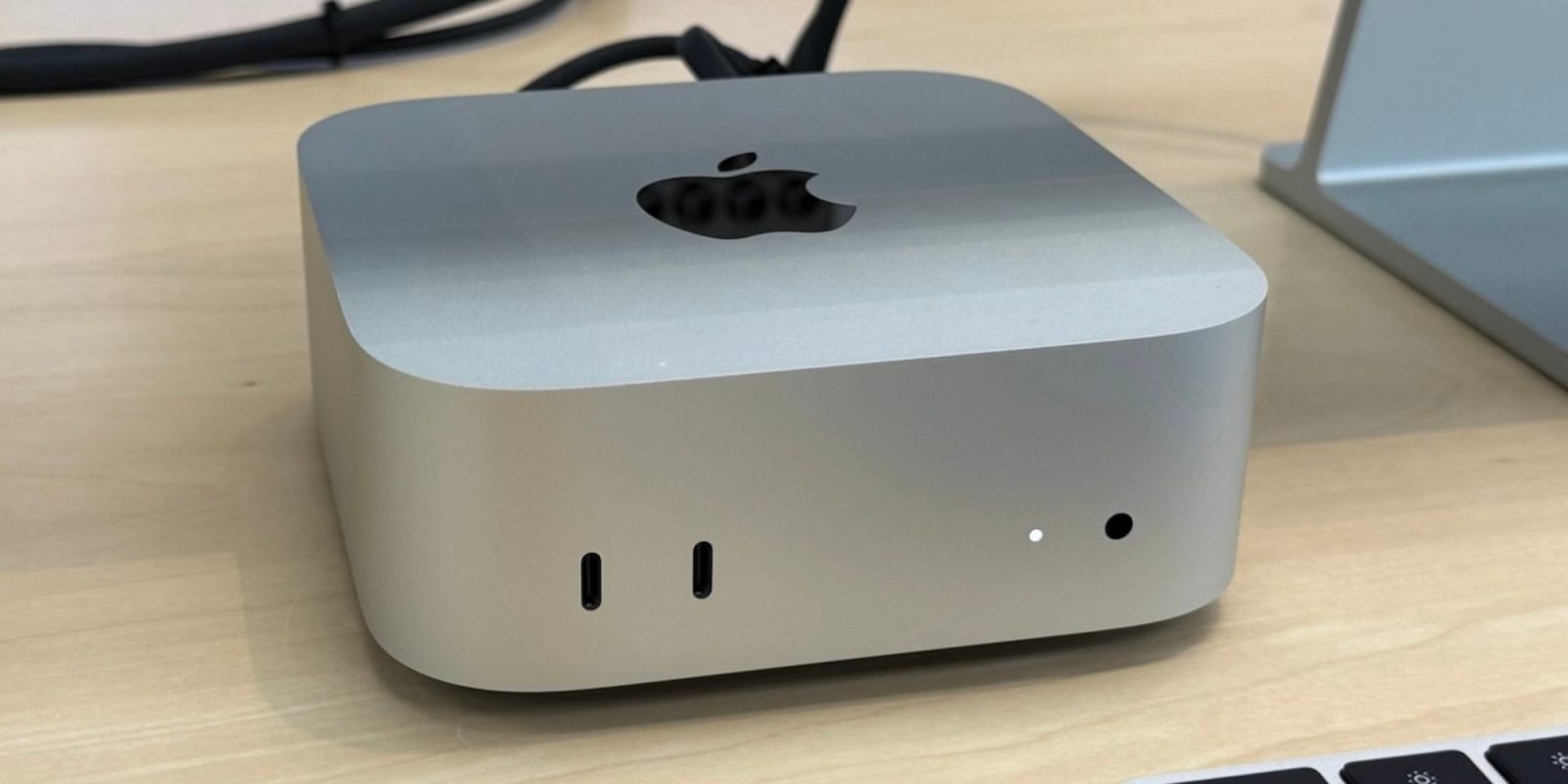
Over the last several years, the Mac mini has become one of the most compelling Macs in Apple’s lineup. It combines impressive performance with a compact footprint, making it versatile enough for all kinds of workflows.
I’ve spent the last week using the M6 Mac mini, and it pushes that formula even further. Here’s everything you need to know.
From the outside, the new Mac mini looks identical to its predecessor. Apple gave the Mac mini its first proper redesign in more than a decade in 2024, dramatically shrinking its footprint to just 5 by 5 inches. That same design persists today, and it’s still incredibly easy to love.
There’s something about having the small but powerful Mac mini on my desk that just makes me smile. The amount of power Apple has packed into this tiny footprint is nothing short of impressive.
It’s a delightful example of Apple’s design team at its best, without compromising performance or connectivity.
On the front, you’ll find two USB-C ports and a 3.5mm headphone jack. On the back of the M6 configuration, you’ll find three Thunderbolt 4 ports, while the M5 Pro version features three Thunderbolt 5 ports. There’s also an HDMI port on the back.
One nice change: 2.5Gb Ethernet is now standard on both the M6 and M5 Pro configurations. The M4 models started at gigabit Ethernet. 10Gb remains an optional upgrade.
The other two connectivity updates for the new Mac mini models include Wi-Fi 7 instead of Wi-Fi 6E and Bluetooth 6 instead of Bluetooth 5.3.
For external displays, both versions of the Mac mini support up to three displays, but specifics vary based on the chip:
My review unit is the M6 configuration of the Mac mini, so I’m going to focus on that for most of this review. The M5 Pro version is the same chip we’ve come to know and love since debuting in the MacBook Pro earlier this year.