// TOM'S HARDWARE US — HARDWARE & GADGET
Keybytes ‘truly modular keyboard’ starts with one key and is assembled like Legos
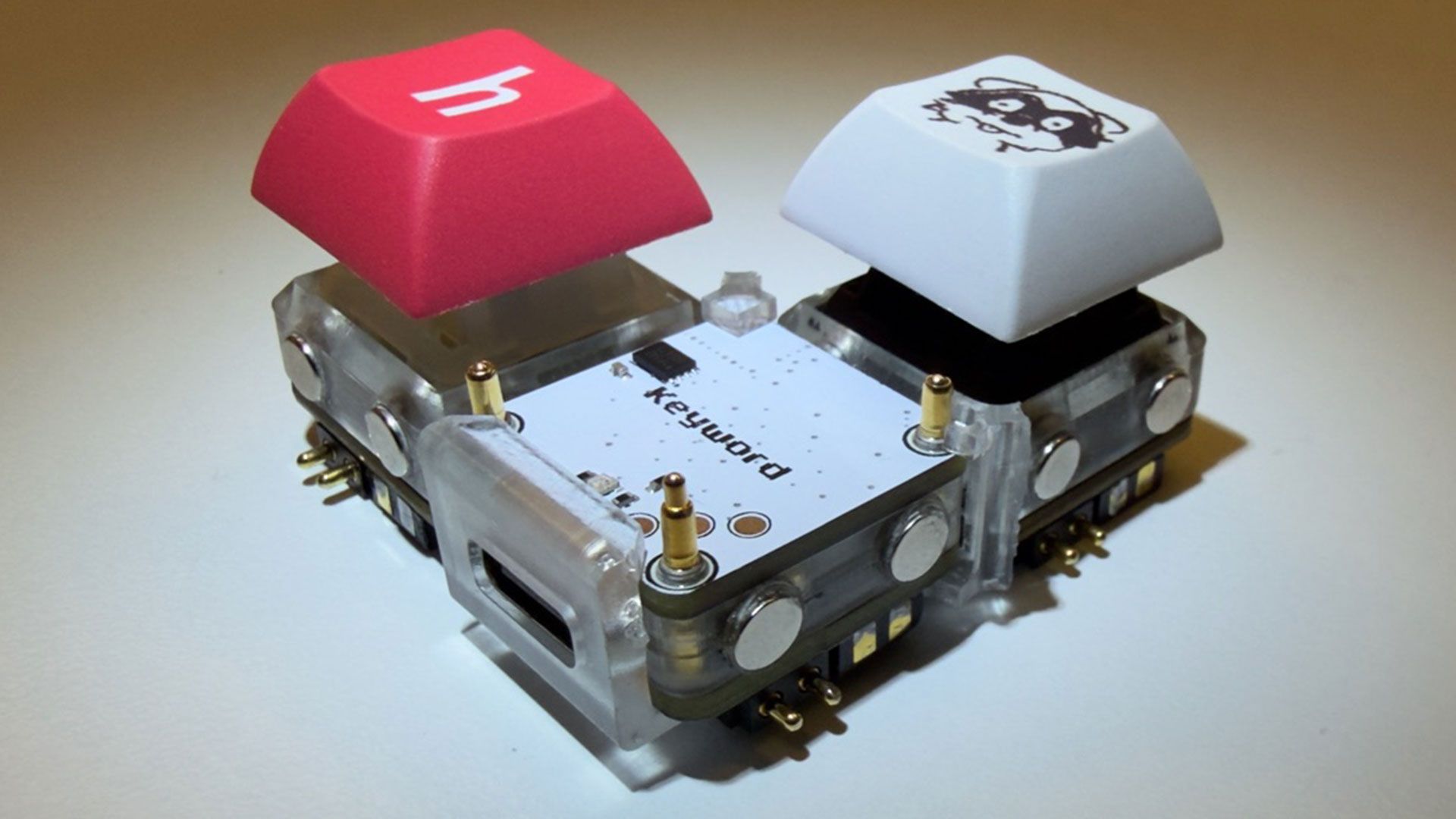
Connect as many or as few keys as you like to the Keyword hub in any arrangement you like. But it might end up costly.
When you purchase through links on our site, we may earn an affiliate commission. Here’s how it works.
Developer notaroomba (AKA Nathan Alspaugh) has published details of his Keybytes project on GitHub. In essence, this is a modular project where a Keyword hub is magnetically connected to Keybit keys, and each key has its own microcontroller. Hence the number of keys and their layout are entirely up to the user, with a modular design akin to building Lego.
We’ve seen oodles of imaginative and truly excellent mechanical keyboards over recent years, but Keybytes probably offers the greatest flexibility with regard to layout and key selection we’ve ever seen.
It starts with a Keyword, which is the main board that the Keybits connect to. This central component houses a stacked pair of PCBs. The top board packs an Arm Cortex M4-powered microcontroller, Bluetooth antenna, and flash memory. The lower board offers USB-C, charging, and a buck-boost converter.
Adding keys seems like a cinch. Every Keybit, one of the modular keys, contains a CH32V003 RISC-V microcontroller. Moreover, it features pogo pins on all 4 sides of every key for power and I2C. The case is magnetic so you can connect it to any aspect of the Keyword and other Keybits. Atop the Keybit, a Cherry MX switch is installed. We guess you can follow the GitHub MIT-licensed plans for this project and use your preferred variety of mechanical switches.
On the GitHub project page, there are no more than two Keybits together with a Keyword, so you don’t get to see what crazy layout plans he’s hoping to conjure up. However, it is still early days. Per the project journal, Keybytes only became a thing back in March this year, and it was only over the weekend that the developer got to finally boast “it finally works!!”
Both the Keyword and the Keybit modules are 1U sized (19.05 x 19.05mm).
Alspaugh, a student at MIT, has shared all the assets, files, and details you might need to make your own Keybytes keyboard. The GitHub repository says that everything is released under the permissive MIT license.
Get Tom's Hardware's best news and in-depth reviews, straight to your inbox.