// TOM'S HARDWARE US — HARDWARE & GADGET
Seagate resurrects hybrid storage: Hands-on with the FireCuda Forge – 8 or 20TB external hard drive requires you to bring your own NVMe SSD
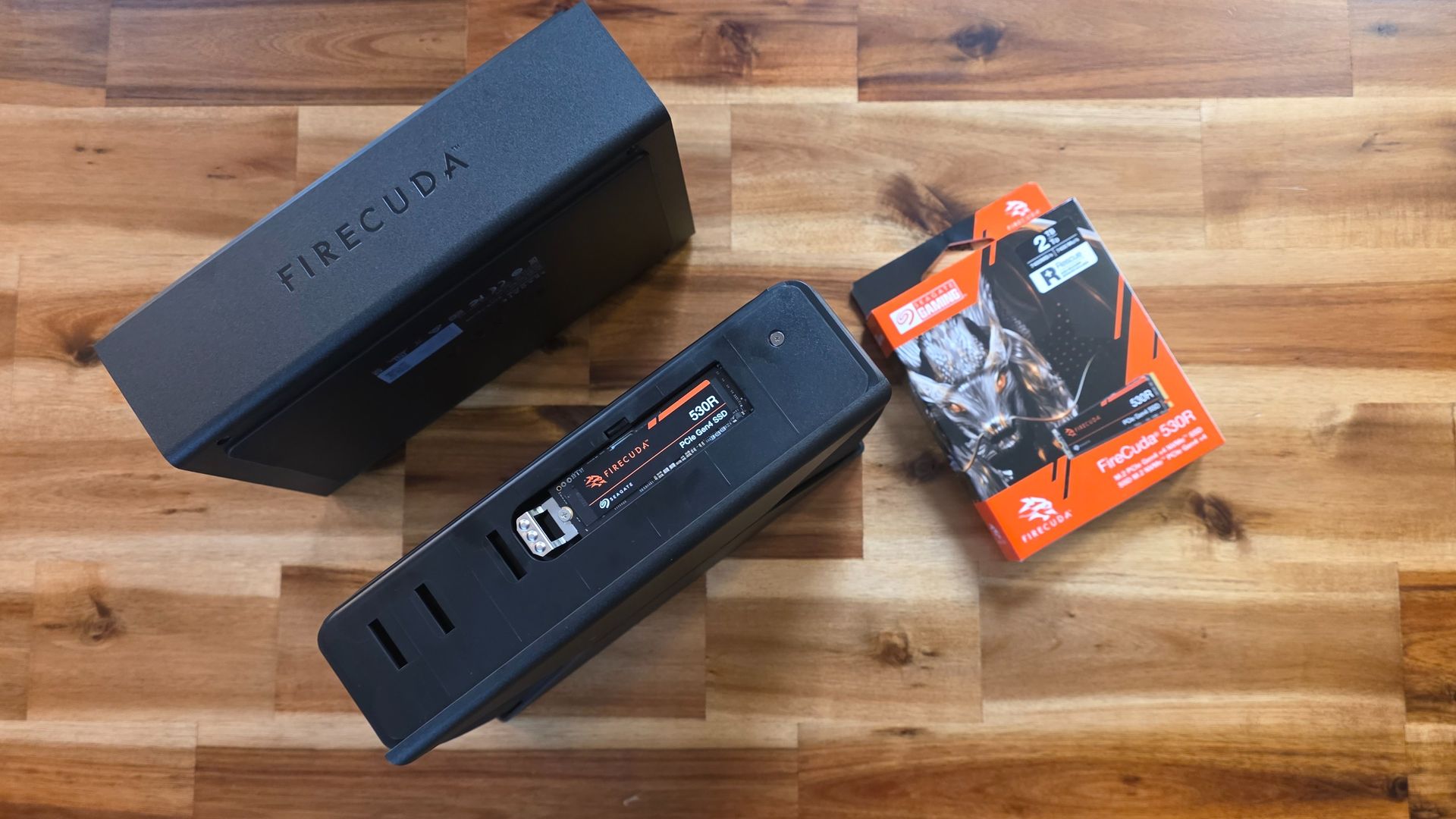
Seagate wants you to side-load an SSD in its latest external hard drive.
When you purchase through links on our site, we may earn an affiliate commission. Here’s how it works.
What's old is new again. Seagate started adding faster flash-based storage to its hard drives in 2010, when solid-state storage was prohibitively expensive. And now that SSDs are stupid-expensive again (thanks, AI hyperscaler demand) the hard drive maker is offering up another hybrid drive, of sorts, with the Firecuda Forge.
Available in 8TB and 20TB capacities, the Forge is an external hard drive that requires that you bring and install your own SSD. That's right, the drive won't work unless you partially disassemble and install your own M.2 2280 SSD, which mounts in the side of the enclosure. 1TB drives with DRAM are recommended. Performance maxes out at PCIe Gen3 drives; newer, faster, and roomier SSDs are supported, but won't improve performance. The Firecuda Forge only has a mounting point for 2280-length drives, and while drives that are less than 1TB are supported, that means less room for frequently used files, so "performance may be reduced."
Interestingly, Seagate sent us a 2TB FireCuda 530R SSD to test with the Forge hard drive, which is both faster (PCIe 4.0) and more spacious than what the company says you should pair with its hard drive. The list of SSD that Seagate has officially qualified to work with the Firecuda Forge is also pretty sparse, including just three other drives: Samsung's 990 Pro, WD/Sandisk SN850X/GX Pro 850X, and the WD/SanDisk SN710/GX7100.
We only received a review sample a few days before launch, and haven't yet had a chance to put the FireCuda Forge through its paces for a full review. But I was impressed that, after I installed the SSD and plugged the drive in, it just showed up in Windows 11 as an 8TB drive. (The company says it also works with macOS 26 and later). There was no software setup involved, and Seagate says you can even remove and upgrade the hard drive to something roomier down the line. Seagate calls the "product architecture" that handles unifying and data handling between the spinning platter drive and the SSD "Alkemi," and says it combines "onboard processing" with the hard drive and the user-supplied SSD to "prioritize active data without requiring users to manually manage separate drives."
Seagate says Alkemi observes workloads and gives priority to currently relevant or often-used data, that it adapts over time to user behavior, and describes it as an "on-device device dynamic caching and workload-aware data-prioritization technology." That sounds pretty similar to the SSD caching used on hybrid drives of the early 2010s, although with up to 1TB of fast SSD storage, you're getting a much bigger fast data pool than those drives of the past, which often made do with 4-16GB.
Interestingly, Seagate says that machine learning is a part of what Alkemi does, but repeatedly points out in its review materials that it is not using generative AI. It's likely the company is worried about customers connecting the many reported instances of LLMs and agents deleting data with this new product. I can understand why Seagate would want to distance its hybrid storage tech from reports of catastrophic data deletion.
Getting past the somewhat odd-feeling aspect of having to crack open an external drive right out of the box and install another drive into it in order for it to work, the process was pretty painless. You have to remove four screws from the bottom (with a tiny included hex-bit driver) to get the outer shell off the FireCuda Forge. From there, the M.2 drive bay is clearly visible on the side. If you want to remove six more hex screws, you can also pop out the hard drive for future upgrades. But for now, we're just going to install an M.2 SSD.
Get Tom's Hardware's best news and in-depth reviews, straight to your inbox.