// TOM'S HARDWARE US — HARDWARE & GADGET
Hands-on with Hyte’s Y50 RGB case: Premium looks at an affordable price
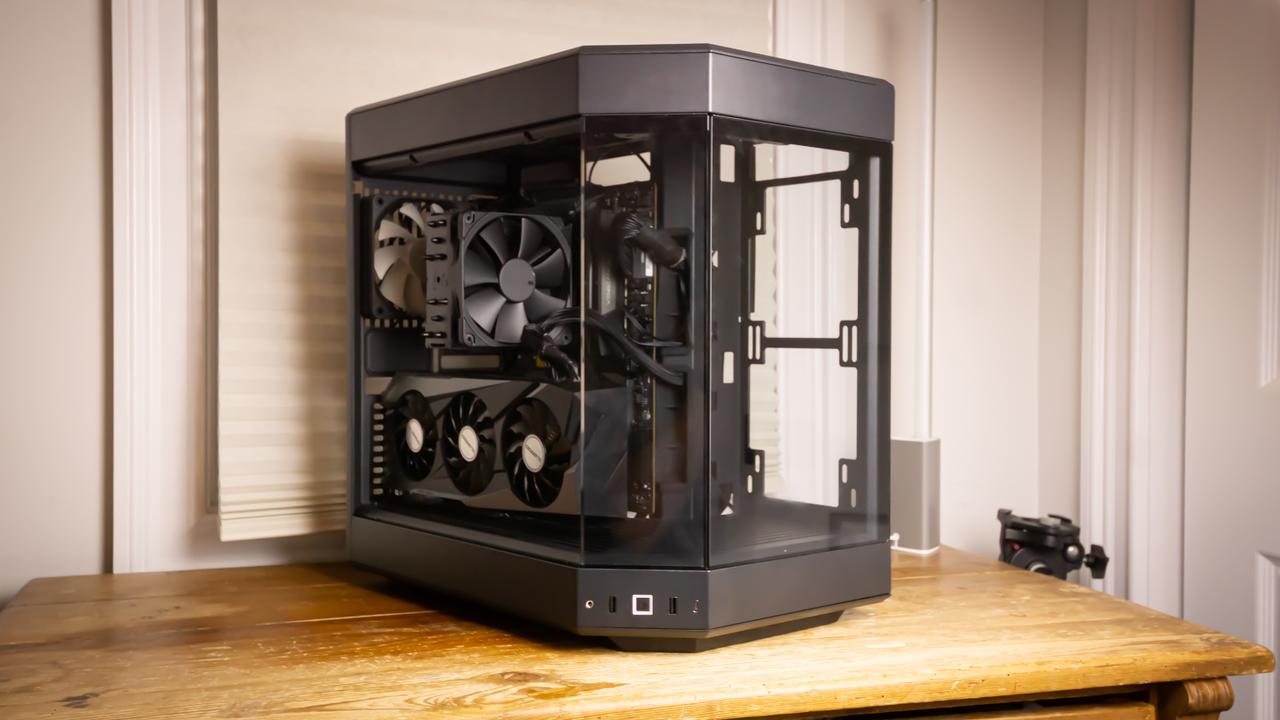
Hyte’s new case includes four RGB fans for much less than its other panoramic cases.
When you purchase through links on our site, we may earn an affiliate commission. Here’s how it works.
PC case makers are often chasing trends. One moment, it’s all about RGB, then multiple glass side panels, then wood. Today, it’s all about glass and affordability with the new Hyte Y50 RGB, a panoramic iteration of the company’s iconic Y60 that ditches the vertical GPU riser, adds four RGB fans, and sees its MSRP slashed to just $99.99.
Hyte made its first big splash with the Y60, a unique take on the ever-popular O-11 Dynamic from Lian Li, but with a panoramic design, which allows for even more visibility of your components. The following year saw the launch of the Y70, which featured a 4k touch screen display in place of one of the glass side panels. The Y70 is fun, but expensive at $370.
But enough of those cases, because we’re talking about the Y50 RGB, which comes in four colors (snow white, pitch black, black cherry, strawberry milk and taro milk), and is a more budget-friendly solution, priced at $99. In addition to the fun colors, the chassis includes four interesting aRGB fans, which we’ll delve into in detail later on. That’s enough backstory; it’s time to explore the Hyte Y50 RGB and find out if it earns a spot on our Best PC cases list.
The Hyte Y50 RGB was an absolute pleasure to build in. There was a fair amount of clearance between the motherboard tray and cable cut-outs, so I didn’t have to perform any wizardry to route a specific cable. This is in large part due to the size of the Y50 – it has enough space to accommodate some larger E-ATX motherboards, as well as standard ATX and smaller form factors.
For perspective, the Hyte Y50 RGB can house GPUs up to 14 inches (360 mm), AIOs up to 360 mm, and CPU tower coolers up to 6.2 inches (160 mm). It's also a dual-chamber design, so there’s even more room behind the motherboard tray for the bulky 24-pin ATX cable. So, go ahead and install that MSI RTX 5090 Suprim! I would mention a giant CPU tower cooler here, like the Scythe Magoroku we reviewed, but the best move with a case like this would be to install an AIO liquid cooler such as the ASRock Phantom Gaming or any from our best AIO coolers list.
The rear of the case has plenty of space to install sleeved PSU cable extensions, or an extra string of SATA or even Molex power cables since it’s a dual-chamber design. If you’re unfamiliar with the term “dual-chamber,” it just means that the case is split, which allows for more room behind the motherboard tray (where the PSU lives) for cables. However, this usually results in a boxier/stout silhouette.
My favorite part of building in the Hyte Y50 RGB was when I discovered that the front-panel IO cable was bridged into one block. Ask anyone who’s built a PC, and they’ll tell you that one of the worst parts is connecting the front IO cables, because they’re tiny, and the text on the board that attempts to explain the correct orientation is even smaller. So, Hyte saves a lot of frustration by combining the headers into a single block that only fits one way.
Get Tom's Hardware's best news and in-depth reviews, straight to your inbox.