// 9TO5GOOGLE — MOBILE & WEB
‘Look up’ app for Googlebooks appears on Play Store, currently works on phones
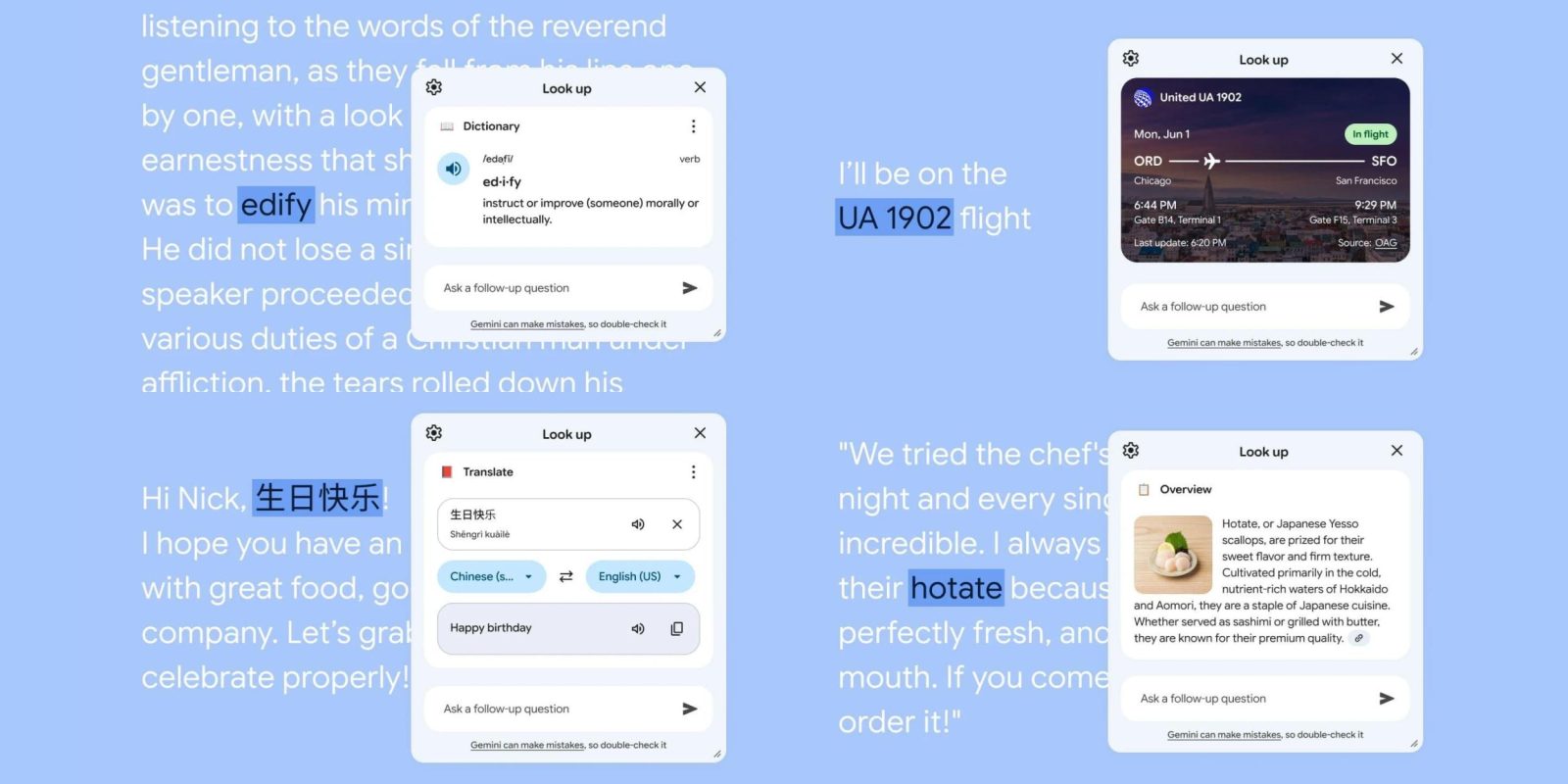
Following Magic Pointer and Desktop Camera, Google has now released a “Look up” app for Googlebooks.
Look up lets you “highlight a concept you want to explore, a new word, a trip destination, and more.” This opens a floating window, with screenshots showing a dictionary, flight tracker, “Overview,” and translator. The “Ask a follow-up question” field at the bottom provides a conversational Gemini experience. The Play Store icon is a pair of glasses badged by the Gemini spark.
Google explains that “Look up will use publicly available information from the relevant Google service (e.g. Search, Maps, Flights) to provide the best response in a helpful format.”
The desktop interface and package name — com.google.android.desktop.contextualtools — make it clear that this is for Googlebooks, though the app can be installed on phones as of today.
When you highlight text, “Look up” will appear as a menu option. This brings up the floating panel with results. Google will presumably close this unintended availability on phones in short order.
Look up is roughly analogous to a similarly named macOS feature (“Look Up”) when you right-click.
FTC: We use income earning auto affiliate links. More.