// ARS TECHNICA — MOBILE & WEB
GM gives its most important trucks a new UI—and includes CarPlay
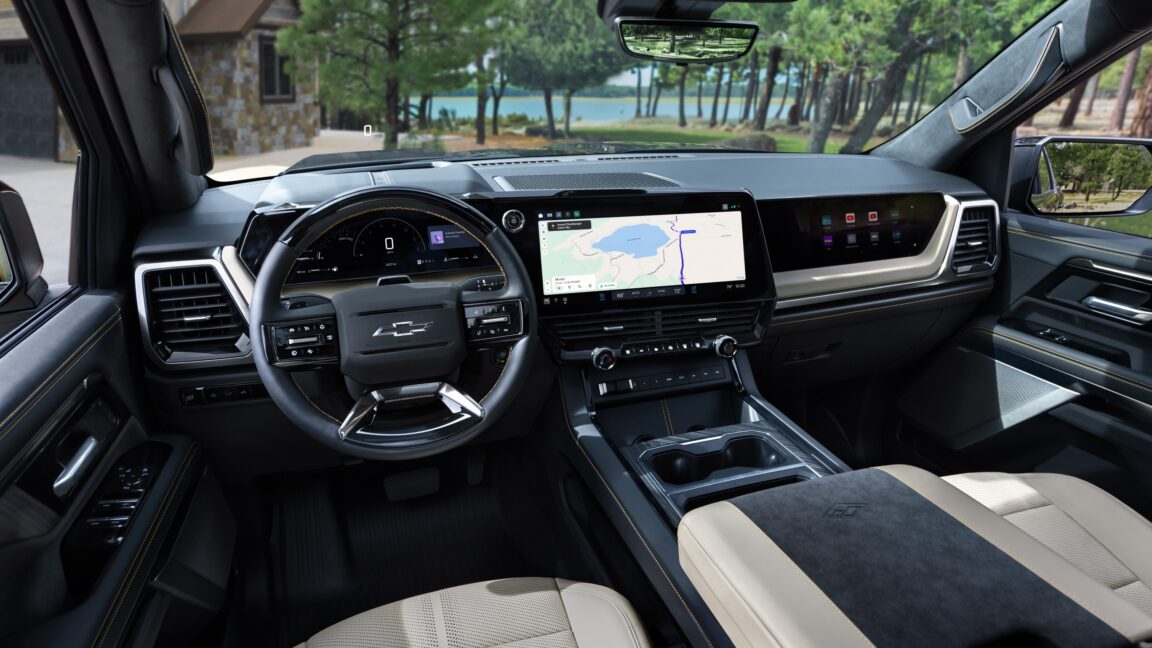
The new look debuts in the 2027 Chevrolet Silverado and 2027 GMC Sierra pickup trucks.
General Motors is about to launch new versions of its best-selling Chevrolet Silverado and GMC Sierra pickup trucks for model year 2027, and among the changes are brand-new user interfaces for the trucks’ digital displays. The automaker has gone for a more minimalist approach than we’ve seen from it in the past, and after a demo yesterday, it seems like it has been listening to constructive feedback to improve the products. And yes, unlike GM’s electric vehicles, these trucks still let you cast your Apple or Android phone to the infotainment system.
Although GM showed us video of the main instrument cluster—the gauges and info that’s presented to the driver—we don’t have any screenshots we can show you. But I was impressed with the restraint and lack of visual noise; instead the background is always black, which should be dark even at night thanks to local dimming technology.
There are a number of different views. One with simple half-moon dials for speed and engine rpm; on the right side of the display is a user-configurable zone, where you can browse your music or audio feeds, display trip info, or turn-by-turn directions. Another is a driver assist display, with green as the highlight color to show when Super Cruise is active; this shows you a representation of what the car’s fused sensors are seeing around it. A third is for off-road driving, with your various angles and diff settings, and a fourth is for towing.
But there’s also an even more minimalist version that simply shows the speed as big white digits and nothing else. This is similar to the night mode you’d find in Saabs, and it’s very useful for night driving.
At the base of the main instrument display is a strip of information that’s permanently displayed regardless of the view mode you choose—this includes things like your fuel level, the drive mode, and any warning lights that may appear.
The central infotainment screen still runs on Android Automotive OS, but now the home screen is a more useful split view showing the music and navigation apps, with a full map view rather than the limited map that GM previously showed in its split-screen view. “If you wanted to search something or provide feedback on road conditions or something like that, when you tapped on the screen, it took you out of the home screen and took you to the full screen maps. Here, you can do everything that full screen maps can do right inside this window,” said Colin McCormick, group product manager at GM.
A dedicated row at the bottom of the screen is for the climate controls, although, as you’ll note from the photos, there are physical dials to change the temperature, as well as physical buttons for fan speed and demisting.
GM has also integrated more Android-like notifications into the infotainment system and included the ability to create quick actions. It has also changed the behavior of some of its apps—now, if you accept a phone call, it won’t switch you out of whatever app was active to dump you into the dialer app anymore.
GM made the decision to drop Apple CarPlay and Android Auto phone casting from its newer EVs, and it’s one we’ve been pretty critical of. Although the automaker told us it made that decision in order to offer a better, more unified experience to its customers, that may well have changed: here, customers still have the choice to just cast their phone to the center screen.