// 9TO5MAC — MOBILE & WEB
AirPods just got a long-requested feature in new software update
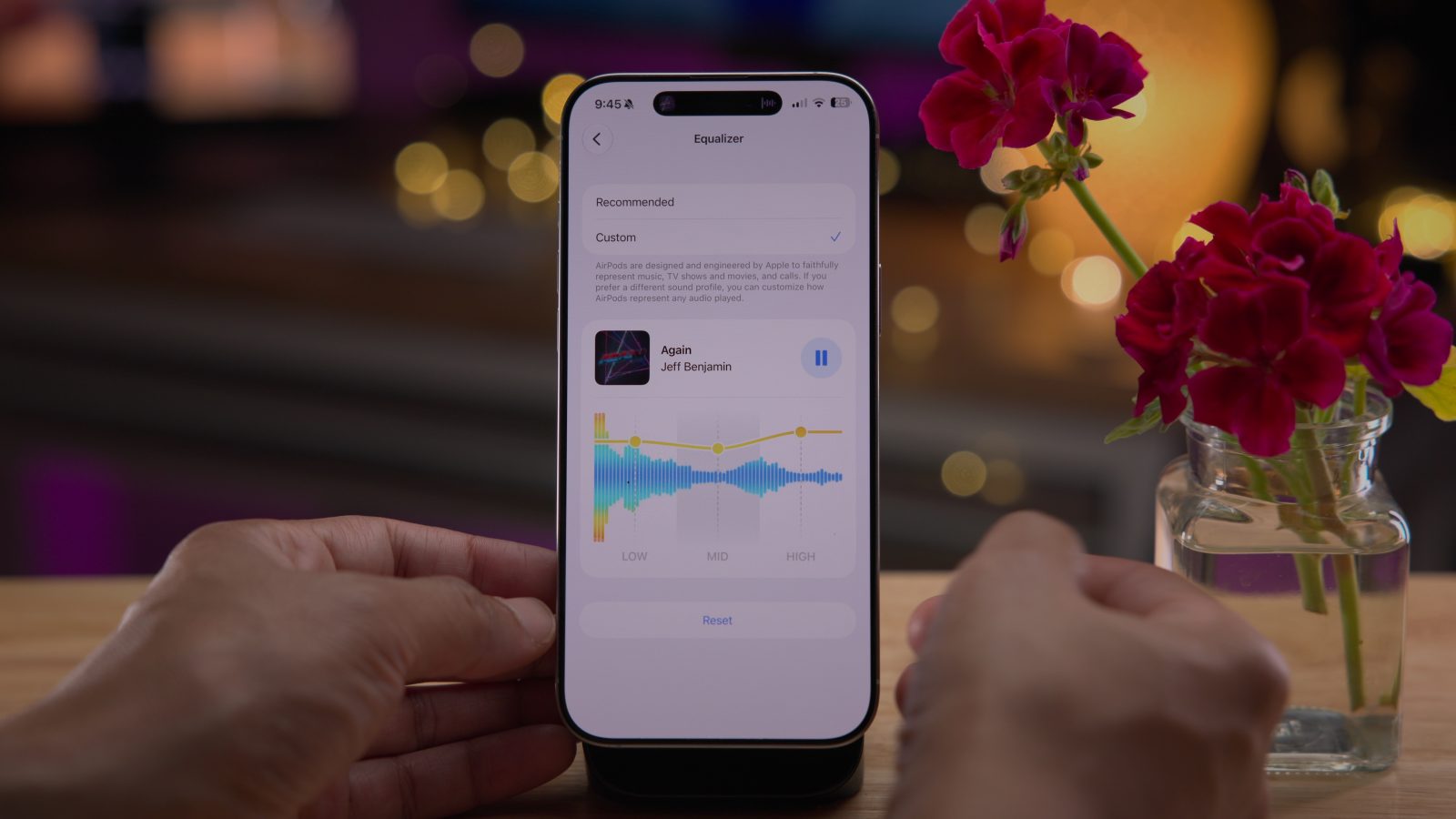
While it was overshadowed by release of iOS 27, Apple also released a new software update for AirPods this month. The update brings a long-requested feature to supported AirPods models: custom EQ.
The latest AirPods firmware build number is 9A350 for AirPods 5 and 9A348 for the other models below. The update is available for the following AirPods models:
Apple says that AirPods firmware updates are automatically installed while your AirPods are charging and within Bluetooth range of your iPhone, iPad, or Mac that’s connected to WiFi. You can check the firmware version of your AirPods in the Settings app on iPhone.
Once you install the AirPods firmware update, you’ll see a long-awaited new feature in the Settings app: custom EQ.
You now have more control over how your AirPods sound thanks to the new custom EQ controls. In the Settings app, you can adjust the lows, mids, and highs of your AirPods sound.
“AirPods are designed and engineered by Apple to faithfully represent music, TV shows and movies, and calls,” Apple explains. “If you prefer a different sound profile, you can customize how AirPods represent any audio played.”
While adjusting the custom EQ settings, you can play a song from Apple Music right in the Settings app to hear the adjustments in real time.
This isn’t the most advanced equalizer feature out there. It’s a basic, three-band system. Still, it’s a long-awaited AirPods feature that Apple has finally given users—even if most will likely stick with the default levels.
You can find the new custom EQ feature in the AirPods section of the Settings app under the “Audio and Routing” menu. The feature is available on all AirPods with an H2 chip, including AirPods Pro 2, AirPods Pro 3, AirPods 4, and AirPods Max 2.
Here are the other new AirPods features for iOS 27: