// ENGADGET — MOBILE & WEB
Dell XPS Googlebook review: Beautiful hardware for a useless platform
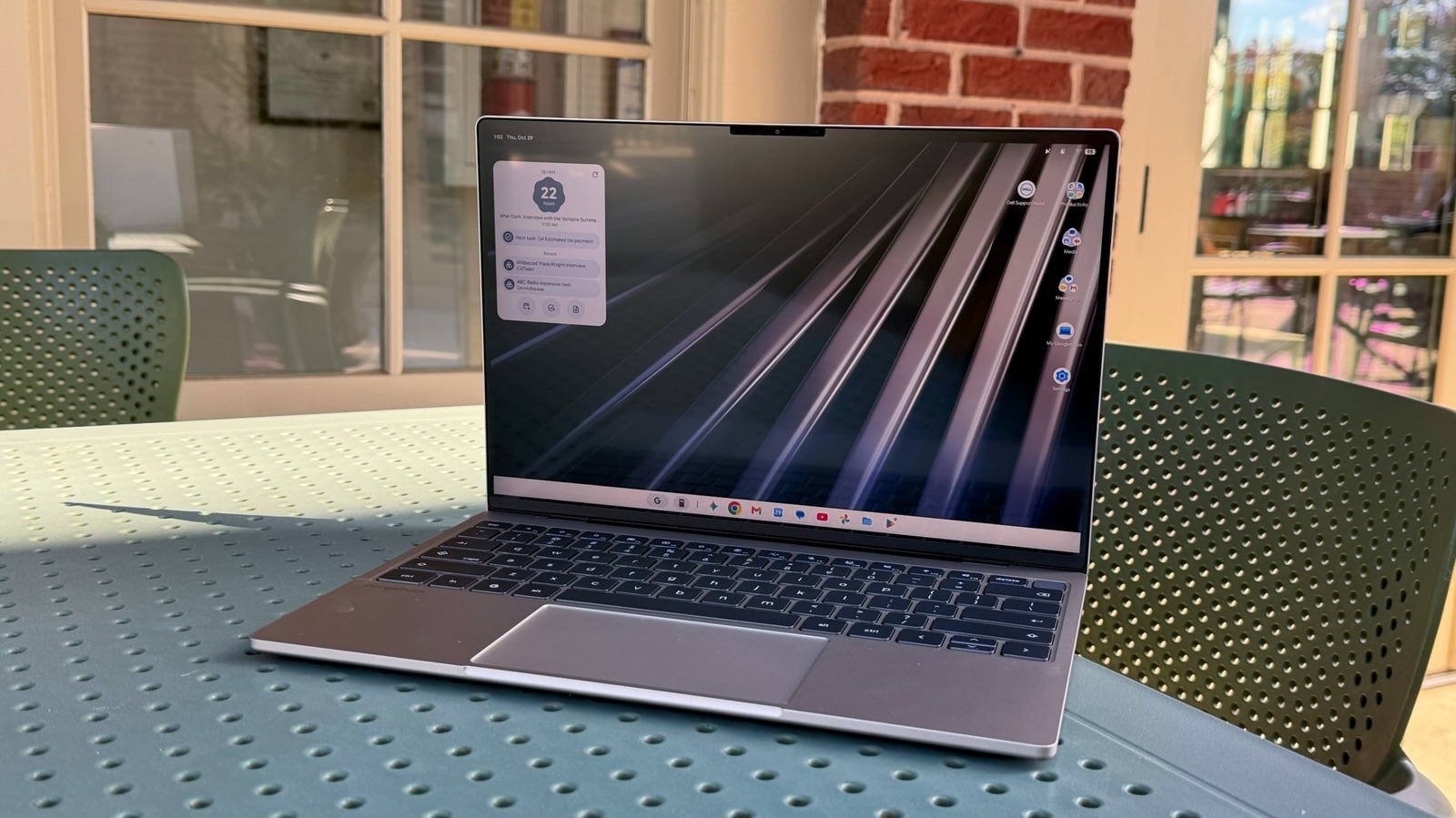
I can think of a few reasons to buy a Googlebook, but they're all pretty dystopian. Maybe every other computing platform has succumbed to a super AI-powered virus, leaving a Googlebook as your only option. Or perhaps Google has taken over the world and has started hunting down people who use Windows, Linux or macOS. In a world where a Googlebook is your only option, then the $1,000 Dell XPS Googlebook is probably the one to get. But in the real world, where you can get the exact same XPS hardware running on more flexible platforms with better developer support, the XPS Googlebook seems practically pointless.
But let's back up a bit and talk about Googlebook OS, Google's new laptop platform that's a combination of both Android and ChromeOS. It supports Android apps natively, it can synchronize and mirror apps from your Android phone, and it has Google's Gemini AI integrated throughout its interface. Technically, Googlebook OS should be an upgrade from ChromeOS, a platform built entirely around Google's web browser. But, after testing this laptop for the last week, I'd go so far as to say the entire Googlebook concept is a failure.
Who really wants a laptop running unoptimized Android apps? Why buy into an untested Google platform just to synchronize your Android phone, especially when you can mirror and sync Android device texts on Windows and Linux? And why would you pay the same exact price as a Windows PC for a computer that does so much less? While Apple, Microsoft and PC makers are sweating to push the computing industry forward this year, most notably with the launch of NVIDIA's RTX Spark and Apple's redesigned touchscreen MacBook Pro, Google has given us a new platform that is in many ways less useful than its aging Chromebooks.
For its first (and I'm hoping only) Googlebook, Dell took its recent XPS 13 design and refashioned it for Google's new OS. It still has a slim 2.2-pound metal case, making it one of the lightest systems in this size range, and it sports a 13.4-inch InfinityEdge screen. It's powered by a Qualcomm Snapdragon X Elite chip with 16GB of RAM — the same hardware on the $1,000 Windows 11 XPS 13. There are only two USB-C ports on either side of the XPS 13 Googlebook, and, unfortunately, there's no headphone jack.
A multi-colored "Glowbar" occasionally lights up on the rear of the XPS 13 — something that Google highlights as one of the defining features of Googlebook OS — but it's ultimately superfluous. It can show your charging status and battery level, but it's not exactly solving any major problems for laptop users.
It's not unusual to see PC makers reusing their designs — many companies are also recycling their existing work for NVIDIA's RTX Spark chip. But at least that platform has a few halo products designed specifically for it, like the Surface Laptop Ultra. There's nothing highlighting what's truly special about Googlebook OS — arguably because there's not exactly much to show off.
I could tell you that the XPS Googlebook has a very nice screen, a comfortable keyboard and a very accurate touchpad. I could tell you that its slim design and light weight makes it easy to tote around without weighing down your bag. But really, you could have learned all of that from my review of the standard XPS 13 with Windows 11. Everything good about this system comes from Dell's excellent design work.
Once I started using Googlebook OS, though, it became instantly clear that Googlebook OS is simply a hot mess. It's fine for web browsing with Chrome and accessing Google apps like Gmail and Calendar, but support for Android apps via the Google Play store is mostly disappointing. Slack only works as a mobile Android app, allowing you to see a single channel or direct message, but there's no wider desktop view like you'd see on Windows or macOS. You also can't easily react to messages and images in Slack — instead, you have to perform a long click, as you would on a normal Android phone. Evernote, meanwhile,