// 9TO5MAC — MOBILE & WEB
Sonos just launched Live Activities on iPhone
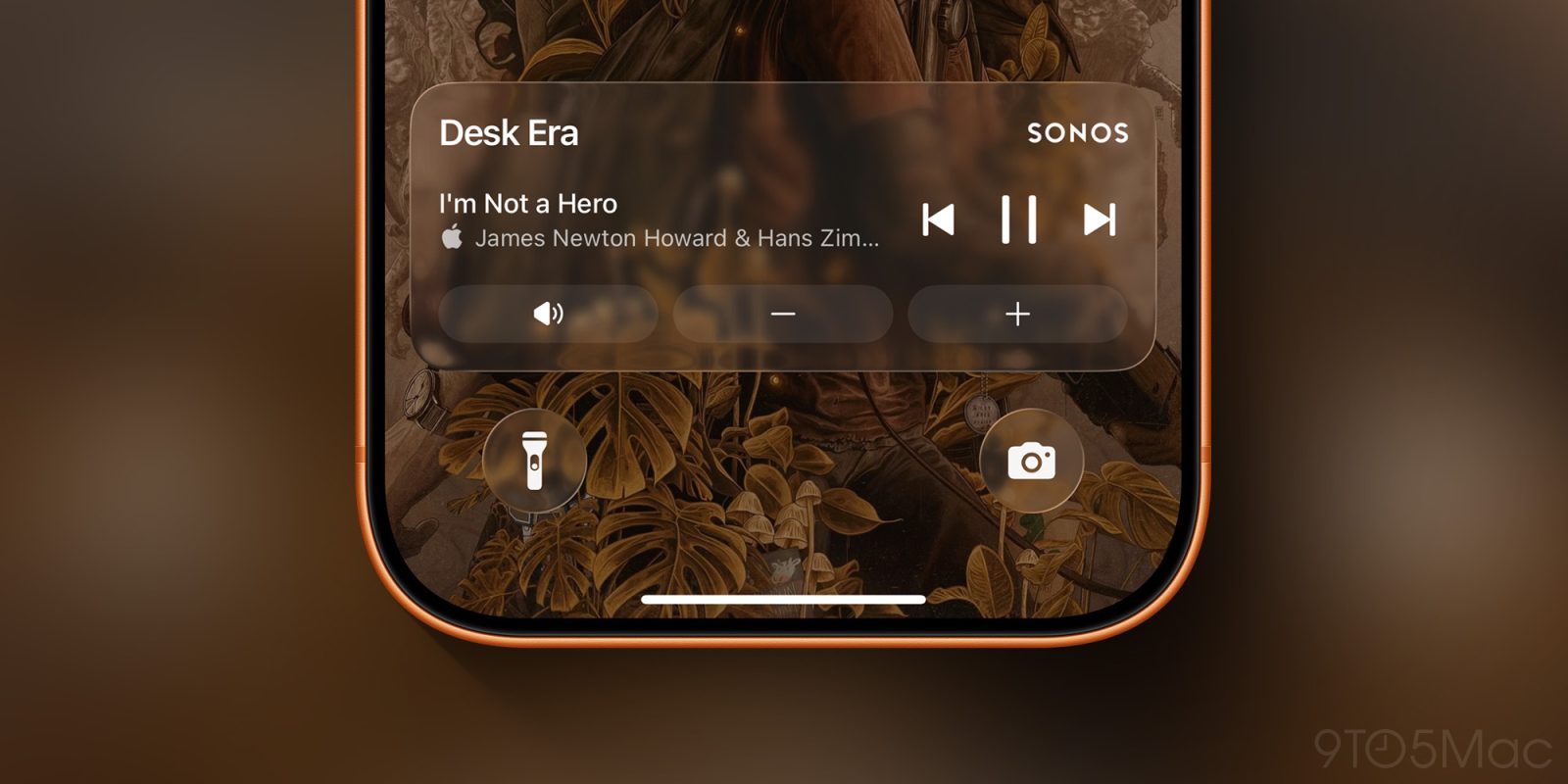
The Sonos app on iPhone just added a big new feature: Live Activities. Here are the details on how they work.
Sonos users have had to endure a lot of change with the iOS app in the last couple of years.
Following a major app redesign that sparked controversy and eventually a fired CEO, Sonos has slowly been re-adding features that users have asked for.
Live Activities have been a highly requested Sonos feature for a long time. And today they’ve officially launched in the latest Sonos app update on iOS.
How do Live Activities work and look?Once enabled the activity will appear after you initiate playback and then close the app. It will show the current room or group you were last playing audio from. When playback stops, the live activity will disappear after 15 minutes. While the iOS Live Activity can be viewed from your Lock Screen, you must first unlock your iPhone with Face ID or a Passcode before being able to make playback changes.
Back in February, Bloomberg reported that Live Activity support was in the works at Sonos. So it’s great to see the feature arrive today.
If you’re not interested in using Live Activities, you can disable them inside the app’s settings. Additionally, Sonos mentions the following things to know:
And if you’re interested in adding more Sonos products, you can shop here on Amazon. The Sonos Move 2 is currently $100 off.
What do you think of Sonos’ support for Live Activities? Let us know in the comments.
*Shop at Apple with 15% discount on certified refurbished